


Needs More Info
P: Amount Slider for Mask in Camera Raw Filter Smart Object doesn't update the preview on click
BUG: Amount Slider for Mask in Camera Raw Filter Smart Object doesn't update the preview on click
- Version of the app:
Camera Raw 16.3 and 16.3.1 / Photoshop 25.9.0 20240516.r.573 296f739 x64
same issue also in Beta Adobe Photoshop Version: 25.10.0 20240606.m.2655 bf45eb0 x64 - Platform and OS version: x64, Windows 10 Pro 22H2 19045.4412
- Severity: high. significantly disrupts my workflow and irritates me a lot.
- Expected result and actual result:
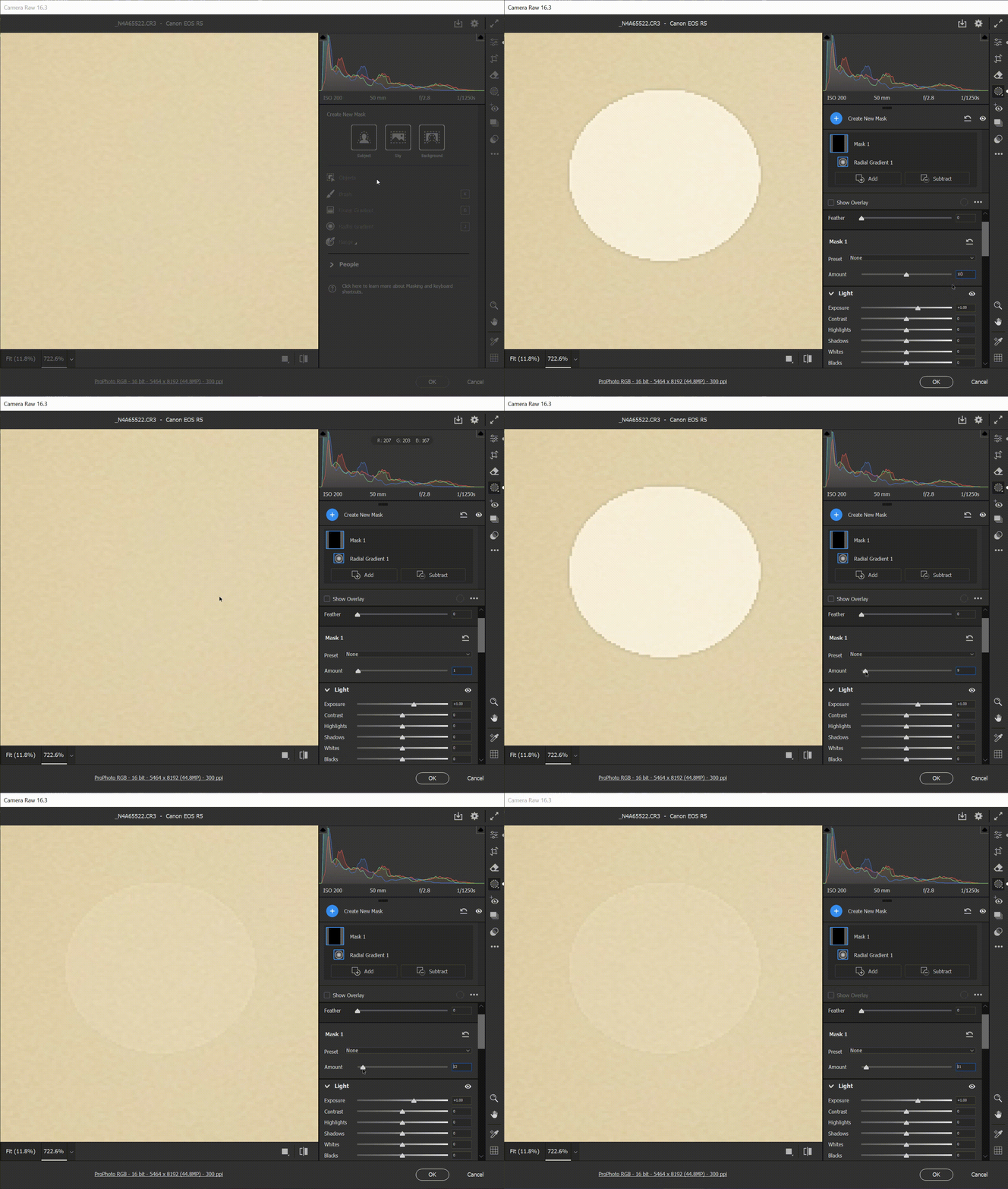
Actual: I have to release mouse button or move the cursor slightly to see updated preview.
Expected: image should update on mouse click, even when I do not move the mouse or do not release the button. All other sliders update preview on click. Only Amount behaves differently. - Basic steps to reproduce the problem:
- Open any RAW file as a Smart Object
- Double click the Smart Object to open Camera RAW dialog
- Create a radial mask, set exposure to +1
- Activate the text field for the amount slider (click on the number 100).
- Set the amount to value 0 (type in the number, using the keyboard only). The preview does not update.
- Press up arrow on the keyboard. Now the preview updates.
- Now using a mouse or a stylus click (and hold) near the right edge of the slider to set the value to around 190. Do not release the mouse button. The preview does not update.
- Release the mouse button - the preview updates.
 AdChoices