


Inspiring
September 2, 2023

P: Camera Raw 15.5.1 Highlight/Shadow sliders "breaks" the values when converting from 32 to 16 bit

  • September 2, 2023
  • 4 replies
  • 810 views

Hi,
I've spotted latest Camera Raw breaking the values when I convert and tonemap my HDRIs with Camera Raw from 32bit to 16bit.
Once you touch Highlights or Shadows slider, it makes black values go crazy. They actually do not work at all.
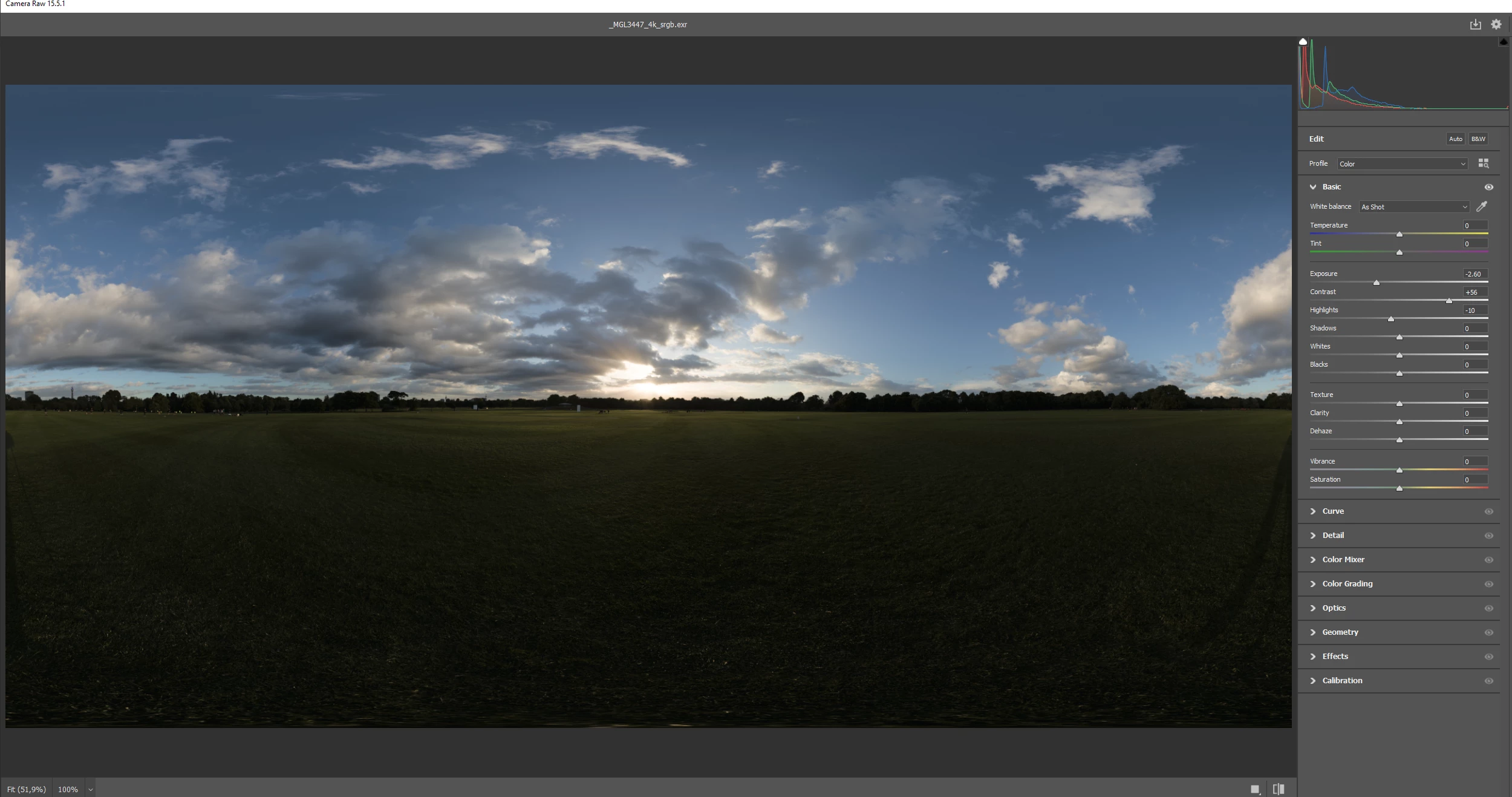

In the other hand Curve panel works fine:
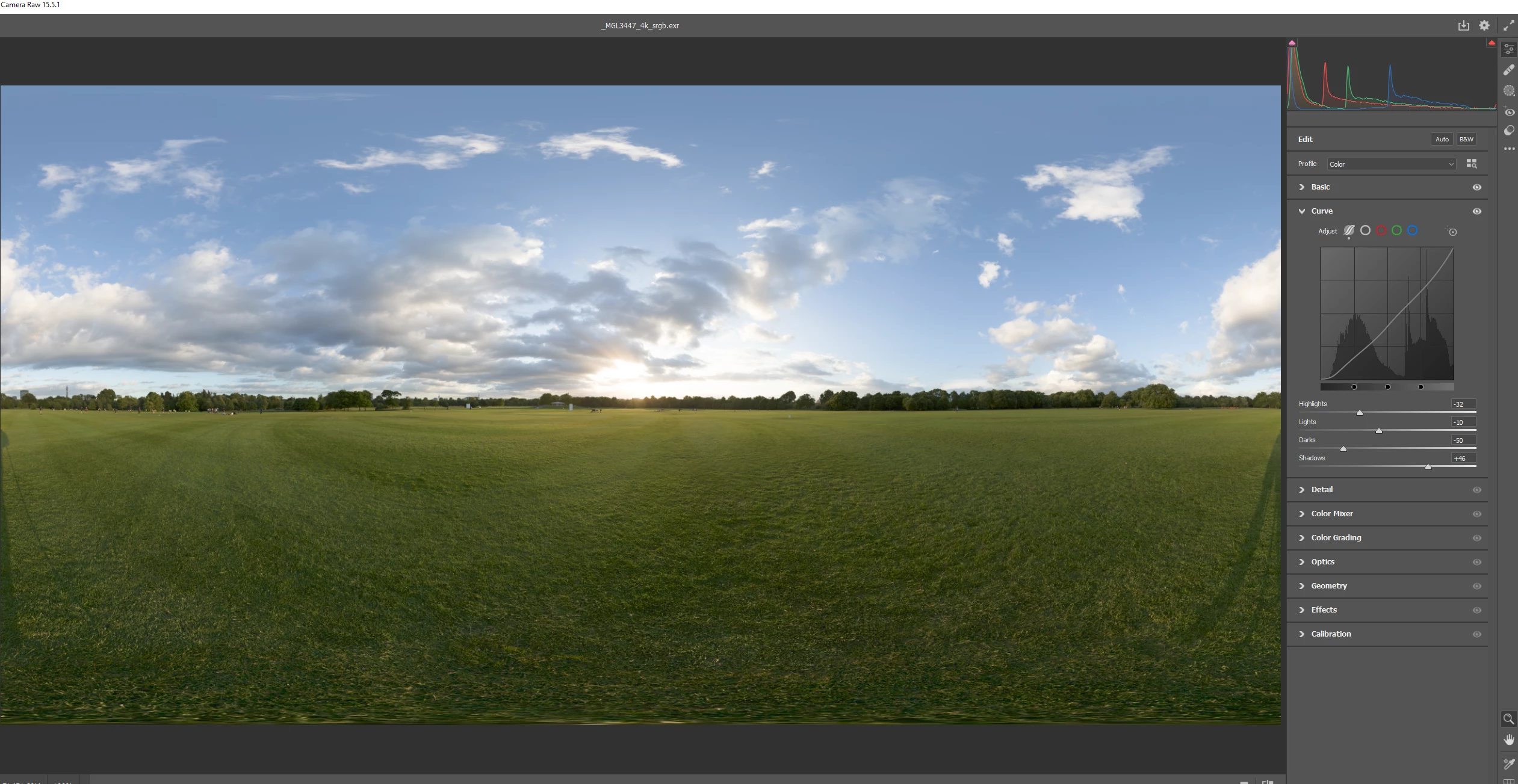

I used to use Camera Raw to tone map my HDRIs for the past 5 years...


4 replies

Inspiring
November 20, 2023

Hi David,

Thank you for taking the time to provide an explanation. This is weird as it used to work for me for year, even when Sun F/stop was above 16. Although Camera Raw occasionally produced unusual effects on the sun itself, the overall functionality, particularly with Shadow/Highlights, remained effective.

The suggested solution appears rather intricate. Consequently, I've opted to explore alternatives such as Photomatix for handling tonemapping aspects and Affinity for managing 32 bits. I'm curious if there's a reason why, as the leading software in the industry, a solution similar to those employed by other platforms cannot be implemented.

I do not even mention about 360 option when grading 360 panoramas- so the effect "rolls over" on the edges- look at Photomatix.

I appreciate your attention to this matter, even though it took three months to receive a response. Thank you for your efforts.

David Franzen at Work
Adobe Employee
Adobe Employee
November 20, 2023

Thank you for providing samples. Here is an explaination and workaround from the Camera Raw developers...

Unfortunately this is a current design limitation of Highlights and Shadows. The sun in the test OpenEXR file is much brighter than ACR's supported internal range; it is 16 f-stops above the SDR white level.

A workaround for the problem is to open the image in Ps and then use ACR Filter (in HDR mode) to reduce the exposure of the sun. You can either do this by verifying HDR Limit is set to 4 stops and click OK. This will clip the sun's tones for +4 stops above SDR white.


Then, using 32-to-16 with Highlights and Shadows will work fine.

David Franzen at Work
Adobe Employee
Adobe Employee
October 5, 2023

Can you provide a sample file?

Thanks,
David

Inspiring
October 6, 2023

Hi, take any panorama from https://polyhaven.com/a/resting_place_2  for example.
Then you go Image -> mode -> 32bit to 16bit

Once you touch any slider highlights or shadow it breaks the image:
Values are going crazy, check the histogram:


Pushing slider to the right....


Would be great to have an option to "wrap" the effect on the corners, so we don't have "visible seam" just like you have in PhotomatixPro

Inspiring
September 18, 2023

really?