

Participant
July 13, 2026

P: Camera Raw Geometry panel is always collapsed

  • July 13, 2026
  • 5 replies
  • 114 views

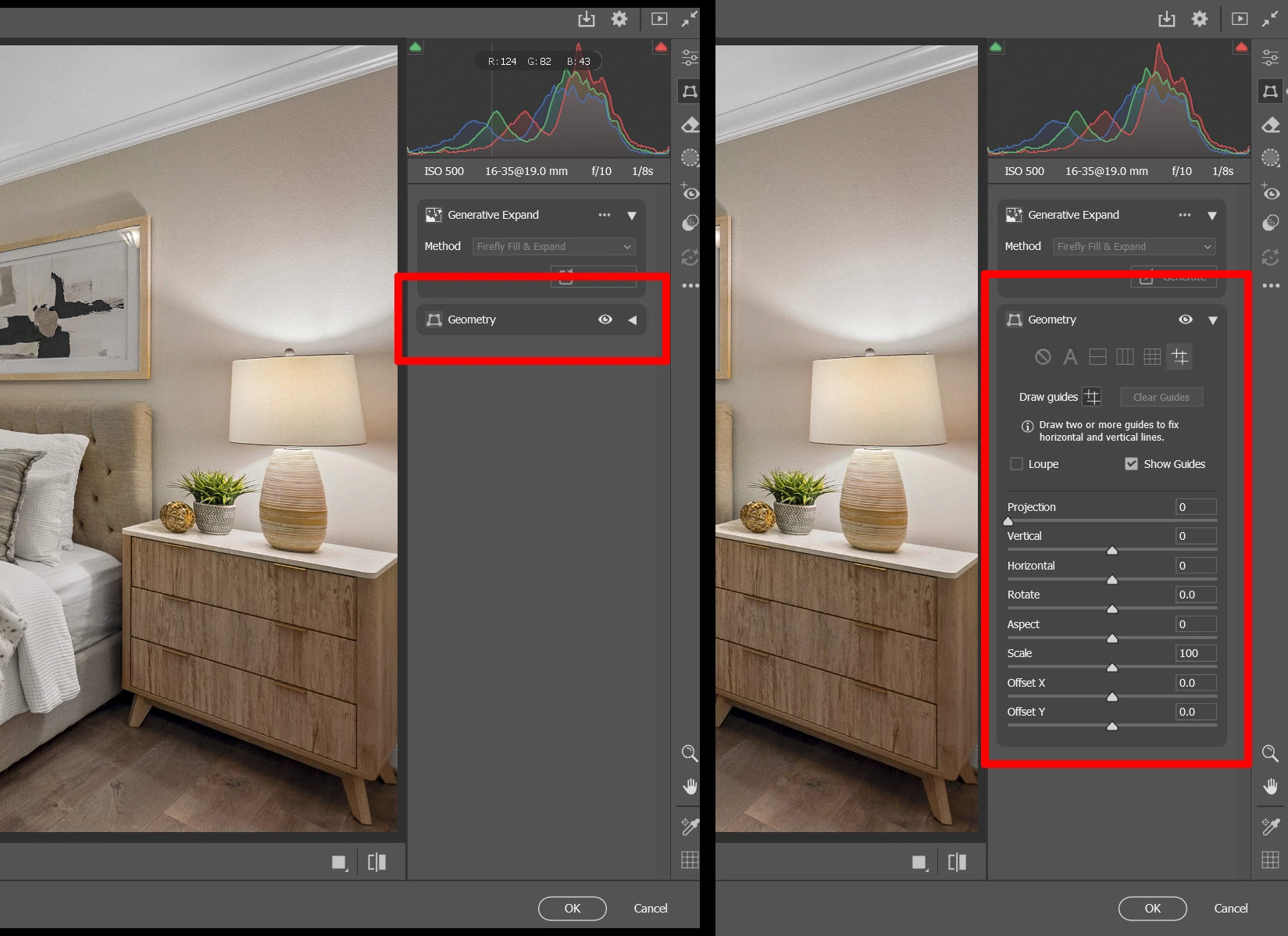
Recent Camera RAW update… when I access the Geometry panel  Shift T, the default is collapsed, I always have to click it to expand. Used to not be this way… any fix?


    5 replies

    JohanElzenga
    Community Expert
    Community Expert
    August 2, 2026

    Yes, this seems to be an innocent, but still annoying, bug. I don’t think there is anything you can do except wait for an update that fixes it.

    -- Johan W. Elzenga
    Sameer K
    Community Manager
    Community Manager
    August 3, 2026

    Hey all! I've moved this from Photoshop to Camera Raw. The team has been made aware of the feedback here. Please feel free to share your thoughts.


    Thanks!
    Sameer K
    (Type '@' and type my name to mention me when you reply)

    Nigh5
    Participant
    August 2, 2026

    I’ve also have this issue after the latest update that included the generative expand to the geometry tab. 

    sdubose99Author
    Participant
    July 20, 2026

    Camera RAW updated automatically, the problem still exists. I uninstalled the latest update, installed an older version. Also turned off Auto Updates for Camera RAW in Creative Cloud.  All good for now. 


    sdubose99Author
    Participant
    July 13, 2026

    Just had an online chat with Adobe tech support, she confirmed the issue is happening and rolled back my Camera RAW software to the previous version.  She’ll take it up with the development team, we’ll see what happens.
