



JJMack
Community Expert
Community Expert
October 14, 2015

P: Camera Raw smart Filter Adjustment brush adjustment lost when canvas size is changed

  • October 14, 2015
  • 4 replies
  • 104 views

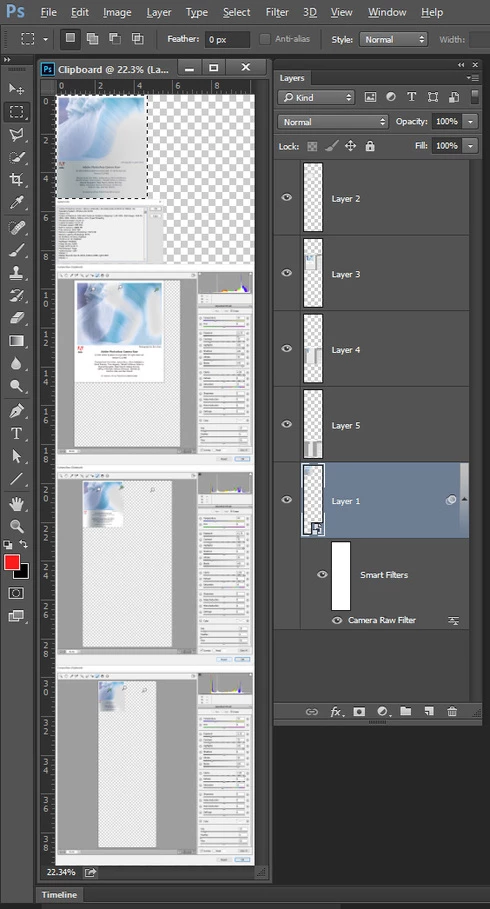
When ACR is use as a smart filter on a smart object layer. And later the Canvas size is increased. When I open the smart ACR filter the adjustment brush pins and stroked are wrong. Increase the canvas size again and there wrong. Each time I increase the canvas the Smart filter mask is also increased in size.
This topic has been closed for replies.

4 replies

Inspiring
May 7, 2018
I still see the same issue...make a Camera Raw brush adjustment to a smart object, close, change canvas size, reopen smart object and the brush (or gradient, etc) area has moved proportionally with the parent canvas size. Very frustrating. Why can't they contain the smart object canvas to JUST the smart object?
Legend
January 22, 2016
Hi John, I'm actually still seeing this issue with CC 2015.1.2 and ACR 9.3.1. I'll raise it with the team.
JJMack
Community Expert
JJMackCommunity ExpertAuthor
Community Expert
January 22, 2016
Seems to be fixed in the third CC 2015 or ACR 9.3
JJMack
JJMack
Community Expert
JJMackCommunity ExpertAuthor
Community Expert
October 14, 2015
PHOTOSHOP - ACR smart Filter Adjusment brushes adjustment are wrong when canvas size is changed.

They should be bound to the layer actual current bound like they were when first applied. But they wrongly seem to be bound to the document canvas size when the canvas size is changed by adding canvas the pins for the adjustment brush are not where they should be and may be outside the layers bounds..
JJMack