Max Fo
Participant
March 21, 2021

P: Camera Raw: Super-resolution brings weird artifacts

  • March 21, 2021
  • 6 replies
  • 798 views

Hi there,


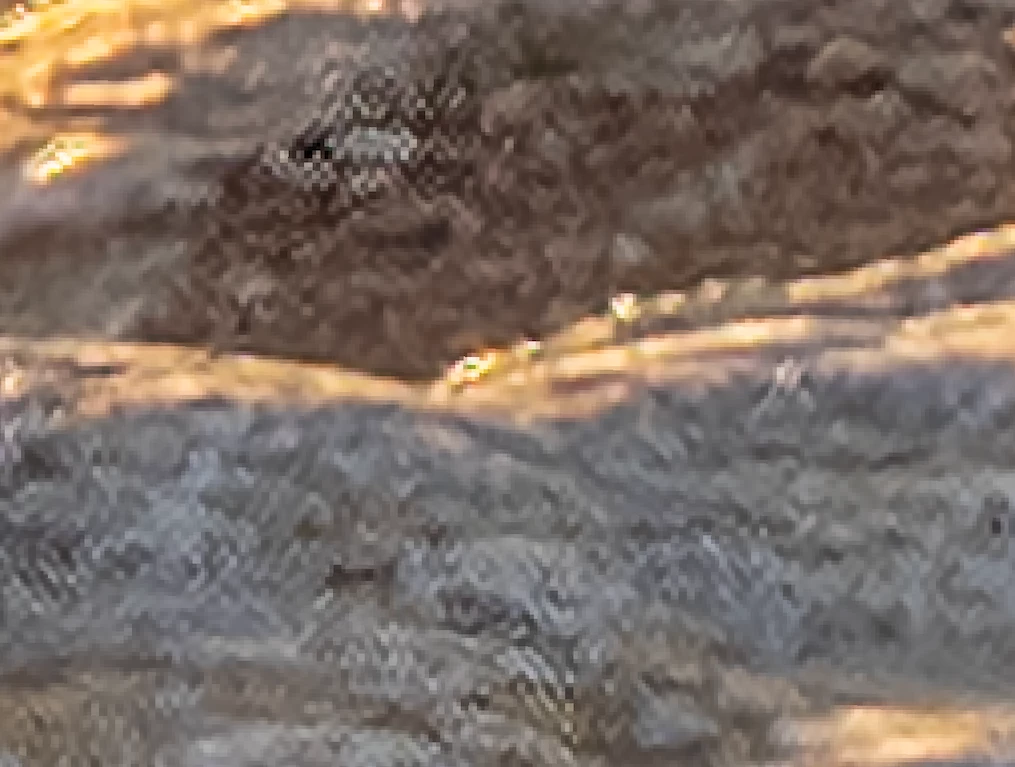
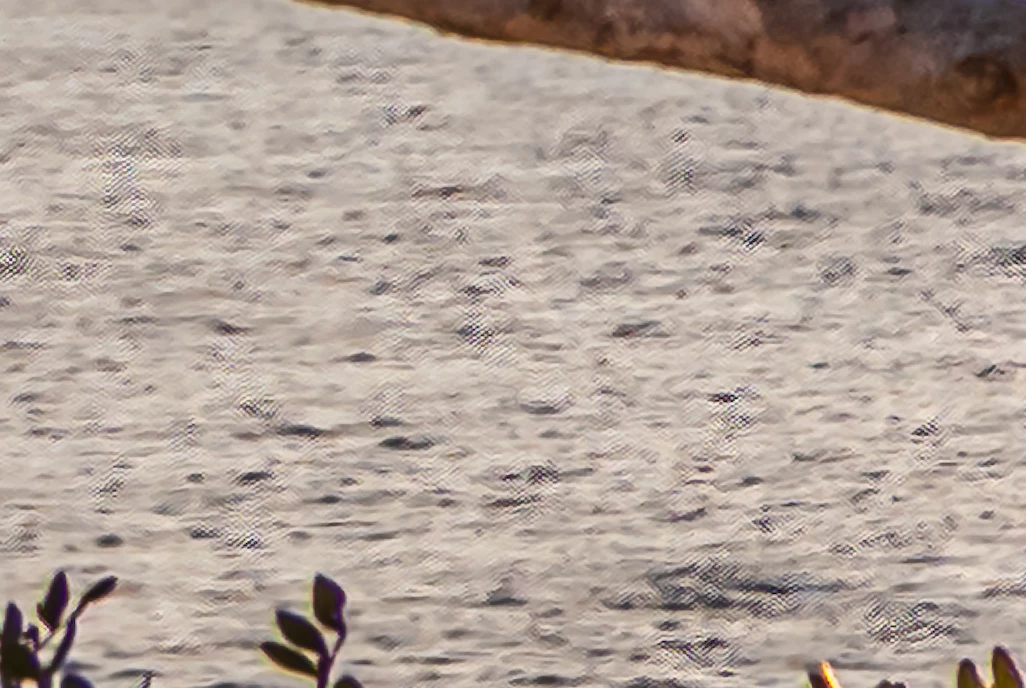
I just tried out the enhance and super resolution feature on an HDR image and was really impressed, until I found these strange artifacts that can be seen everywhere.


I combined 3 images into an HDR image in Lightroom, then edited the photo in Lightroom and exported it as a DNG raw file to then open in ACR and enhance. I also tried stripping the image of the edits and enhance the original combined HDR, but it still presented those artifacts and lines.


Can anyone help me with this?


Thank and best regards,


Max
This topic has been closed for replies.

6 replies

Participating Frequently
March 1, 2022

The attached graphic illustrates "color artifacts" observed on fine detail of sand dunes after the image has been processed by enhance details in the super resolution mode. 


From left to right: enhance details w/super resolution, enhance details, normal.


Photoshop Version: 23.2.1

Windows 10 OS Build: 19044.1526


The process to create each image is summarized below:

1) Import RAW file into Camera Raw.

2) Disable all sharpening and noise reduction.

3) Ensure optics corrections are not checked (essentially, 1-3 are an attempt to disable all processing other than demosaicing).

4) Apply enhance as applicable (applied to two of the photographs included in the attached file).

5) Open the image in photoshop.

6) Save as a .tif file.

Inspiring
May 29, 2021

I found some more; when disabling the GPU rendering features in PS and ACR preferences, at the moment you press "enhance" it still uses GPU.
That is bug. (i'm not sure it is related, but) 

Legend
May 24, 2021

Thanks for the report. Camera Raw engineering is looking into this issue.

Inspiring
May 23, 2021

Hi there,
I am having the same issue. I've read several forums around.
So far i tried to:
- update displaydriver

- uninstall a lot of crap (as it might interfere with the processing)

-dis, and enabled GPU processing

- tried RAW images, .tiff files, .jp(e)g files. all give "same" artifacts 
- tried switching bit depth and color spaces preferences in ACR

It cannot be related to storage (the preview also shows artifacts) so i doubt it is a .dng issue as nothing has been saved to file, during preview! (but ofcourse i can be mistaken)

custom built win10 pro computer 32GB RAM, everything is processed in RAM as i use a RAMDISK.
core-i7 CPU, intel HD530 card

camera type is Canon5D4 (CR2 RAW files)

Todd Shaner
Legend
March 21, 2021

Do you see the same Super Resolution DNG artifacts when using just one of the three original raw files?

Earth Oliver
Legend
March 21, 2021