


markovesterinen
Participating Frequently
June 9, 2016

P: Can't read DNG files from Fuji X-E2 anymore

  • June 9, 2016
  • 75 replies
  • 2251 views

Just installed the new Lightroom CC 2015.6 / 6.6 update and i have a really strange issue. All my files are in DNG format. Everything works fine except the files from my Fuji X-E2. Lightroom and Photoshop can't read these anymore! The files get's a black exclamation mark next to them. See the screenshot. 
All files from the other Fuji X-series cameras works just fine. It's only X-E2 files that doesn't. 
The files work just fine with any other software and i tried them on a different computer which has the previous version of lightroom CC and there they work just fine!
Is there a way to make a roll-back to previous version?
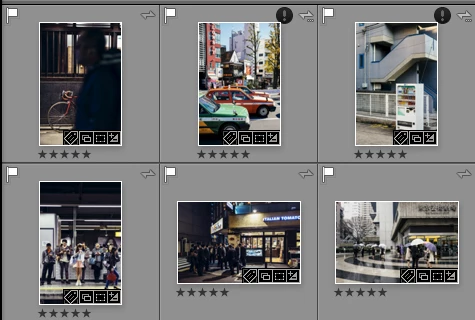
This topic has been closed for replies.

75 replies

markovesterinen
Participating Frequently
June 9, 2016
Unfortunately I don't own the X-E2 any more so I can't try to import a new non DNG File from the camera.
markovesterinen
Participating Frequently
June 9, 2016
Thank you for the reply. Yes that's exactly what happens to me too. You can import the file without a problem with the previous version of LR or any other software.

I will disable the download link now if it's ok?
Rikk Flohr_Photography
Community Manager
June 9, 2016
I am unable to import the file you sent. It shows as damaged. Right now, I am sourcing a test file or two for comparison and will get back to you.
Rikk Flohr: Adobe Photography Org
markovesterinen
Participating Frequently
June 9, 2016
Thank you! You can find one file here  http://adobe.ly/22WcA2t
Rikk Flohr_Photography
Community Manager
June 9, 2016
If you would like to post one of the offending files, I would be happy to take a look at it. 
Rikk Flohr: Adobe Photography Org