



kbrice
Known Participant
January 12, 2019

P: Raw photos in portrait from DJI Osmo Pocket rendering with a discolored band at the top

  • January 12, 2019
  • 11 replies
  • 676 views

I'm having a really bizarre problem with my Osmo Pocket's raw photos. If I take a photo in landscape, it renders fine:


but if I take it in portrait, the rendered photo ends up with this weird band at the top:
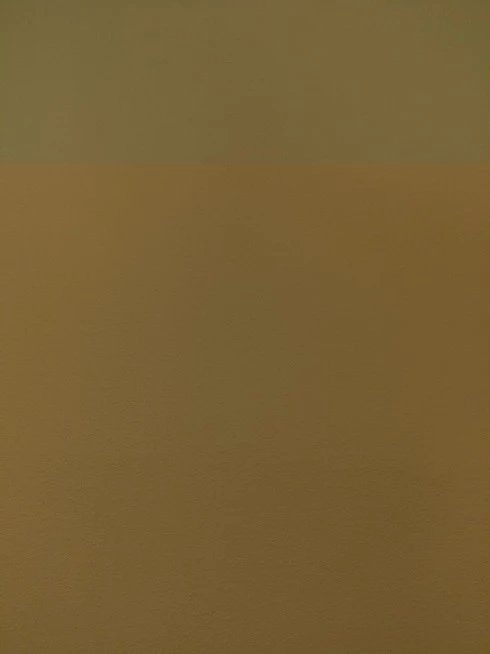

Microsoft Photos renders it fine in both cases. Any ideas what might be going on?

This topic has been closed for replies.

11 replies

TheDigitalDog
Inspiring
October 22, 2020

And it is definitely not a DJI's fault.

Ah, sure seems to be DJI's fault as reconverting their DNG fixes the issue. At least in the sample DNG I got, the artifact disappeared after I converted it in LR to a new DNG. 

Author “Color Management for Photographers" & "Photoshop CC Color Management/pluralsight"
urixx
Known Participant
October 22, 2020

no, still no solution. And it is definitely not a DJI's fault.

TheDigitalDog
Inspiring
October 22, 2020
Author “Color Management for Photographers" & "Photoshop CC Color Management/pluralsight"
Rikk Flohr_Photography
Community Manager
Community Manager
March 31, 2020
DJI will be releasing a firmware update to correct this issue. Check with DJI for the latest update.  
Rikk Flohr: Adobe Photography Org
Inspiring
January 3, 2020
https://forum.dji.com/forum.php?mod=viewthread&tid=202914#pid2037013

No fix for the problem yet, but it seems like it can be avoided.
Inspiring
December 2, 2019


Hi everybody!
I've been a satisfied user of DJI Osmo Pocket for a few months now. I am new to the forum and would like to know if anyone has ever encountered a problem I have with my device.

I use DJI Osmo Pocket mainly to create videos but sometimes I use it to take pictures because of its raw format.

When I take a vertical shot the DNG file looks good. When I transfer it to my computer it shows well and works fine in Apple Photos. But when I import the DNG file on Lightroom the rendered photo ends up with a weird band at the top. It looks like a marriage. 

Here is the original DNG file: https://www.dropbox.com/s/iko69wobmviv8me/DJI_0503.DNG?dl=0

Here is the DNG file as it appears on Lightroom: https://www.dropbox.com/s/95wtq1b7y6ad0xj/Test.jpg?dl=0

If I take a photo in landscape it renders fine.

I tried to use another computer and import the DNG file but I have the same problem. I tried to calibrate the DJI Osmo Pocket but the problem persist. 

I also tried to take a picture with another DJI Osmo Pocket and the problem occurs in the same way.

I use Lightroom Classic 8.3.1 - Camera Raw 11.3

Has anyone ever tried to edit a vertical photo taken with the DJI Osmo Pocket using Lightroom?

Has anyone ever had the same problem?

Thank you for any support!
Inspiring
November 24, 2019

@Kevin Brice @Rikk Flohr I have the same problem here! Do you have any updates?

Inspiring
November 18, 2019
any updates ? im having the same issue
Rikk Flohr_Photography
Community Manager
Community Manager
January 16, 2019
Thanks Kevin. I've forwarded them to the Camera Raw team. 
Rikk Flohr: Adobe Photography Org
kbrice
kbriceAuthor
Known Participant
January 16, 2019