


P: Sigma 24-70 DG DN Sony lens correction issue
Hi All,
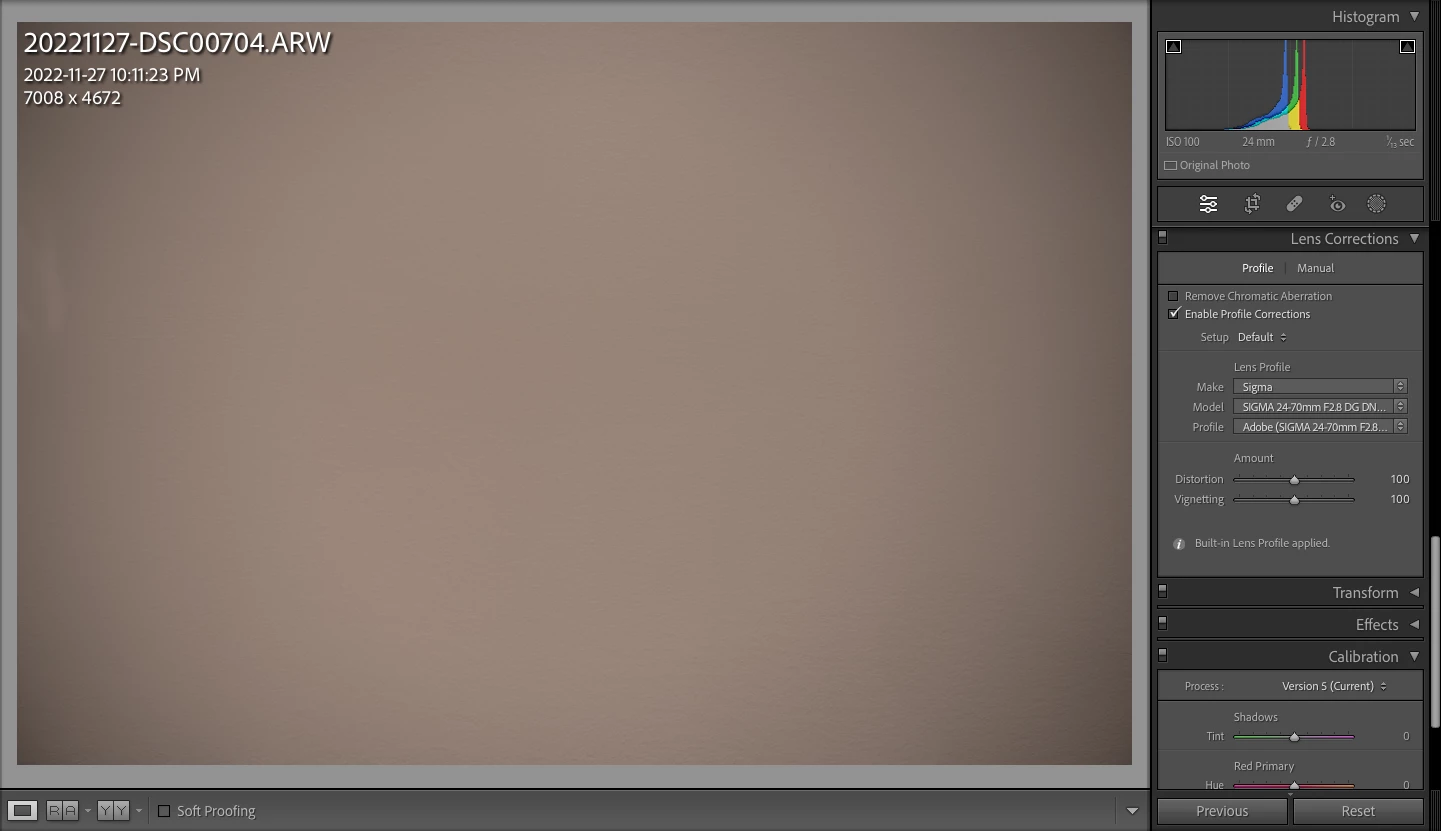
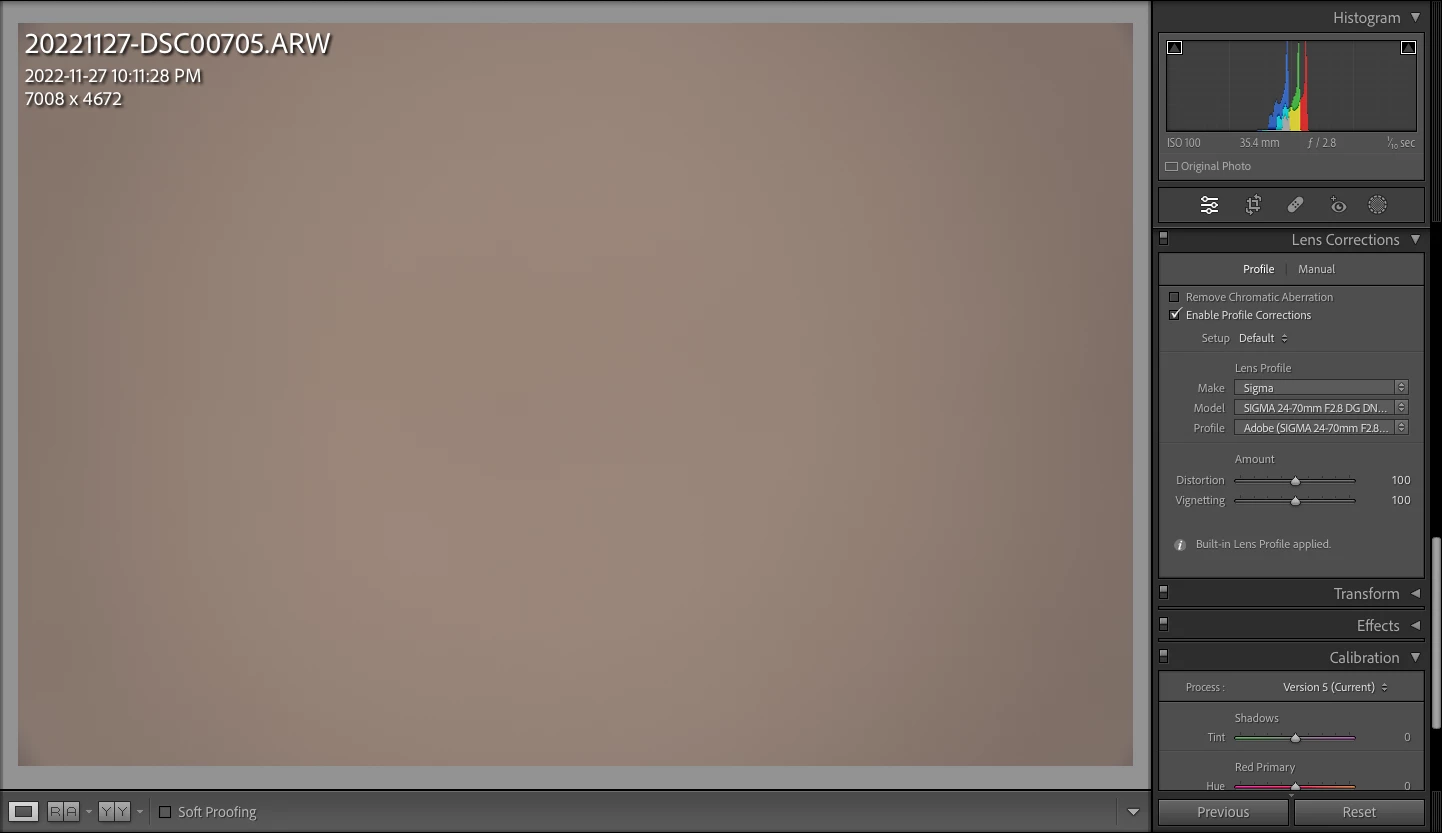
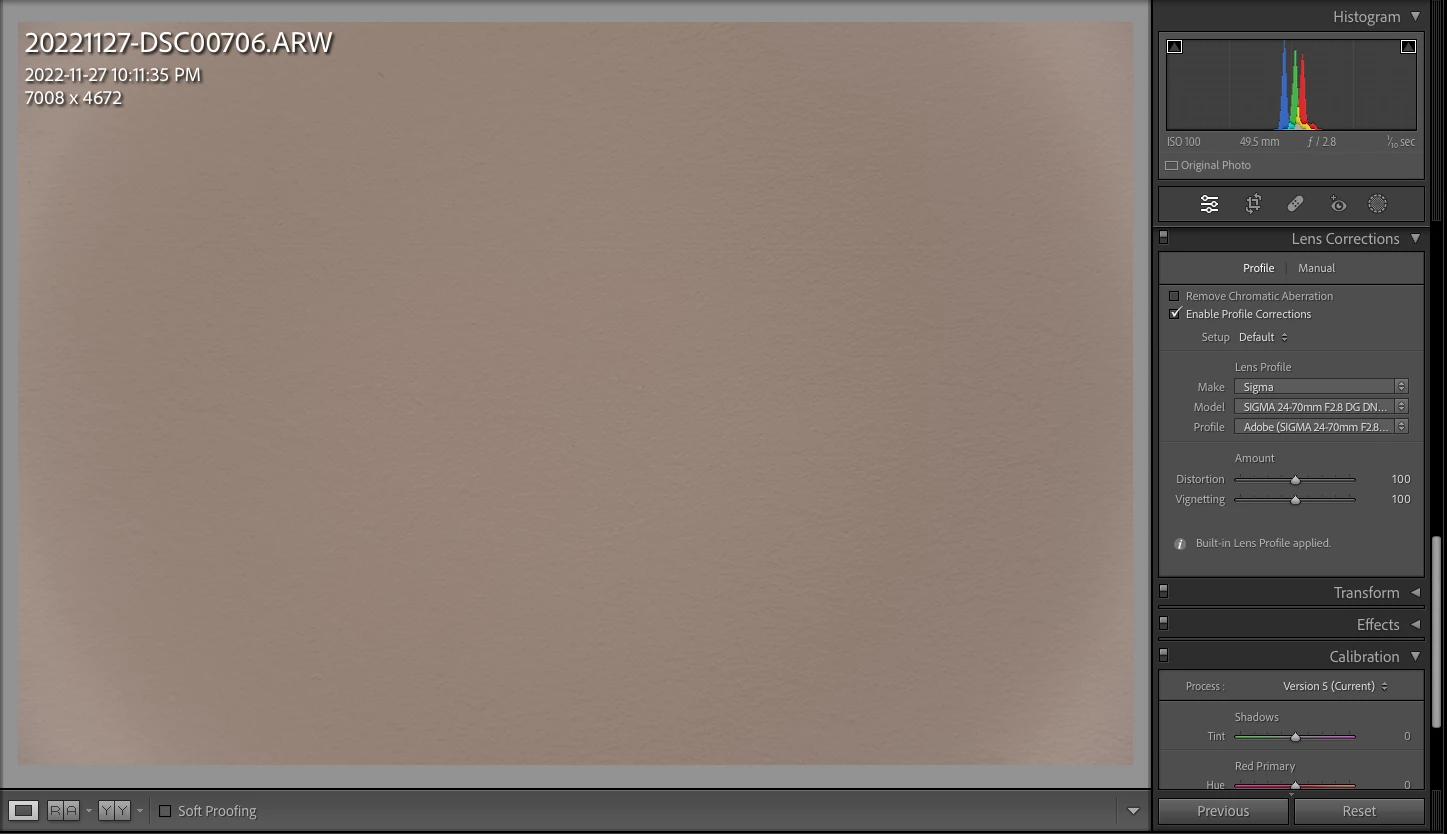
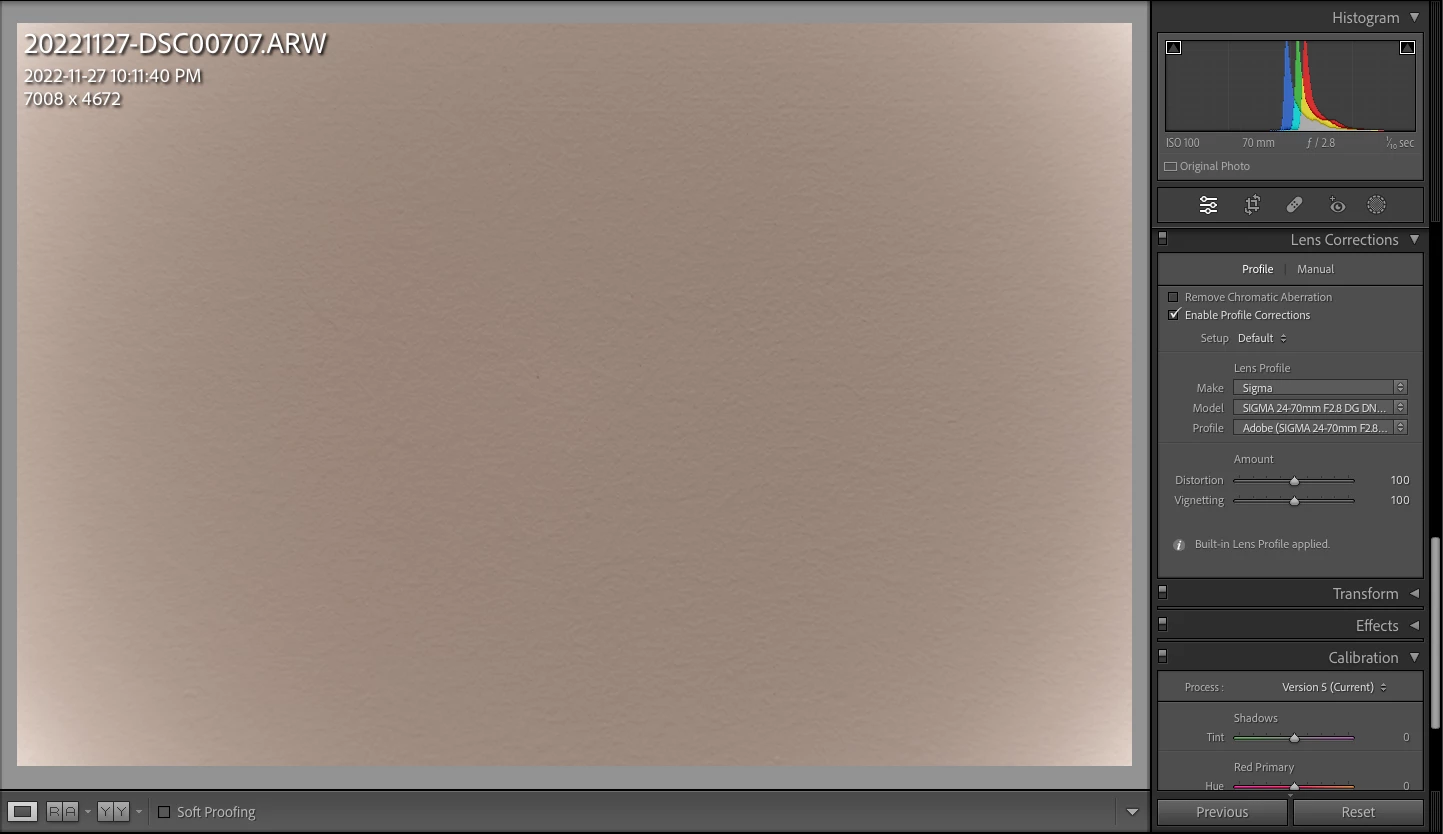
First time posting, this issue has been annoying me since I picked up this new camera. Sony A7IV with sigma 24-70 2.8 DG DN A019 is under correcting vignette on wide 24mm end and over correcting on 70mm end. Almost like the vignette correction profile is backwards. See attached shots at 24, 35, 50 and 70. Lightroom is latest 12.0.1 release, camera is latest 1.11 firmware and lens is v.03 (tried updating to v.04 but sigma software wasn't cooperating, sigma says this update just allows MF assist). What I have tried:
- Turning all compensations on in camera
- Turning all except shading compensation on in camera (suggested on other posts)
- Turning all off in camera and selecting in lightroom once imported
All give the same result. I have also tried switching correction profile versions which sometimes yields a better result at a certain focal length but it's hit and miss.
Any one else having this issue or know of something I might be missing?
Thanks in advance,
Scott
 AdChoices