
Open for Voting
Blend tool path adjustment no longer centers..
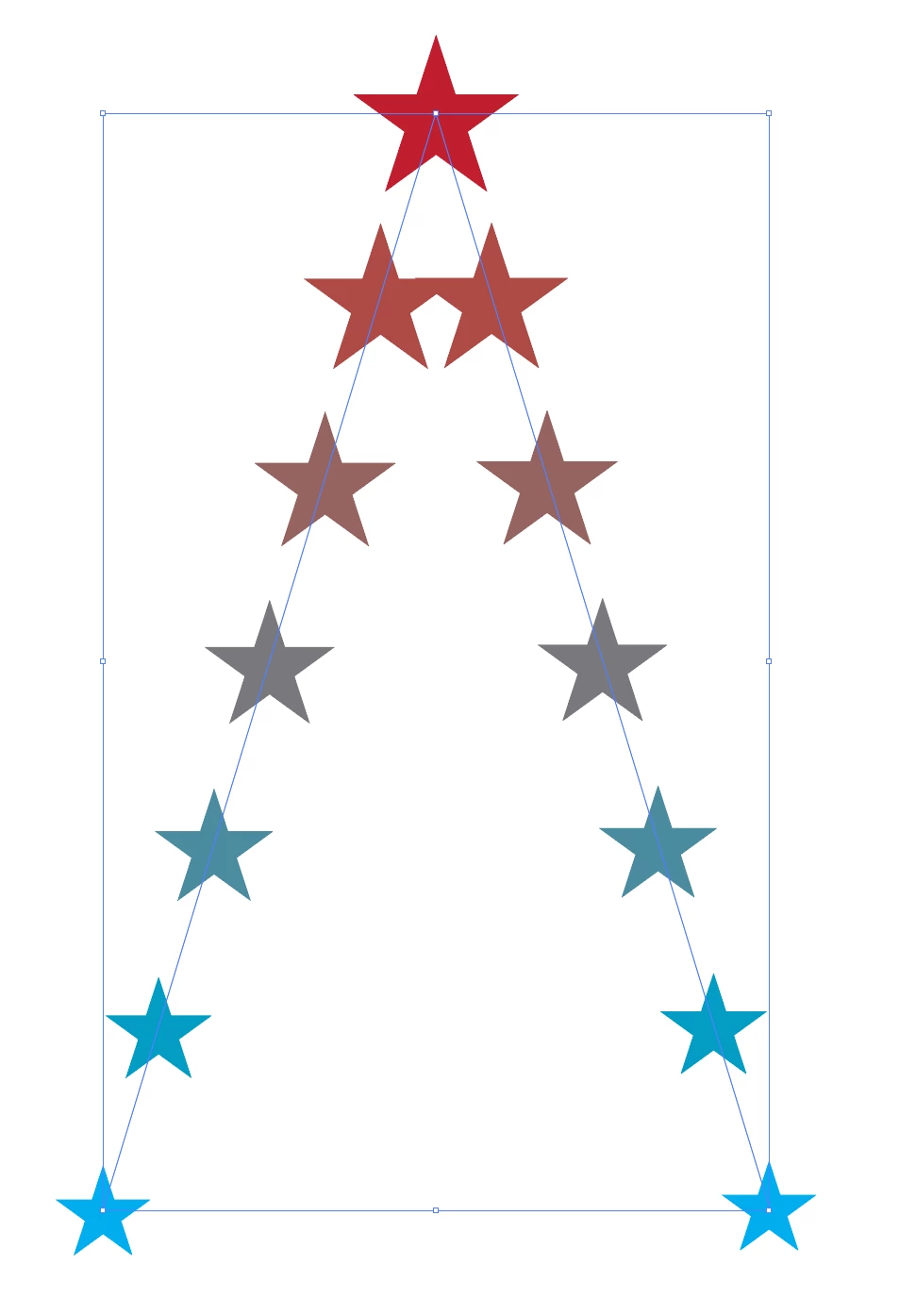
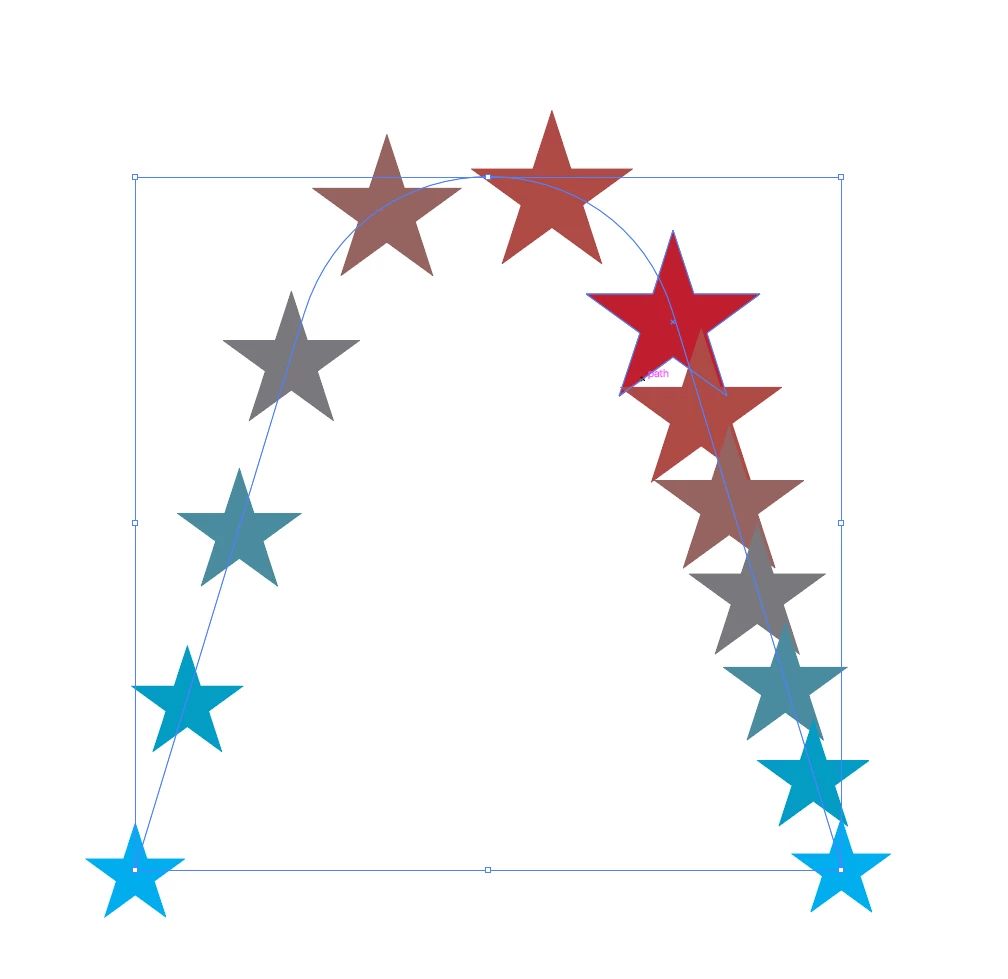
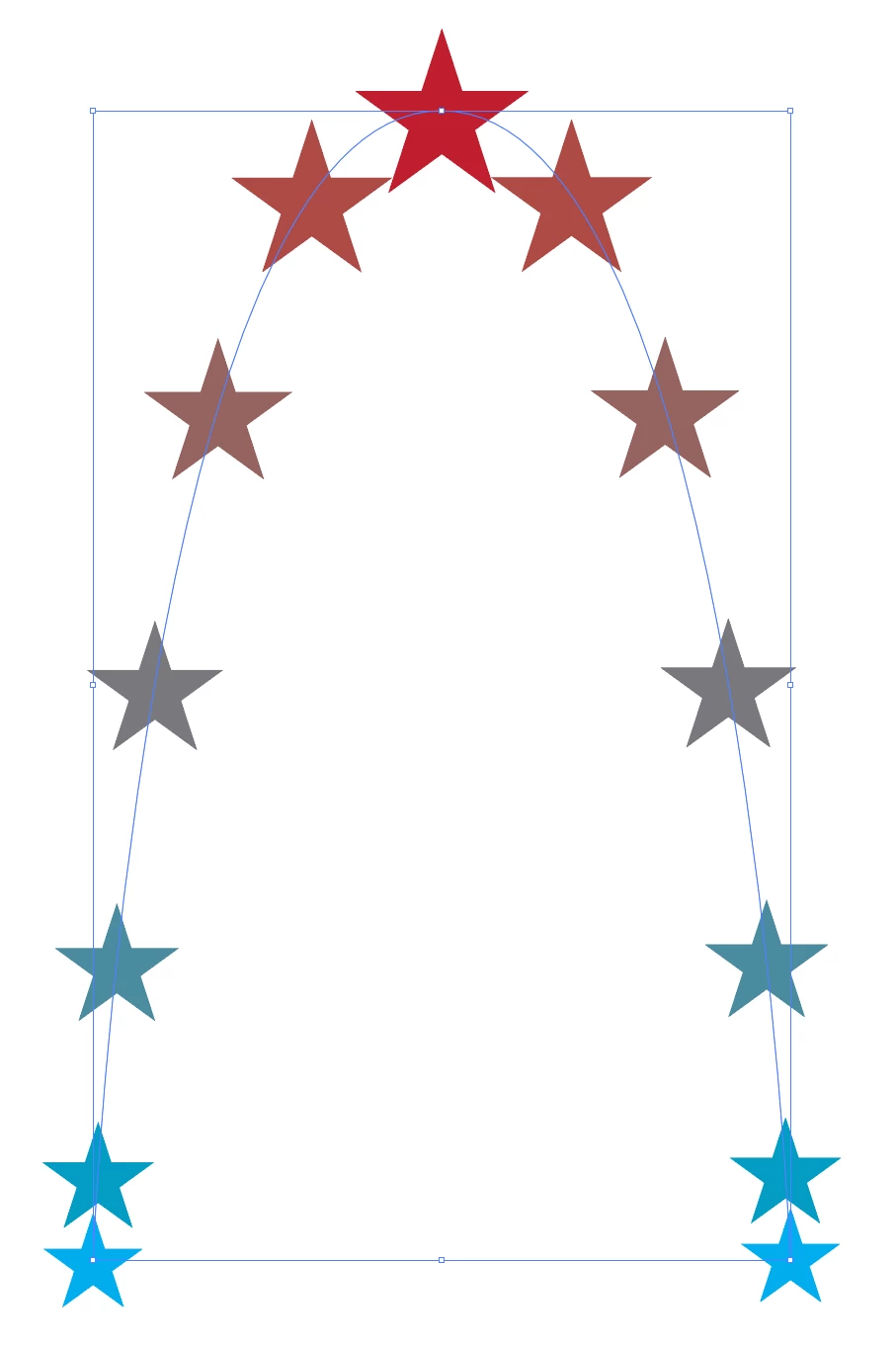
I’m using the Blend tool with three stars: two at the bottom of the art board and one in the middle at the top, to form a pointed shape. Then I adjust the number of steps to five. The result is looks balanced, with a normal distribution of the objects in between the stars. Then, with the Direct Selection tool, I select the middle of the created path (of the Blend) and drag the circle down, to form a curve. The curve is created, but instead of dragging down the middle star, it moves to one side. The result is an unbalanced shape. If I use the “Convert the selected anchor points to smooth” option instead, the result looks balanced, but the distribution of the stars in the Blend is now skewed.
This is all on MacOS 15.7.4 as well as MacOS 26.3


 AdChoices