

I can no longer open .dxf files and also cannot export my artwork as .dxf files as the option does not appear from the drop down anymore
system and software details:
System Type ARM64-based PC
System SKU LENOVO Yoga Slim 7 14Q8X9
Processor Snapdragon(R) X Elite - X1E78100 - Qualcomm(R) Oryon(TM) CPU, 3417 Mhz, 12 Core(s), 12 Logical Processor(s)
Installed Physical Memory (RAM) 32.0 GB
Illustrator Version: Illustrator Beta 30.7 (Most recent update available from Adobe Creative Cloud 12 June 2026)
Since I have updated my Illustrator (12 June 2026), I do not have the option on the Export As menu to export files as .DXF and also cannot open/import .DXF files in Illustrator.
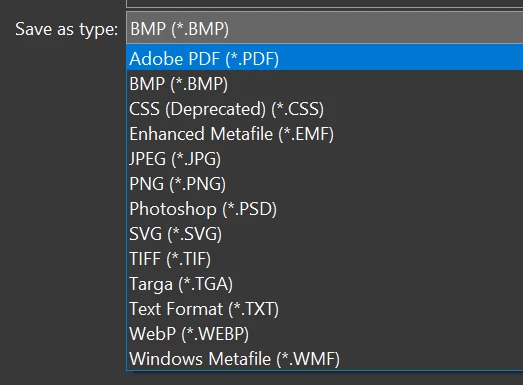
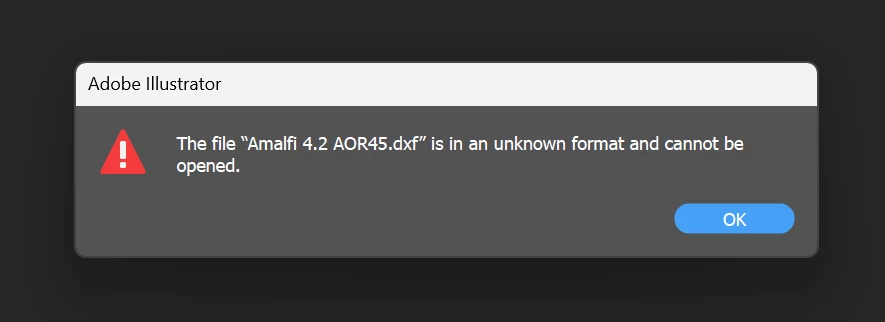
I have been using that function for the past 2 years on this laptop without any issue but the recent update has done something and I cannot figure out how to get the native DxfDwgFileFormat.aip to load in the System Folder as well as I have also tried to uninstall and even use Adobe Cleaner to remove all Creative Cloud Apps and re-install everything.
I have also used Illustrator to export my files to .DXF as it is the most efficient way to do my work as I required .PNGs illustrations and matching .DXFs line files. I hope there is a solution to this, thank you. Or is there a way for me to download previous versions of Illustrator BETA that will fix this issue?


 AdChoices