

PixlPshr 84
Participant
April 30, 2025

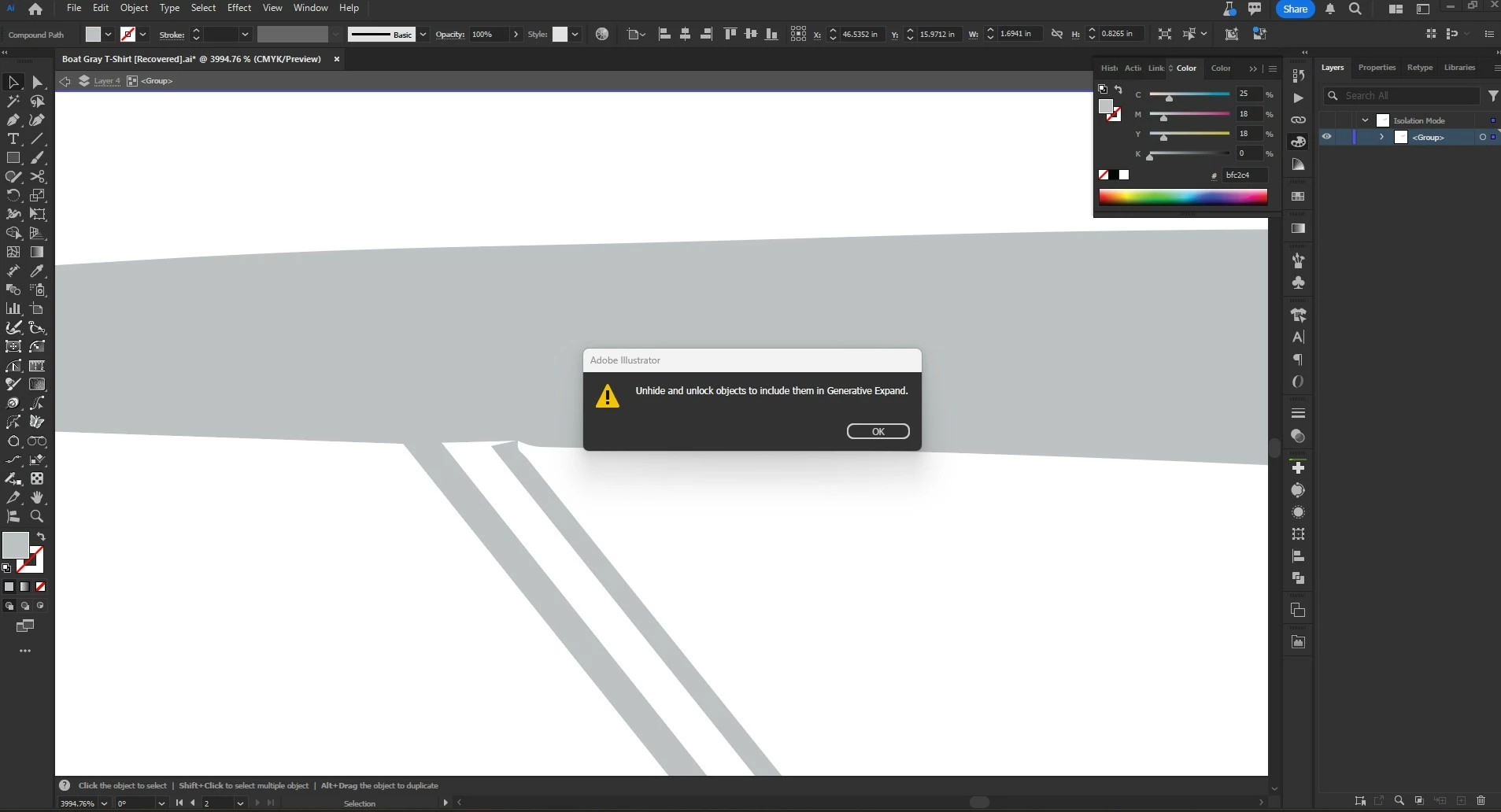
Locking objects locks up Illustrator - Error message comes up and won't go away

  • April 30, 2025
  • 3 replies
  • 461 views

If I try to lock and object or layer, a message window pops up that says, "Unhide and unlock objects to include them in Generative Expand." Hiting the OK button only makes the error message come back again and again, and I have to kill the process in Task Manager and restart.
Illustrator version 29.6 107,  Windows 11 version 24H2
3 replies

Jess Telmanik
Community Expert
Community Expert
May 8, 2025

Hi @PixlPshr 84 @naxeir350879038el8  - this bug is reported to be fixed in Beta Build 29.6.142, check it out, and please share if you run into it again! Thank you!

PixlPshr 84
Participant
May 5, 2025

I had to use task manager to shut down Illustrator, then restart. Then I just put the objects I needed to lock on their own layers, and hid those layers. I also worked in outline mode. Pain in the butt!

Participant
May 5, 2025

I have the same problem. How did you fix it?