
Open for Voting
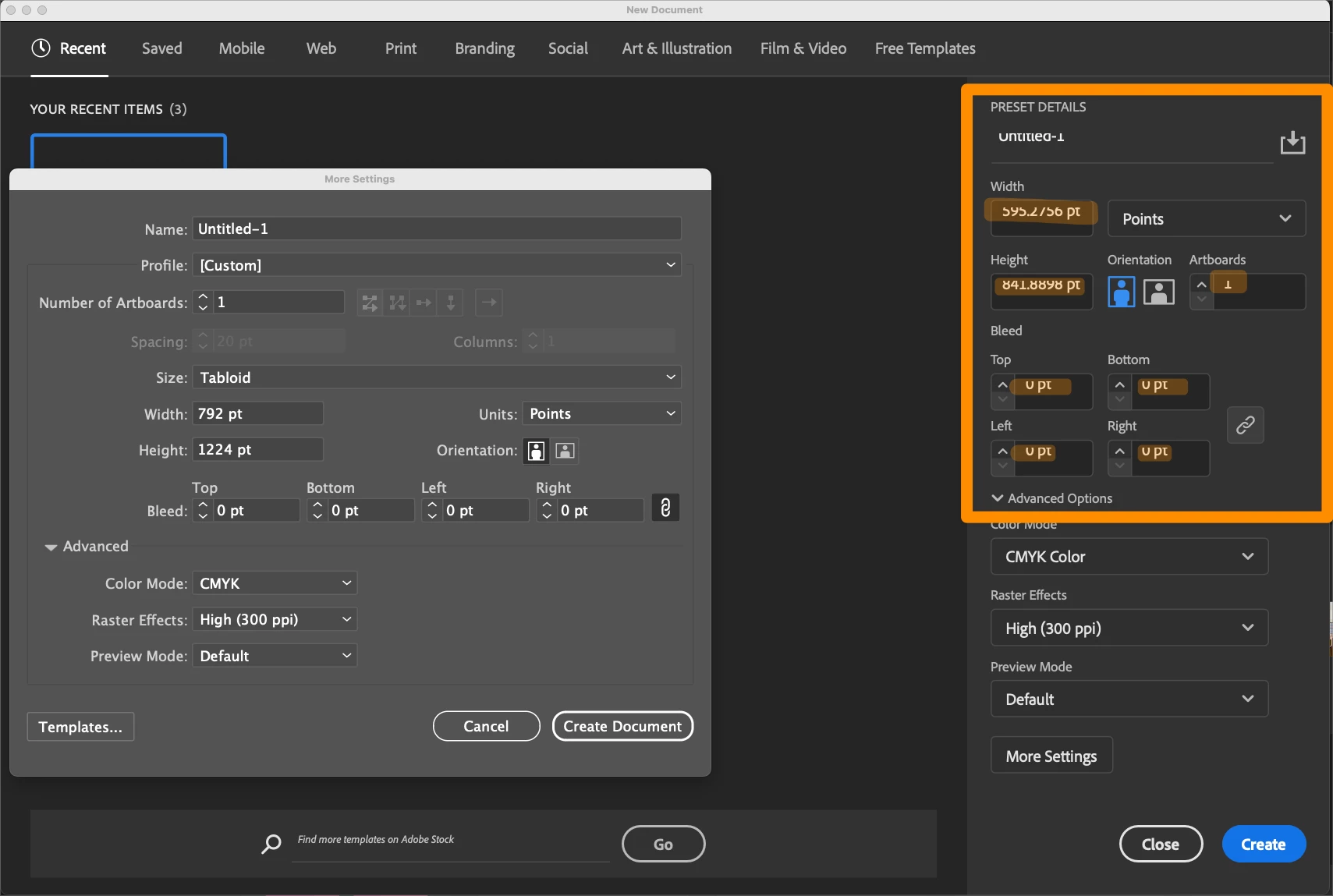
Text & Numbers in selector boxes on New Document pane are offset / unreadable
First noticed this a week ago or so, thought it might fix itself with an update, but after today's update it is still there. I've tried changing the size of the interface scaling and resetting All Preferences. Nothing changes it.
Note that the "advanced" dialog doesn't have the problem, just the new one.
MacOS 14.7.4
Mac Studio
M1 Max 64GB
I just ran up the non-beta Illustrator and it is doing the same thing! However, Photoshop and InDesign do not. Just Illustrators (non-beta Illustrator was working fine before I installed the beta).


 AdChoices