



Open for Voting
Remove grey background from non-16:9 encode Output Previews
When encoding anything that's not 16:9, the Output Preview shows the preview in a 16:9 box with a misleading mid-grey background. The preview should only show the video, without any added background. From this screenshot, do you think the encode is in fact a 16:9 frame size, with a grey background as part of the video, or a 4:5 frame size, with a grey background that's not really there? There's no way of knowing!
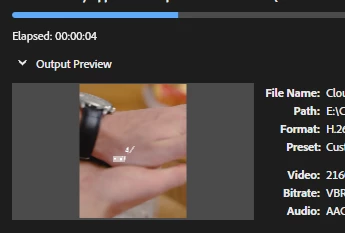
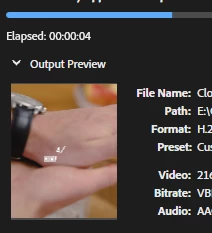
The grey background should never be there if it's not part of the encoded video; it should look like this (The video I'm exporting is in fact 4:5. My mocked-up screenshot here shows what it should look like in the output preview):
 AdChoices