


Question
Adobe Premiere Pro not utilising CPU or GPU
Hi There,I have a reasonably recent Ryzen computer which i built for video editing. My issue is that in Adobe Permiere Pro will only utilise around 30% max but generally sits around 20% on the CPU and no more than 3% on the GPU (i understand that GPU is generally only used for certain effects, transitions). Encoding takes ages! Slower than my previous build which was the ancient sandy bridge 2600k.My build:
Ryzen 1800x @ 3.9 GHz
GA-AX370 Gaming 7
32 gb GSkill Flare X (2400 MHz) at 3010 MHz
GTX 1080 Ti
Samsung 950 Pro 512 gb (OS Drive)
2 x 2Tb Firecuda
Corsair AX760
Windows 10 Pro
Ryzen 1800x @ 3.9 GHz
GA-AX370 Gaming 7
32 gb GSkill Flare X (2400 MHz) at 3010 MHz
GTX 1080 Ti
Samsung 950 Pro 512 gb (OS Drive)
2 x 2Tb Firecuda
Corsair AX760
Windows 10 Pro
Premiere CC 2018I have tested this on numerous projects however as a test case I have encoded a 1 minute long Project which contains a mixture of 4k and 1080p slow motion footage with 2 LUTs, warp stabiliser (on selected shots) and a light grain applied. The encode settings are:
H.264
VBR 2 pass with a target bit rate of 50 Mps
3240x2160 (1.0)
29.97 fps
Progressive
Tried CUDA enabled and software only and doesn't make a difference to encode times
The encode takes a whopping 2.32 hours! Something doesn't seem right.
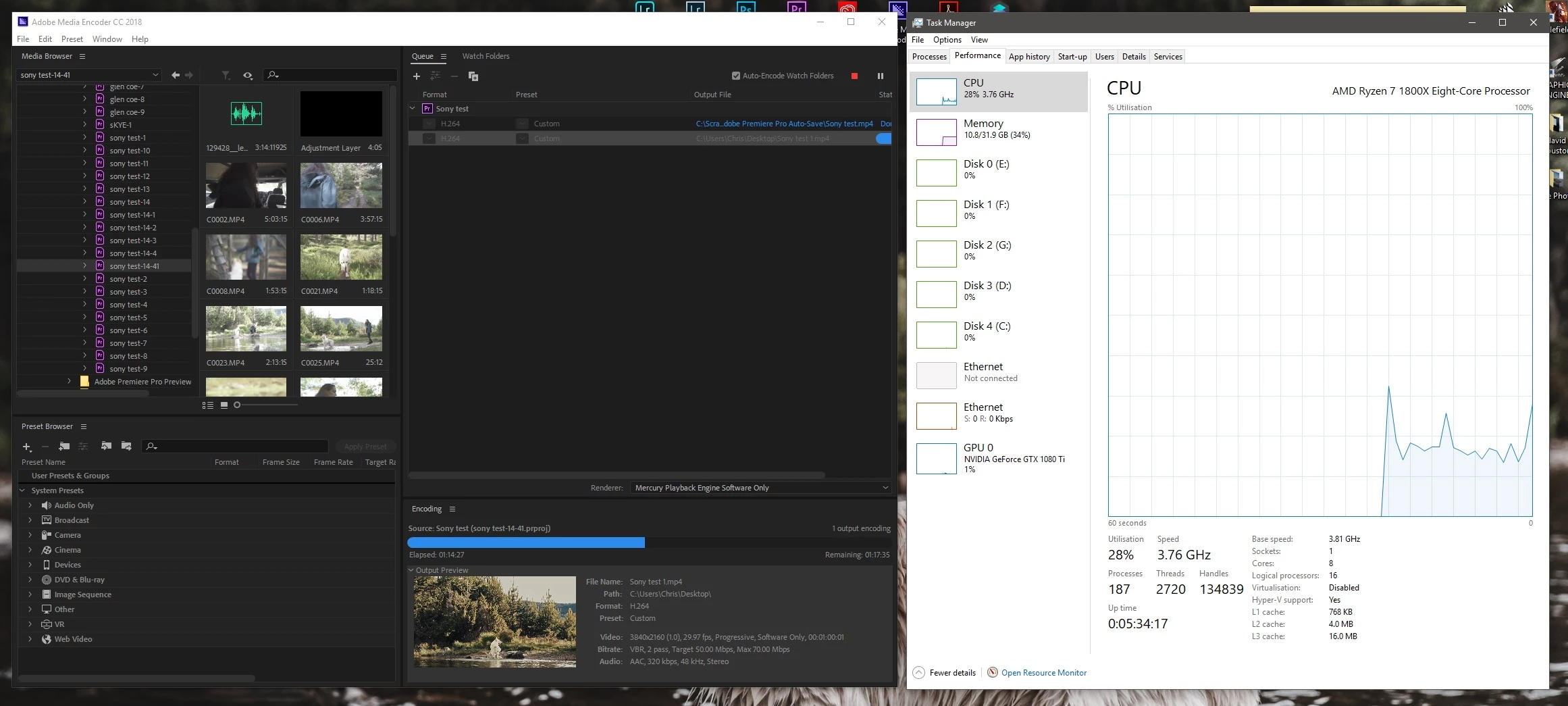
Any help much appreciated.Cheers,
Chris
Chris
 AdChoices