
Participant
September 26, 2020
Question

I can't find multiprocessing option in After Effects 2019 v. 17

  • September 26, 2020
  • 2 replies
  • 9537 views

Hi Everyone,


I hope that I posted my issue in the right place.


I've a PC built with AMD Ryzen

3800X 8-Core Processor 3.89 GHs, 32 GB RAM and GTX 2070 Super GPU.


My problem is that the regular & ram preview is too slow. I know that my PC is more than enough to handle AE because I use other 3D programs and they are working fine. I so other topicts with some tips to faster the preview but nothing helped me. One of the topics suggested that I enable the Multiprocessing option in the memory tab. However, I can't understand why I can't find this option! Is it an option available for Intel processorts only? Or there is another issue that I can't find it or solve it?


Please I need your help ASAP.
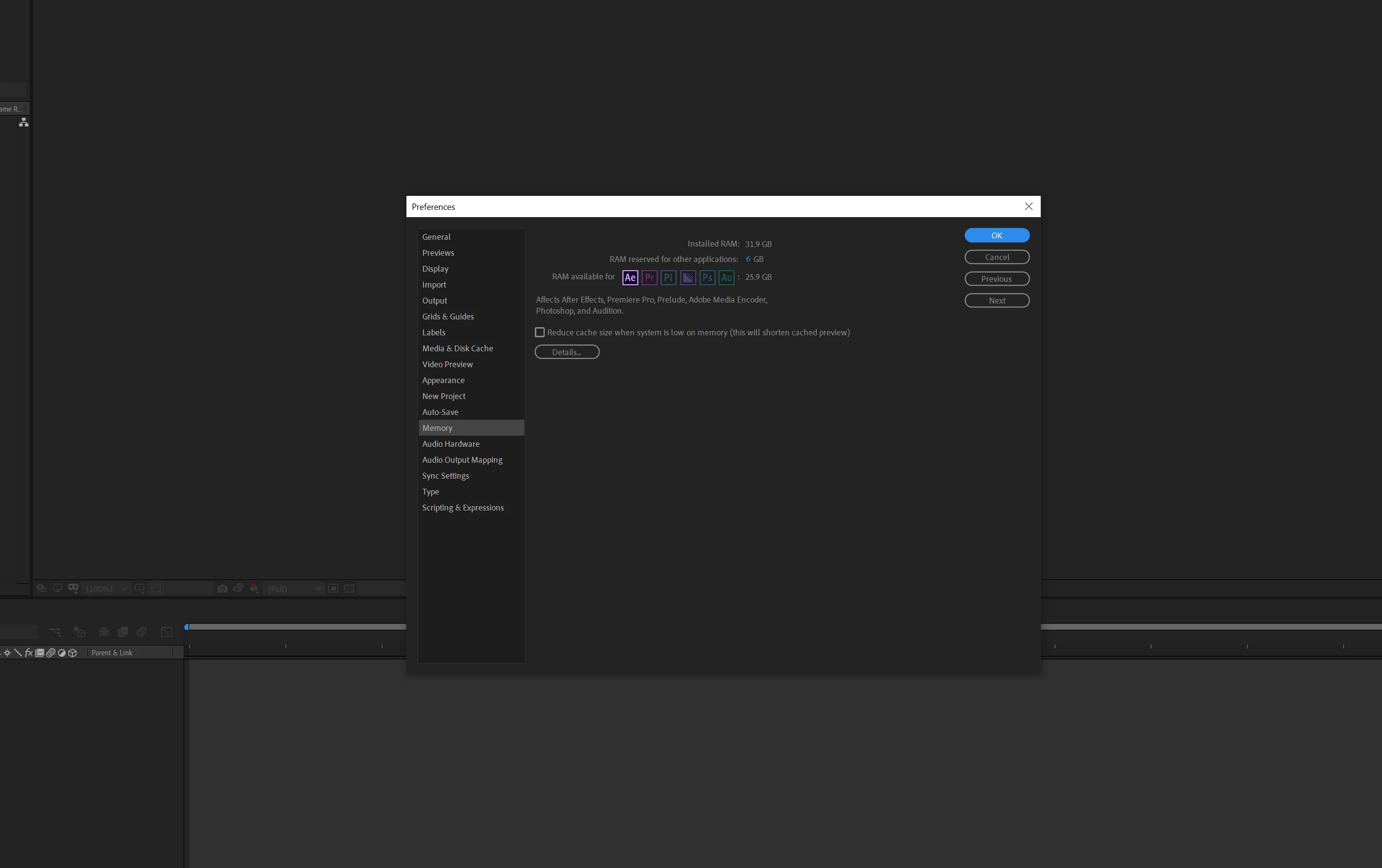
Regards,


    This topic has been closed for replies.

    2 replies

    Legend
    September 27, 2020

    I am sorry to tell you this, but newer versions of After Effects are only single-threaded for the bulk of its operations, regardless of whether the CPU is from AMD or Intel. Therefore, multiprocessing is not available at all in newer versions of AE regardless of the CPU; however, certain plugins that are included with AE are multithread-aware. You see, AE is moving much of its operations off of the CPU and onto the GPU.

    Participant
    September 27, 2020

    It's clear for me now.


    Thanks a lot

    Stan Jones
    Community Expert
    Community Expert
    September 27, 2020

    See this article over at Puget:

    https://www.pugetsystems.com/recommended/Recommended-Systems-for-Adobe-After-Effects-144/Hardware-Recommendations


    Note the section on RAM preview especially.


    Stan

    Participant
    September 27, 2020

    Thanks for your informative reply.