


Known Participant
September 24, 2021
Answered

New laptop

  • September 24, 2021
  • 4 replies
  • 935 views

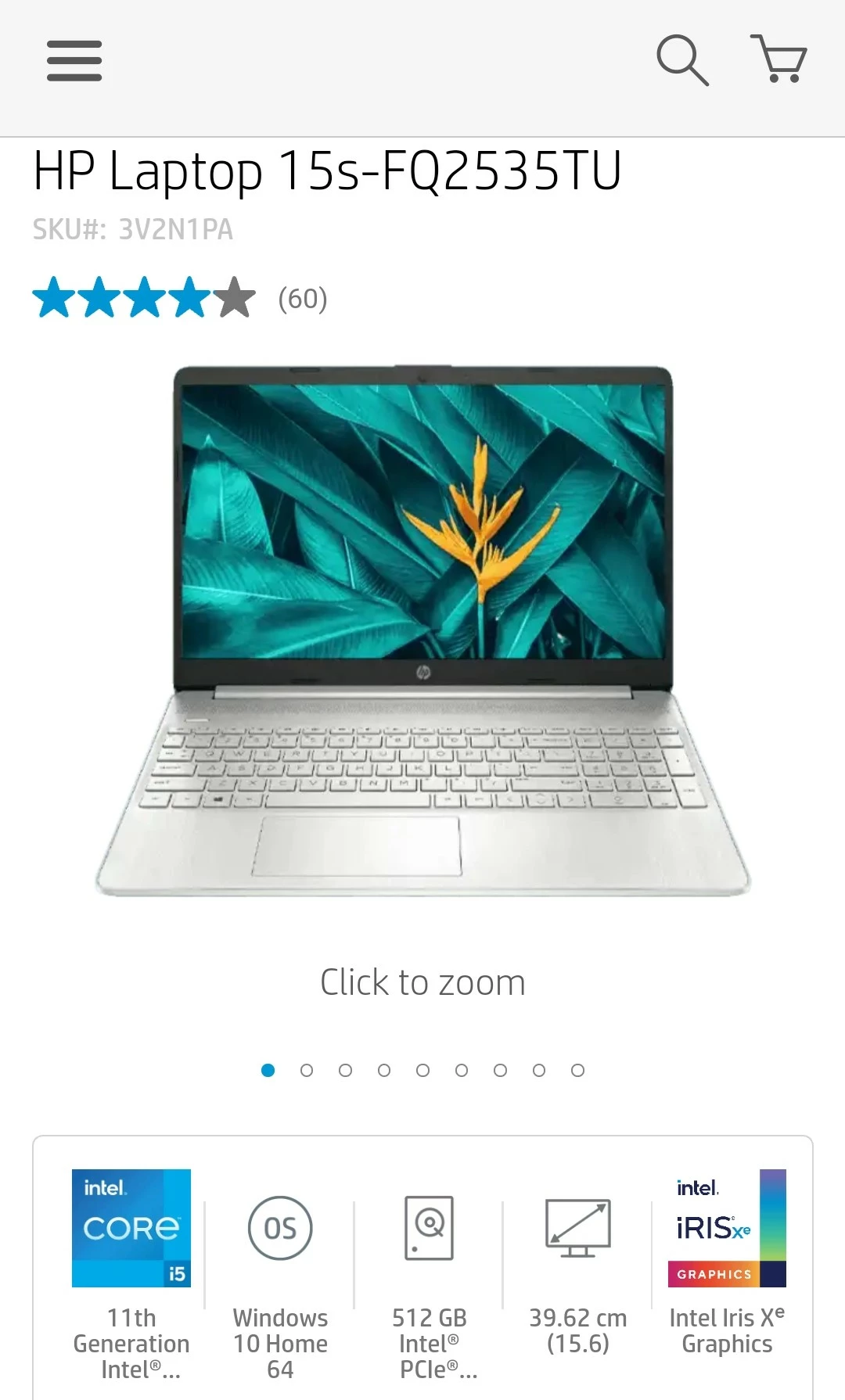
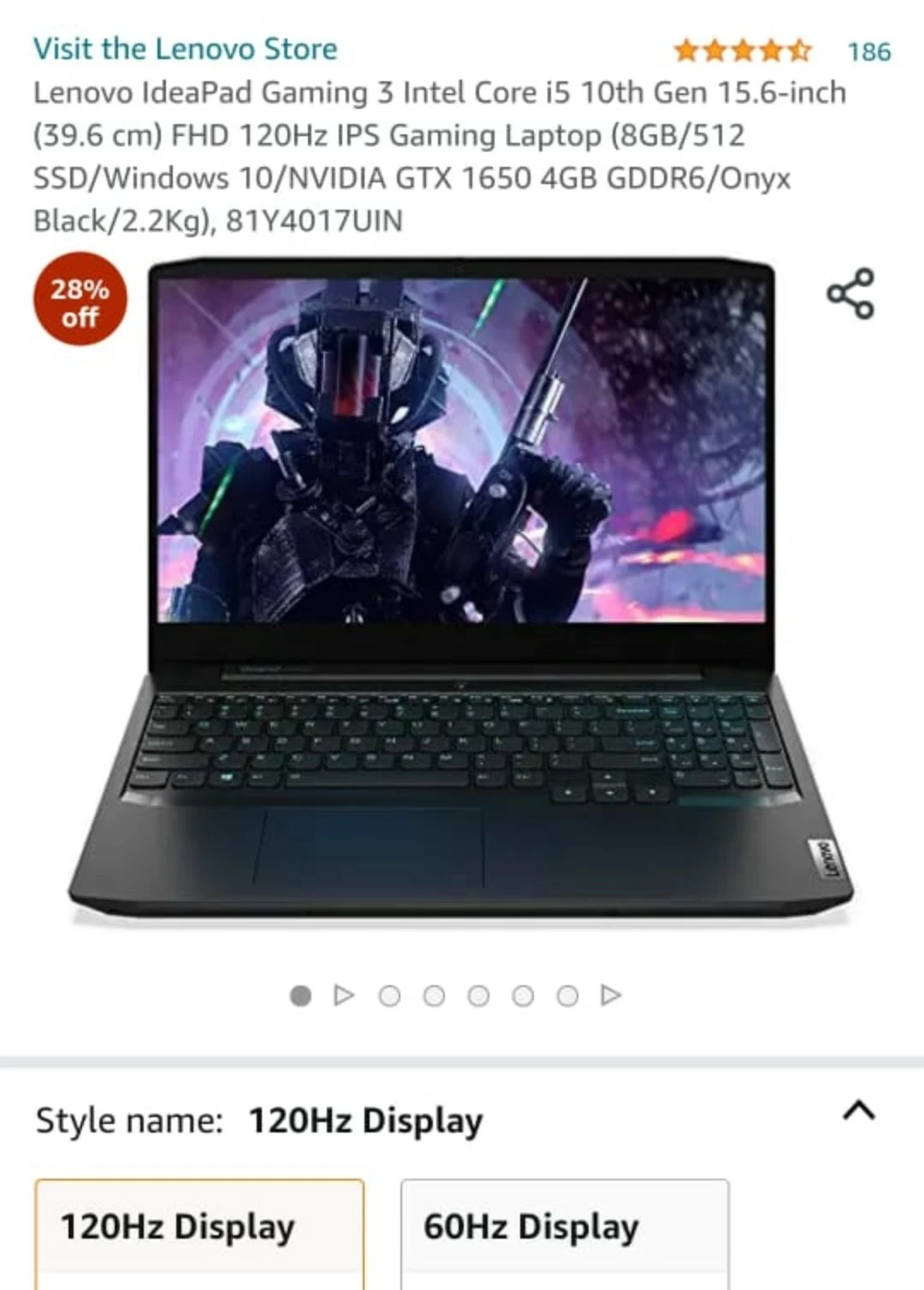
My Premiere Pro 2019 wasn't quite compatible with my current laptop specs so I've decided upon buying a new laptop. I read the article by @John T Smith with the threads about what to buy or build for editing & running Premiere Pro. With my tight budget & understanding, I came up with these solutions which approximately cost 812-948 USD, my ideal budget. Are the specs of these 2 anywhere close to what I need to run my Premiere Pro atleast smoothly without jitters & pauses while playback/preview or do I need something more powerful? In which case I'm willing to increase my budget slightly a bit more. Some help & suggestion please.
This topic has been closed for replies.
Correct answer Conrad_C

The codecs are set by the camera you use and the recording mode you choose in the camera. If a newer camera saves video using a codec not directly supported by the hardware, hardware acceleration may not be available. That will force the video to be decompressed by the CPU, which will take more time and generate more heat. If the hardware supports acceleration for the codec used in the video, hardware acceleration will allow fast playback with less CPU use.


An example is that some of the newer 8K codecs used in the latest cameras are not supported for hardware acceleration in many PCs, so they require large amounts of CPU power to play back smoothly even on high-end desktop computers. But some Apple Silicon processors have direct hardware support for certain newer codecs, so an iPhone or iPad can play back that video smoother than a high-end PC or Mac. It does not mean a current iPhone or iPad is always faster than a desktop PC, because they are not; but for that specific codec they happen to have just the right codec support in hardware.


So it is not always easy to determine, but if possible, try to buy a computer with hardware (CPU or graphics) that is well matched to the codecs in the cameras you are using.

4 replies

Legend
September 25, 2021

As equipped, both of those laptops have too little total system RAM to properly run Premiere Pro. You need 8 GB or more unused, free available RAM in order for those laptops to not buckle under pressure. Unfortunately, as configured by default the default Windows configuration consumes more than 4 GB of that paltry 8 GB total of RAM. That leaves only 3.5 GB maximum available for the programs and the integrated graphics - combined! No way can you run Adobe Creative Cloud programs properly on either laptop without upgrading the amount of system RAM.


Secondly, both of those CPUs have only 4 cores and 8 threads - barely adequate for video editing of any sort these days.


Third, the somewhat faster performance of the HP's CPU is more than negated by its complete lack of a discrete GPU (the Lenovo, though it has an older, less-performant CPU, has a discrete GeForce GTX 1650 to take the burden off of the integrated Intel graphics). The HP relies solely on the integrated Intel graphics, which can steal a lot of system RAM all to itself, preventing programs from utilizing that stolen amount of RAM at all.


Fourth, both laptops are equipped with a 512 GB m.2 PCI-e SSD. That's more than adequate for an OS disk; however, I would strongly recommend additional, external disks for either laptop - and that's where things can become bottlenecked. The USB ports on both of those laptops are only capable of USB 3.2 Gen 1 x1 throughput. So, don't expect any external disks connected to either laptop to perform any faster than a SATA SSD; in fact, USB 3.2 Gen 1 x1 actually performs slightly slower than SATA 6.0 Gbps.


I hope these drawbacks influence your decision.

Known Participant
September 25, 2021

About the first point, I can add expandable memory right? The Lenovo one has that option right?

How to determine the cores & threads?

About the third point, I'm actually aiming for the Lenovo or something better than that around the same price range.

And lastly about the fourth point, if I can get a SATA 6.0 Gbps, that should make up for the hard drive speed, right?

Peru Bob
Community Expert
Community Expert
September 25, 2021
quote


And lastly about the fourth point, if I can get a SATA 6.0 Gbps, that should make up for the hard drive speed, right?


By @RogerOtaku5FCE


No.

Peru Bob
Community Expert
Community Expert
September 24, 2021

It may depend upon what type of media you are editing (file type and codec) and what effects you use.

What are the hard drives in theose laptops (SSD or HDD, size)?

Known Participant
September 25, 2021

Details in the given pictures

Conrad_C
Community Expert
Community Expert
September 27, 2021

They both have 512GB SSDs, so that is a good size to start with. But whether that is enough storage depends on how many GB of applications, documents, and video files you are going to add. If you are left with less than 150-200GB free after installing everything you need, you may experience slowdowns and stuttering as free storage space gets closer to zero, because video editing and the OS can both create many large temporary files for performance caching and other reasons. It is common for video editors to plug in one or more external SSDs to store video source files, Adobe Media Cache files, etc. This not only frees up internal storage, but allows parallel access for potentially smoother playback during editing.


Neither of the pictures talks about the number of cores, but the 10th gen Intel Core i5 might be 4-core and the 11th generation might be six-core; if so that is OK but not outstanding. Video editing typically runs CPUs at maximum, so if the laptop cooling system cannot keep temperatures down even when the fans are running fast and loud, the CPU might slow down to let itself cool off. The quality of the cooling system is usually not described in specs and is easier to find on laptop review sites. If you put the same CPU in a desktop and a laptop, it can typicall perform better in the desktop because a desktop case has room for large fans and plenty of airflow. The better you cool the CPU, the longer it can maintain top speed.


When buying a laptop, it is good to check if it is reviewed at a site like Notebook Check which is more thorough than some other sites. For example, it reviews color accuracy of the display, and the quality of the cooling system. This review might be of the Lenovo:

https://www.notebookcheck.net/Lenovo-IdeaPad-Gaming-3i-15IMH05-in-review-Core-i5-at-full-throttle.480784.0.html


In short, on your highly restricted budget it is not going to be easy to edit smoothly, especially if you add more video/audio tracks and effects.

Shivangi_Gupta
Community Manager
Community Manager
September 24, 2021

Hi there,

We appreciate you writing in. Check out this article for knowing more about the system requirements for Adobe Premiere Pro: https://helpx.adobe.com/premiere-pro/system-requirements.html


Also, I'm moving this discussion to our video hardware community for further help.


Let us know if you have any questions.


Regards,

Shivangi

Known Participant
September 25, 2021

How do I access the discussion being followed up there in the hardware community?

manal shanableh
Legend
September 24, 2021

System requierments for adobe premeir pro.

https://helpx.adobe.com/premiere-pro/system-requirements.html
