


Participant
February 14, 2021
Question

Slow Export in Media Encoder 2020 V14.9

  • February 14, 2021
  • 2 replies
  • 222 views

Hello,

I am definitely an amateur in video editing, so it is very possible I am missing something here, but I need help speeding up video exporting. It WAS able to export a 90 minute video in about 12 minutes, and now it is taking roughly 2.5-3 hours.


System Specs:

Intel i7-8700k (Cooled by Corsaid iCue H115i)

32GB DDR4-3400MHz ram

Samsung EVO 970 M.2 System Drive

Crucual MX500 500GB SSD storage drive

Asus RTX 2080 Overclocked Edition

Windows 10 pro Version 2004

All drivers are up to date


Video Rendering is set to Mercury Playback Engine GPU Acceleration (CUDA)

Format is H.264 .mp4, Constant Bitrate


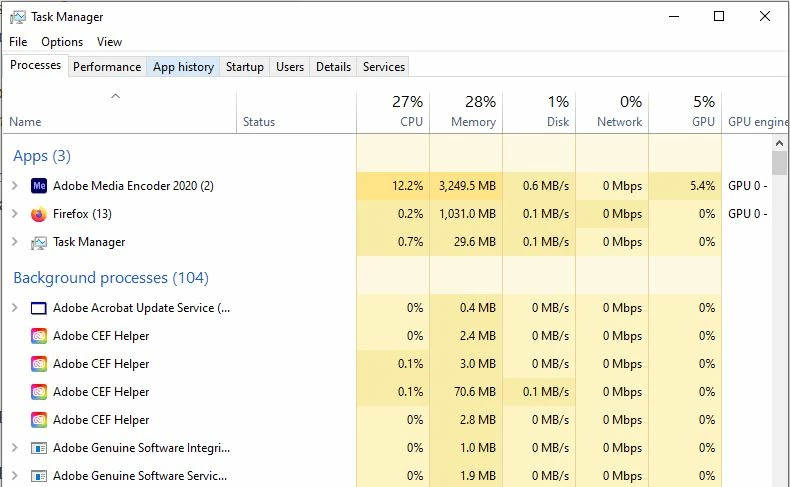
I have even set it to a higher priority in Task Manager.
This topic has been closed for replies.

2 replies

Baz R
Known Participant
February 18, 2021

Hi, 


have you tried direct export to comapre time. 


ThaxAuthor
Participant
February 18, 2021

Exporting directly from Premiere was about the same if not a little slower. I ended up finding (and trying) a suggestion to roll back Encoder to version 14.0 and the export time went from 3 hours down to 30 minutes. So something they did in updates after that have messed up exporting.

ThaxAuthor
Participant
February 14, 2021

Also, I did look through the forums, but didn't see a lot of helpful information. I have tried most of the solutions I have seen on there, except for rolling back to an older version.