


Slow Performance on playback with i7 9750 - RTX 2060
Hello everyone,
I have recently purchased the ASUS ROG Zephyrus M (GU502GV-AZ038T) for editing video. After checking as many reviews and comparisons as I could before purchasing, I must say that I am disappointed by the "out of the box" configuration for editing. In both premiere Pro and DaVinci Resolve I run into stuttery playback on my footage without even adding any effects to it. After I have installed GeForce Experience with the NVDIA Studio driver I don't feel like it got any better. I have searched online, hoping to find the right anwsers, but I haven't yet. I ran into the video below and hoped it would get better with these settings (even though not all options were available for me. (Options like: DSR Factors and DSR Smoothness)):
I have also ran a Benchmark performance test which came out with the following results: "Overall this PC is performing below expectations (30th percentile). This means that out of 100 PCs with exactly the same components, 70 performed better. The overall PC percentile is the average of each of its individual components. Use the charts in the benchmark sections of this report to identify problem areas."
UserBenchmarks:
Game 34%,
Desk 75%,
Work 59%
CPU: Intel Core i7-9750H - 68.6%
GPU: Nvidia RTX 2060 (Mobile) - 28.4%
SSD: Intel 660p NVMe PCIe M.2 1TB - 164.6%
USB: Generic STORAGE DEVICE 32GB - 14.9%
RAM: Samsung M471A2G43AB1-CTD 1x16GB - 41%
MBD: Asus Zephyrus M GU502GV_GU502GV
The weirdest part about it is that it feels like its performance on video playback in Premiere and Resolve is slower then my previous laptop (Intel I7 4800MQ 2.70GHz 8CPUs, Intel HD Graphics 4600), a laptop that I bought refurbished about 3 years ago. This shouldn't be right. I hope somebody can help me to figure out what the problem is. I have also emailed the ASUS helpdesk and tryed a couple of computer/hardware forums for help, but unfortunately no luck.
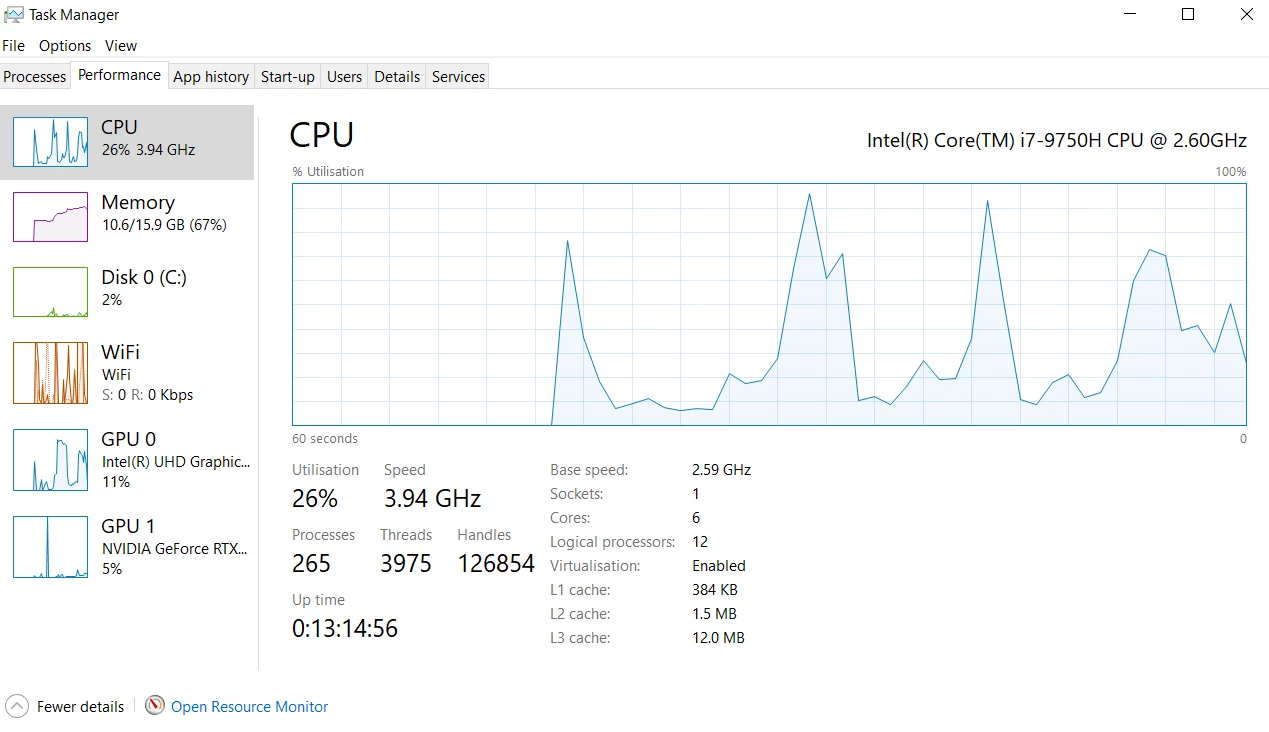
Note: I have already turned on either CUDA and OpenGL settings. I tryed switching audio hardware but I am running without externe audio interface so with the ASIO setting it freezes completely. I've checked the performance tab on Task Manager, which showed the RTX 2060 with the following results while playing back the project:
Thanks in advance!
Regards, Kevin
[Moderator note: moved to best forum.]
 AdChoices