
Participant
Sep 23, 2019 11:19 PM UTC
Answered

Spec verification of this computer before purchasing adobe premier pro

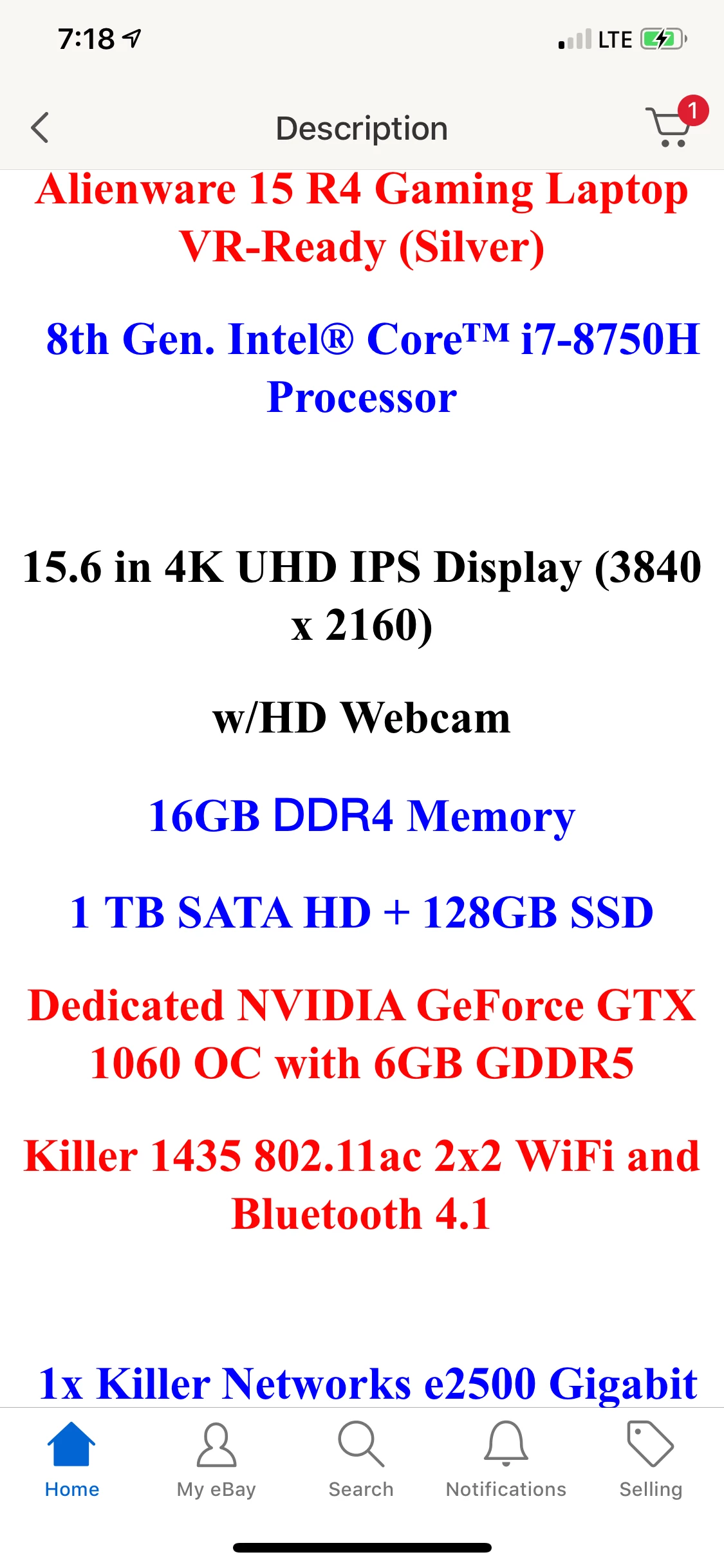
 I plan on adding 32 gigs of ram to this system but was wondering if it will operate smoothly with 4K editing on this 4K built in monitor on this Alienware 15” r4 laptop:

specs are:
    This topic is closed to new replies. Start a new post to keep the conversation going.
    Peru Bob
    Peru BobCorrect answer
    Community Expert
    Sep 23, 2019 11:50 PM UTC

    Longer answer:

    You want 32 GB RAM.

    You want an SSD for the OS and programs and an SSD for the media.

    You will need to have the power adapter connected or the processor will throttle back.

    You will need to use proxies:

    https://helpx.adobe.com/premiere-pro/how-to/proxy-media.html


    4 replies

    Peru Bob
    Community Expert
    Community Expert
    Sep 24, 2019 3:21 AM UTC

    You're welcome. 

    Translate
    Peru Bob
    Community Expert
    Peru BobCommunity ExpertCorrect answer
    Community Expert
    Sep 23, 2019 11:50 PM UTC

    Longer answer:

    You want 32 GB RAM.

    You want an SSD for the OS and programs and an SSD for the media.

    You will need to have the power adapter connected or the processor will throttle back.

    You will need to use proxies:

    https://helpx.adobe.com/premiere-pro/how-to/proxy-media.html


    Translate
    FurytommyAuthor
    Participant
    Sep 24, 2019 2:13 AM UTC
    Thank you, I appreciate your help 🤙
    Translate
    Peru Bob
    Community Expert
    Community Expert
    Sep 23, 2019 11:47 PM UTC

    Short answer: No.


    Translate
