


where to store disk cache / database when working with 2 drives (for Premiere and AE)
I have a Macbook Pro M2 Max with 2 TB of storage and 96 GB of RAM and am regularly working in Premiere, AE, and Character Animator. Per the recommendations from Adobe in this article, I have been working off a very fast 2 TB external SSD (LaCie Rugged SSD PRO Thunderbolt) that holds both my project files / media and cache files. I only use internal storage for Adobe apps/system files.
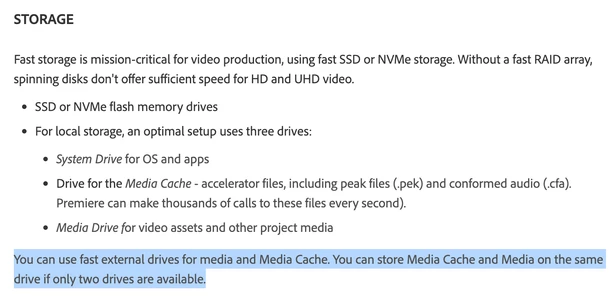
In AE, in Settings under Media & Disk Cache, I have Disk Cache, Conformed Media Cache Database, and Conformed Media Cache Database Cache all set to the same location on the external drive. And in Premiere, in Settings under Media Cache, I have Media Cache Files and Media Cache Database set to that same location as well. The help article I mentioned above just says to store the cache on the same external drive if only two drives are available, but it doesn't specify if that includes the cache database and all the other settings I mentioned.
Is the way that I have it set up the optimal way when I only have two drives (i.e. internal and external drive with only the Adobe application/system files stored on the internal drive and all the project files, media, and cache/cache database stored on the external drive)? Performance has been fine, but I'm not sure if it could be better.
In both programs, I also have the Disk Cache size limited to 200 GB and wonder if there is an optimal size or if this is fine?
The issue I am running into now is that my external drive is starting to get full with Adobe prompting that there isn't enough room to store the cache. I can't clear off much of the media for the current project I'm working on. So, I am considering a few options:
- Upgrade to a 4 TB fast external SSD drive (I may need to do this anyway, since even if I move the cache to another drive as mentioned in the options below, it will only buy me some extra time before it starts to get full again.)
- Get a second fast external SSD drive dedicated to the disk cache/database files - Given that the Macbook Pro only has 3 Thunderbolt (USB-C) ports, this option may be less than ideal since it would take up two of the ports. I know I could get a hub, but I do travel with the machine sometimes and not having to travel with an extra SSD drive and hub would be better.
- Start using the internal storage for either media or cache files, against the advice of the article above - I noticed I am currently using less than 200 GB out of 2 TB, so it seems like wasted space that I could be using. But I don't know if performance will be significantly impacted if I start using the internal storage for this purpose.
Note that I do occasionally move the external drive between my Macbook and a desktop (Mac Pro). Eventually, I will likely be getting rid of the desktop and using the Macbook exclusively. In the meantime, if I were to store the cache internally on both computers, as in option #3 above, would that cause issues?
Another issue I run into when storing the cache on the external drive is that occasionally I launch Premiere or After Effects first before attaching the external drive. Doing so causes Adobe to reset the cache locations back to their default on the internal drive. Is there any way to avoid that, aside from just remembering to always attach the drive first?
Thank you for any assistance and recommendations you can provide.
 AdChoices