Participant
December 4, 2019
Answered

Adobe Capture giving "Vector Limit Reached" message

  • December 4, 2019
  • 1 reply
  • 1560 views

This happened to me today, the program still works but gives me this "vector limit reached" message when I try to vectorize a picture. I've tried uninstalling program from phone and reinstalling through a link I sent to my phone from adobe suit on my desktop.


I understand that sometimes if you're signed into to many devices adobe won't work and I did recently buy a new computer, but I signed out of it and wiped computer before it was sold. 


Any advice? Thanks for your time.


-K
This topic has been closed for replies.
Correct answer Abhishek Verma

Hi,


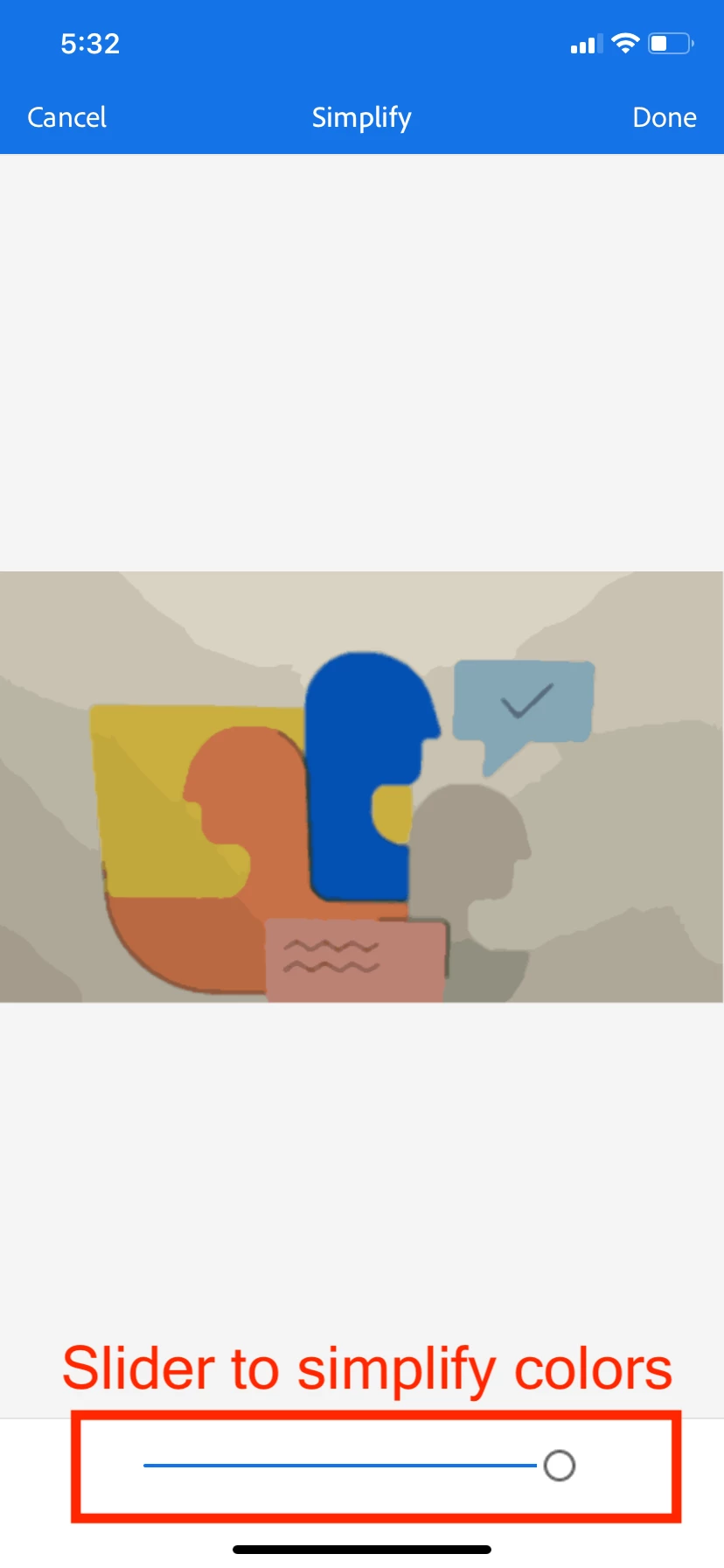
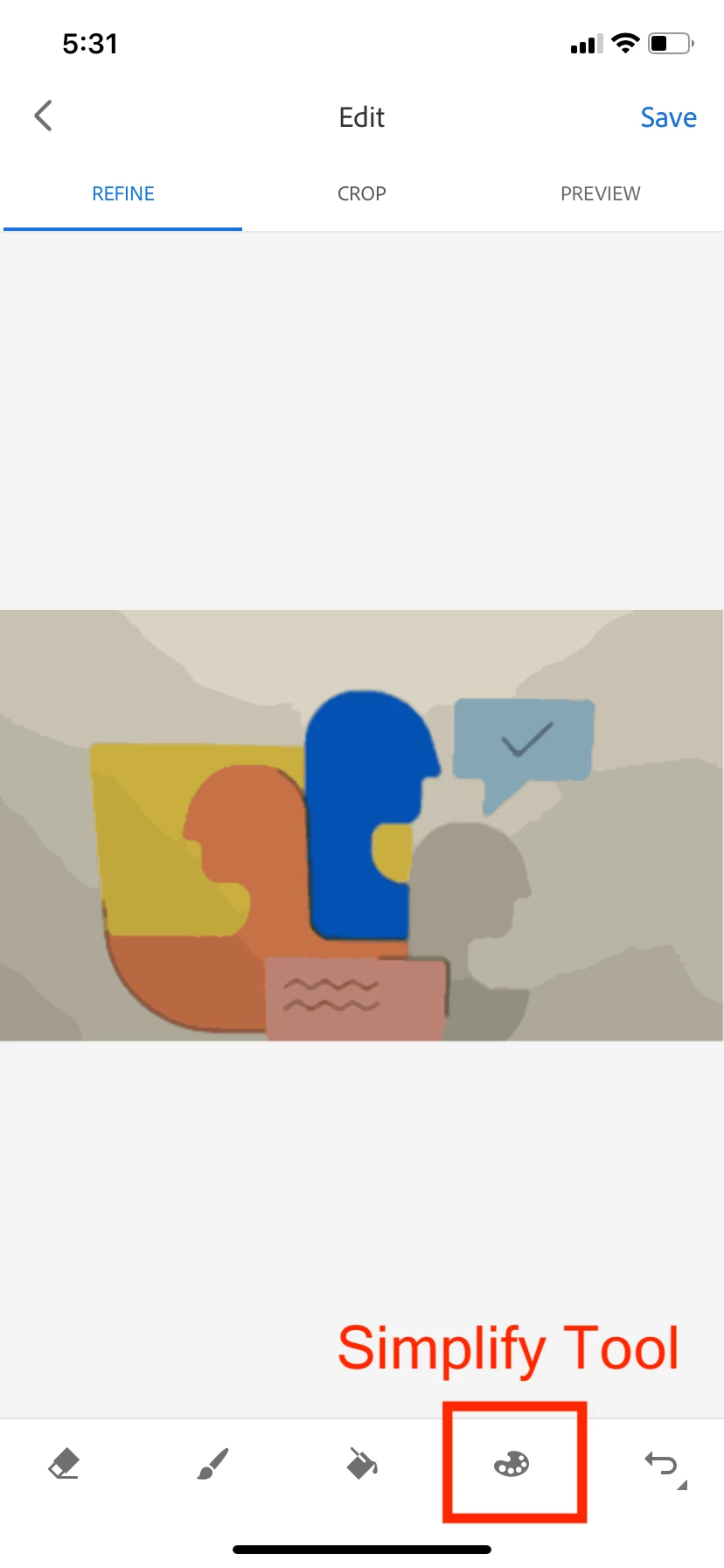
While creating vectors from an image, at times small (micro) vectors gets generated. As these are not desirable and decreases the overall vectors’ quality, we stop further processing and suggest the user to either simplify colors or crop shape.

Have you tried doing same? I have shared few screenshots to help you with this.


We would also like to understand your use case, hence if possible, please share the image you are interested in converting to a colorful shape. You can use “Send Feedback” within app settings for same.


Abhishek


1 reply

Abhishek VermaCorrect answer
Adobe Employee
December 5, 2019

Hi,


While creating vectors from an image, at times small (micro) vectors gets generated. As these are not desirable and decreases the overall vectors’ quality, we stop further processing and suggest the user to either simplify colors or crop shape.

Have you tried doing same? I have shared few screenshots to help you with this.


We would also like to understand your use case, hence if possible, please share the image you are interested in converting to a colorful shape. You can use “Send Feedback” within app settings for same.


Abhishek


Participant
December 5, 2019

Hey, that tottally worked! Guess I was just getting confused with the wording of the error message, my bad.

Really appreciate the help!


have a good day,

-K