AadMetz
Inspiring
December 6, 2016
Answered

Capture Brush to Photoshop

  • December 6, 2016
  • 1 reply
  • 939 views

I've made a brush on my iPhone with Capture CC and can use it in Photoshop (I'm a teacher with a full Adobe account).

A student made a brush on an iPad and that brush will be showing gray in Photoshop.(Student account).

I think we do exactly the same, but for my student the brush will not work in Photoshop.

Does this have to do anything with the kind off (Adobe) account?

    This topic has been closed for replies.
    Correct answer Michael J. Hoffman

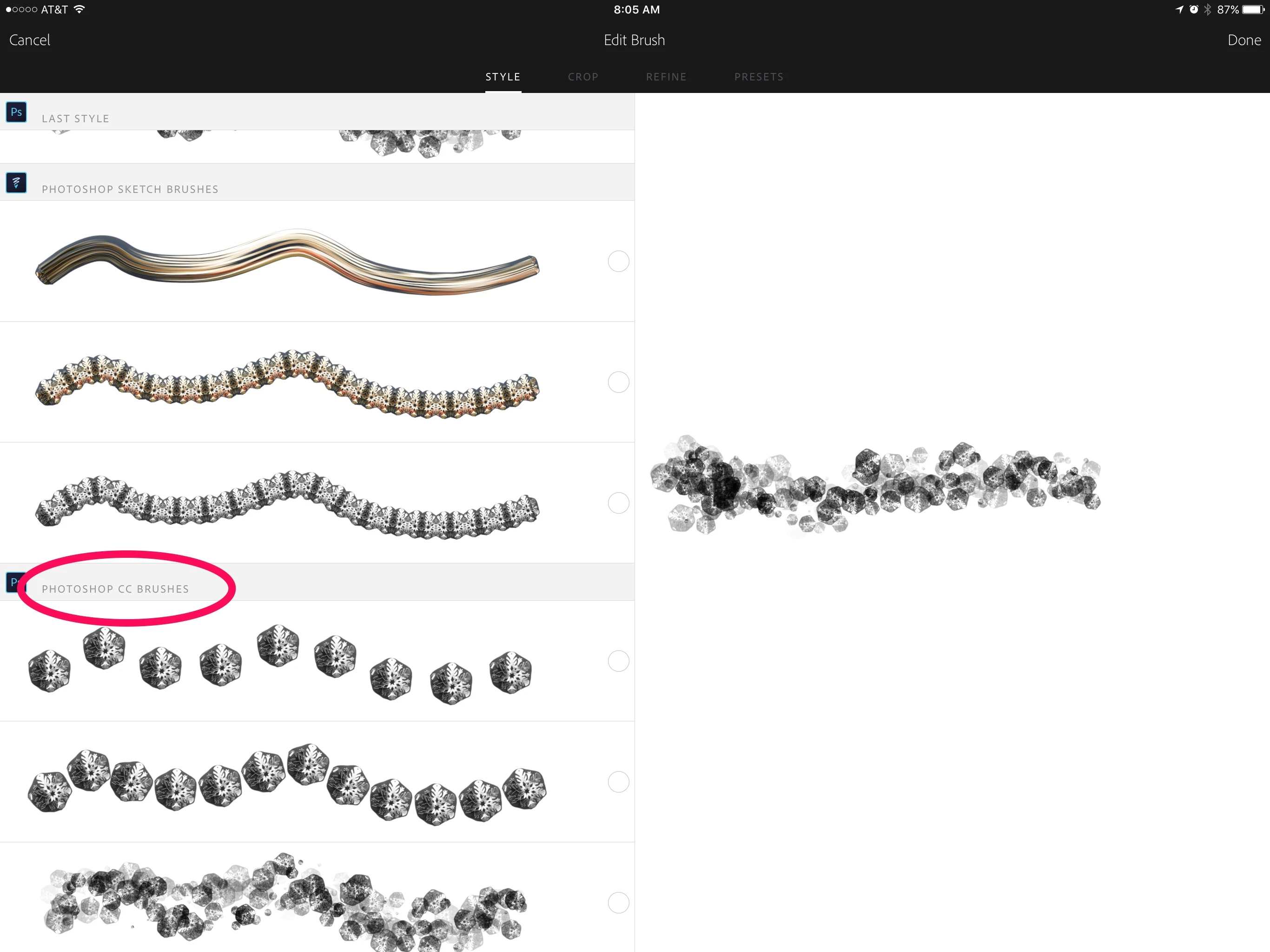
    If the brush is shown greed out, it most likely wasn't created as a Photoshop CC Brush. During the brush editing process, you have to decide what kind of brush (PS Sketch, PS CC, Illustrator, etc.)

    Only Photoshop CC style brushes will be available (not grated out) in Photoshop. See the screen shot below.

    Mike

    1 reply

    Michael J. Hoffman
    Community Expert
    Michael J. HoffmanCommunity ExpertCorrect answer
    Community Expert
    December 6, 2016

    If the brush is shown greed out, it most likely wasn't created as a Photoshop CC Brush. During the brush editing process, you have to decide what kind of brush (PS Sketch, PS CC, Illustrator, etc.)

    Only Photoshop CC style brushes will be available (not grated out) in Photoshop. See the screen shot below.

    Mike

    AadMetz
    AadMetzAuthor
    Inspiring
    December 7, 2016

    Allright, I now see the difference .

    It is a pity that those brushes don't work in Photoshop.

    Maybe a feature request..;)