

Participant
June 17, 2017
Answered

Export image with colour pallete included from adobe capture

  • June 17, 2017
  • 1 reply
  • 396 views

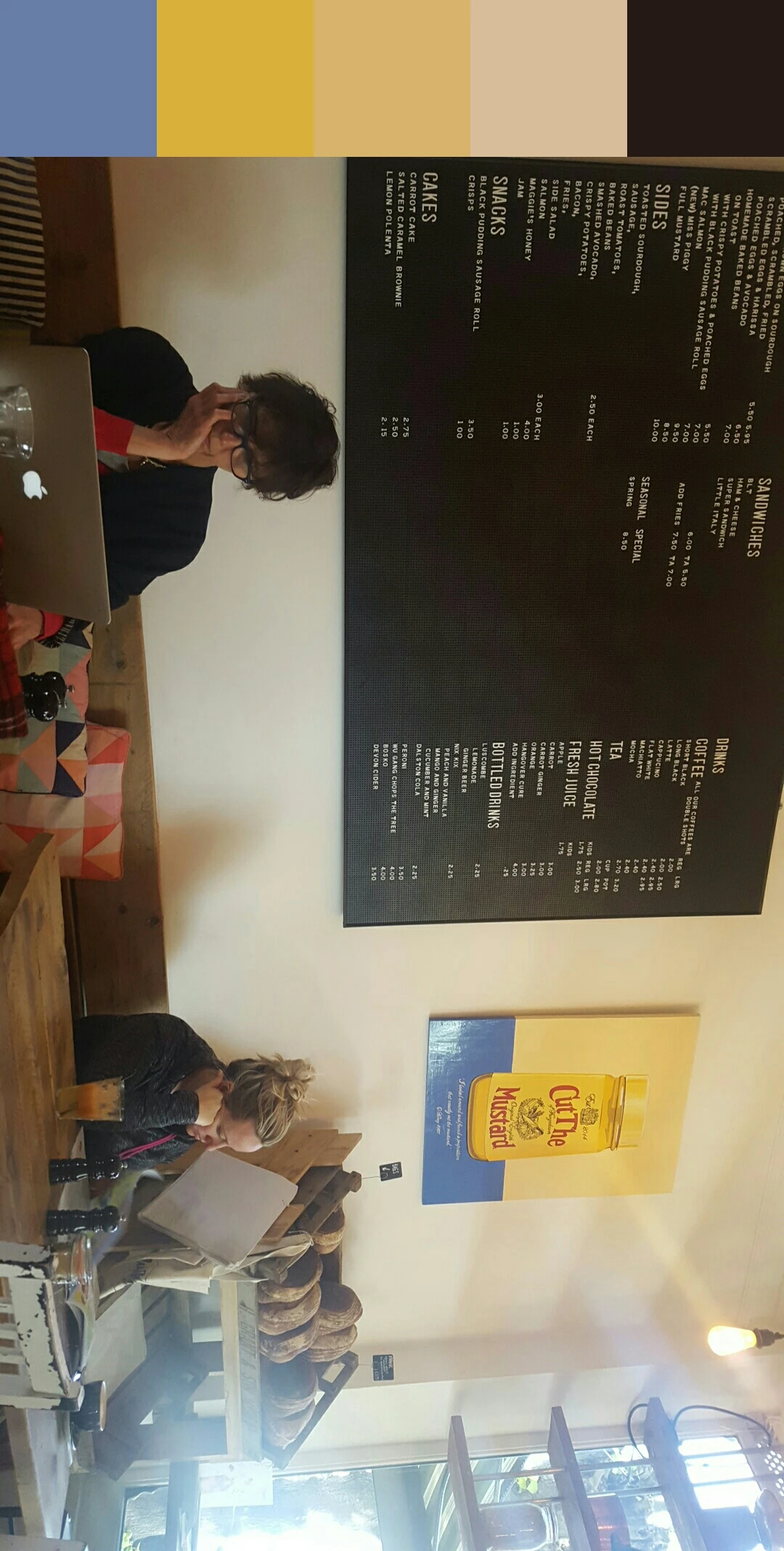
How do I export an image with the color pallette attached to the side of the image incorporated in to one file see below. I did it once by accident and Now I cant seem to do it?

This topic has been closed for replies.
Correct answer Sue Garibaldi

Hi Joe.

I think this is what you're trying to do....

On iOS, tap on the theme you want to share/save then from the screen that opens tap the Share icon (square with arrow) in the lower nav, then from the menu that opens choose Export As, then Image. That will give you the ability to share the image with the colors.

Let me know if that's what you were trying to do.

Sue.

1 reply

Sue Garibaldi
Community Manager
Sue GaribaldiCommunity ManagerCorrect answer
Community Manager
June 19, 2017

Hi Joe.

I think this is what you're trying to do....

On iOS, tap on the theme you want to share/save then from the screen that opens tap the Share icon (square with arrow) in the lower nav, then from the menu that opens choose Export As, then Image. That will give you the ability to share the image with the colors.

Let me know if that's what you were trying to do.

Sue.
