id123456
Inspiring
July 25, 2017
Answered

how can I make my libraries private or public

  • July 25, 2017
  • 2 replies
  • 1900 views

how can I make my libraries private or public

    This topic has been closed for replies.
    Correct answer Brad Lawryk

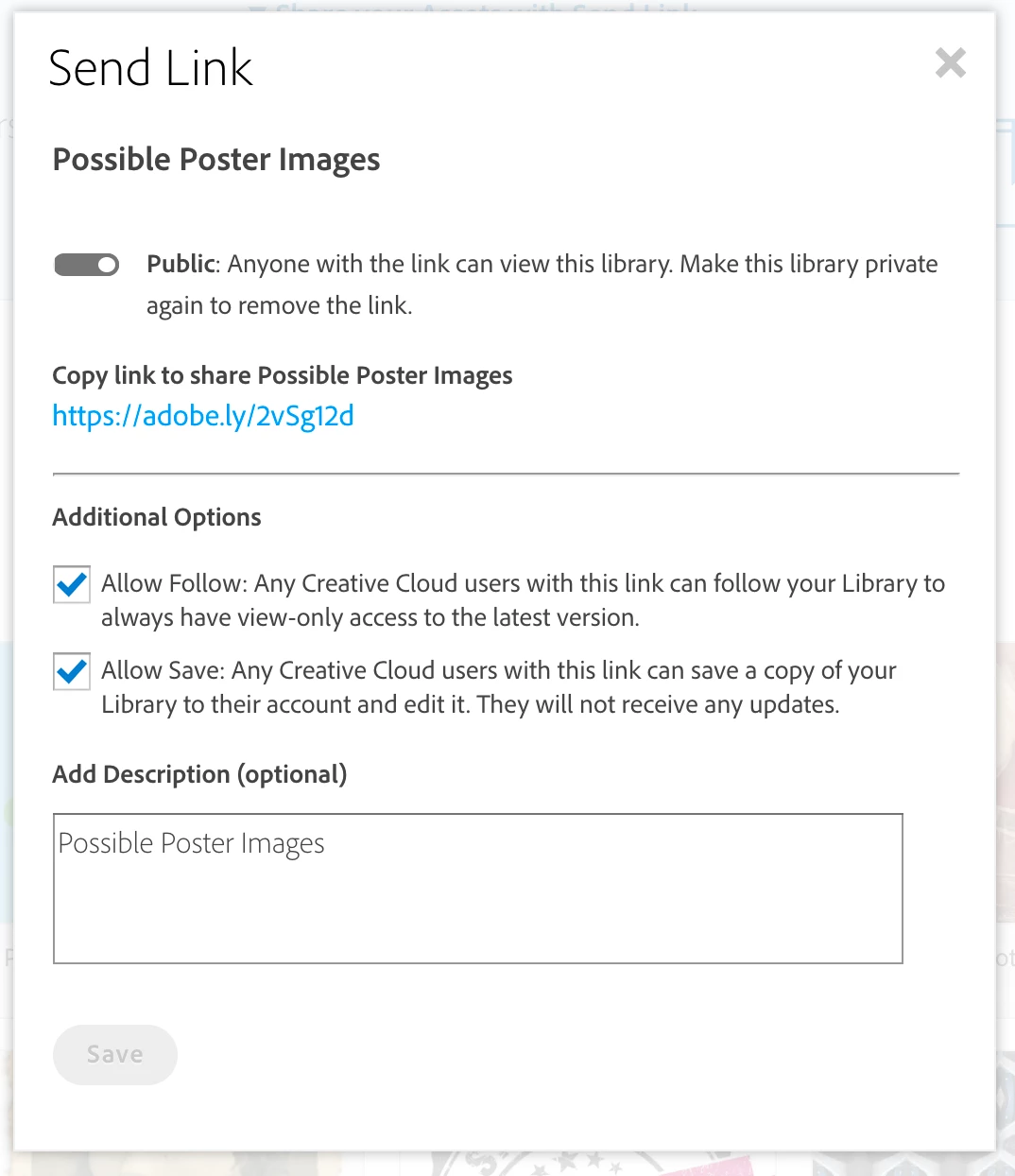
    Your libraries are always private by default unless you share them.

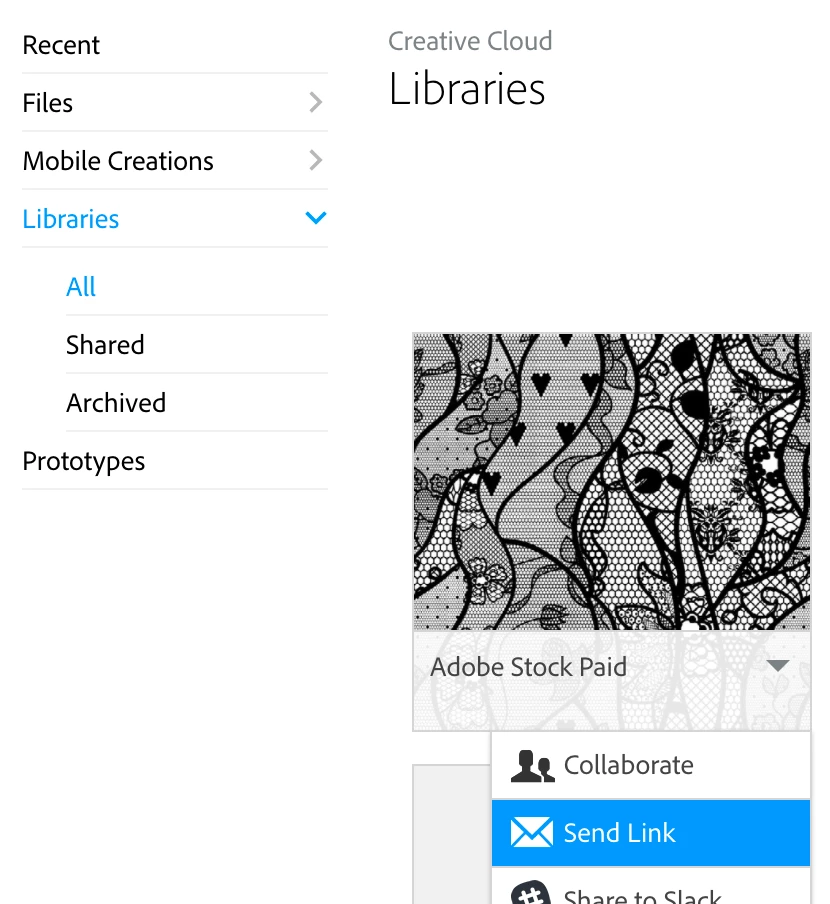
    Go to assets.adobe.com and sign in with your Adobe ID.

    Select Libraries from the menu on the left.

    Click on the down arrow on the library you want to share.

    2 replies

    Brad Lawryk
    Brad LawrykCorrect answer
    Legend
    August 21, 2017

    Your libraries are always private by default unless you share them.

    Go to assets.adobe.com and sign in with your Adobe ID.

    Select Libraries from the menu on the left.

    Click on the down arrow on the library you want to share.

    Sue Garibaldi
    Community Manager
    Community Manager
    July 25, 2017

    Hi ID.

    A couple of quick questions: What are you wanting/trying to do? Are you wanting to share a library with someone? Or are you wanting to make the assets in them public/private?

    Let me know.

    Sue.