Participant
December 20, 2017
Answered

Saving Library SVG Files

  • December 20, 2017
  • 2 replies
  • 4420 views

Hi,

I've been making SVG files for use in my Photoshop Library using Adobe Capture. I was wondering if there was a way to export the SVG files to my desktop for use outside of the CC Library? I assume with Illustrator there is, but I am just using Photoshop.

Thanks,

Dylan

This topic has been closed for replies.
Correct answer Raimundo Illanes

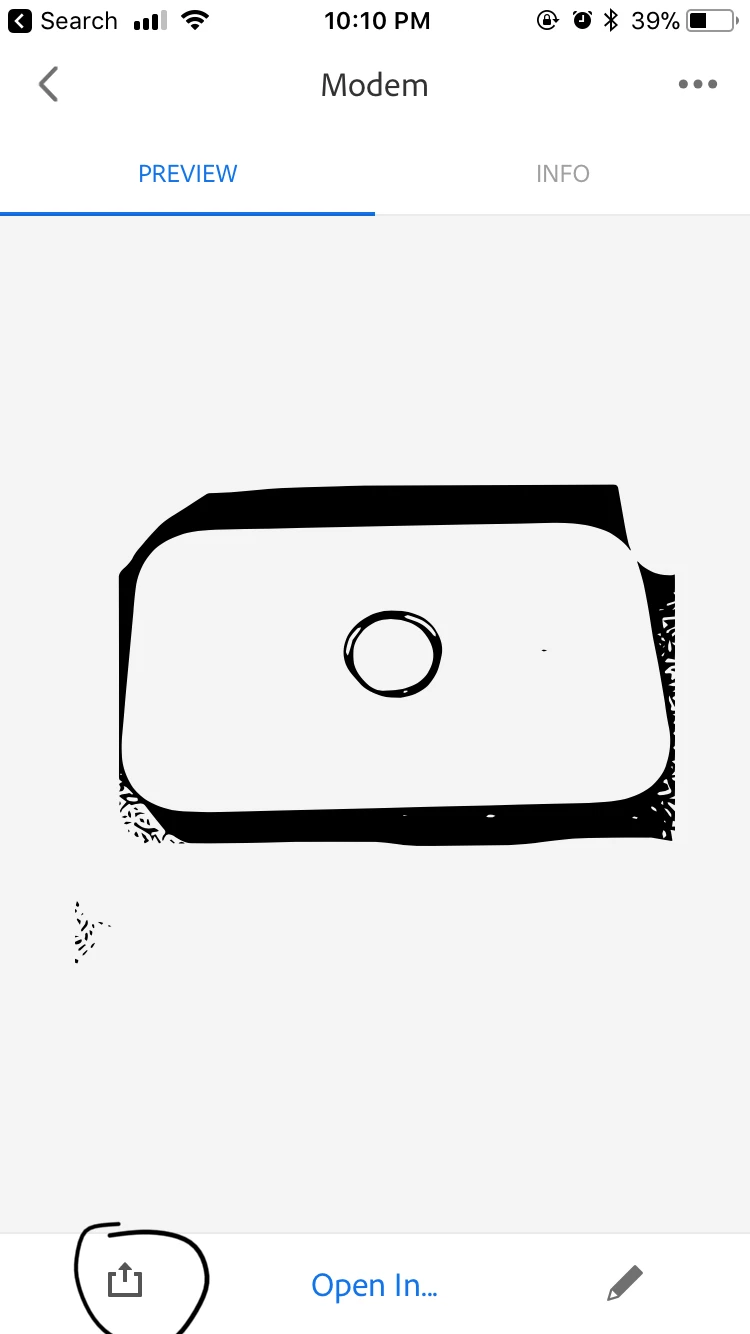
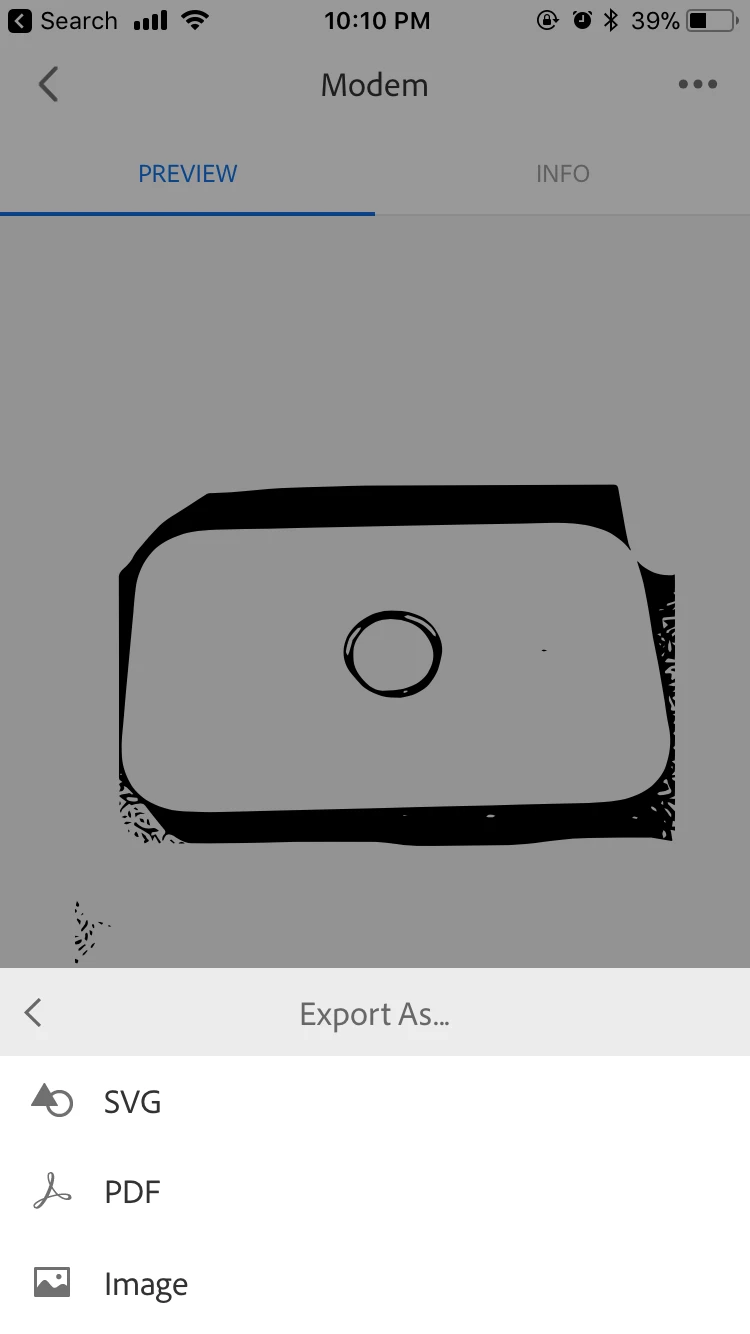
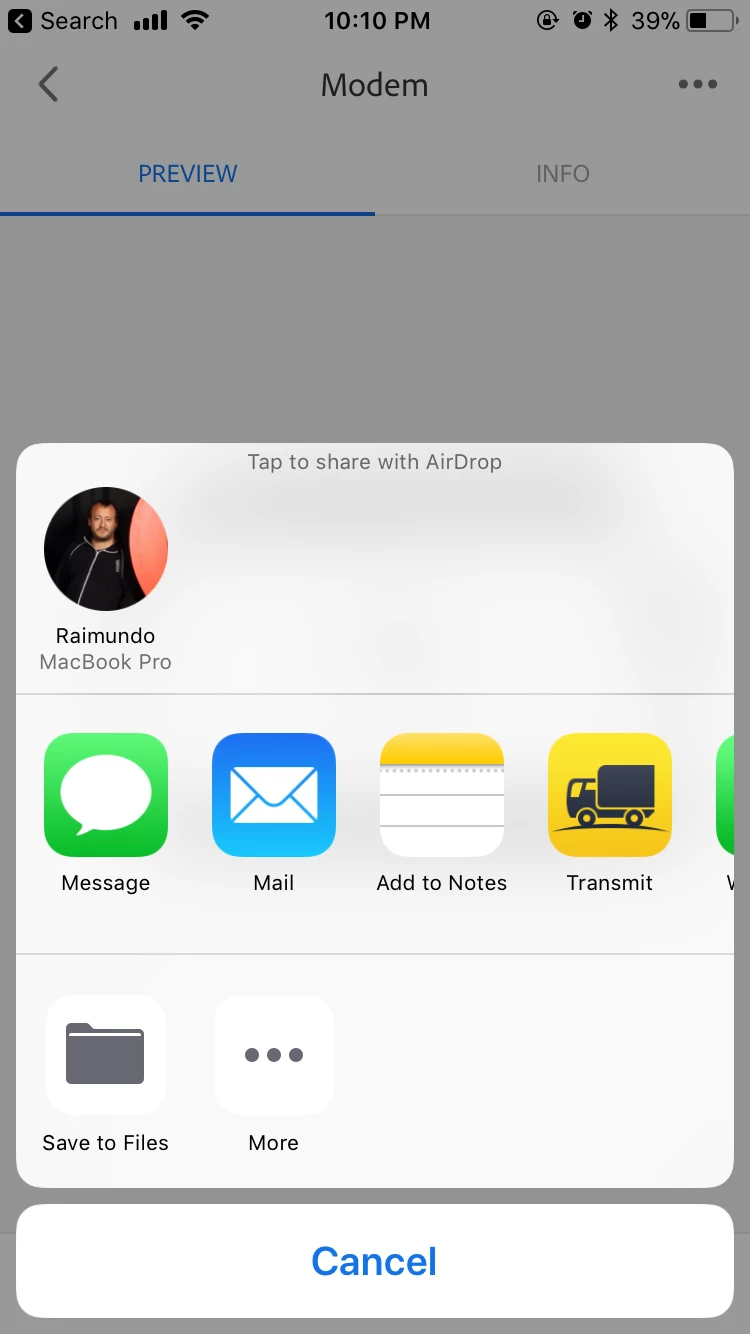
Yes, you can. On the Capture CC App, you can go at the bottom left, select the export menu, and and select export as SVG, you can share them by email, iCloud (ios user), dropbox, or my favorite if you are a mac user, AirDrop.

2 replies

Raimundo Illanes
Raimundo IllanesCorrect answer
Inspiring
February 22, 2018

Yes, you can. On the Capture CC App, you can go at the bottom left, select the export menu, and and select export as SVG, you can share them by email, iCloud (ios user), dropbox, or my favorite if you are a mac user, AirDrop.

andys48910047
Participant
April 25, 2018

Hi,

This appears to be missing from the version of Capture CC in the UK App Store (v4.0 (5474)).

When tapping the export/send to icon, we only get:

“Share Shape To...“   - This converts the image to either PNG or JPG but does not allow sharing SVG.

”Share Shape Link” - This purely gives read only access to the Creative Cloud which also does not have a share to SVG.

”Save to Camera Roll” - This saves a JPG version of the image to the camera roll but does not save a SVG.

Please could you explain how we can get access to the export -> SVG functionality?

Cheers, Andy

Sue Garibaldi
Community Manager
Community Manager
April 25, 2018

Hi Andy.

These particular export features, for which Raimundo posted screenshots, is available with a Creative Cloud subscription.

Do you subscribe to Creative Cloud but are still not seeing those options?

Sue.

Sheena Kaul
Community Manager
Community Manager
January 31, 2018

Hi Dylan,

Are you trying to create files using Adobe Capture and then trying to access it with Adobe Photoshop on your desktop?

You can do so by saving the work over your CC libraries and then opening the same from within Adobe Photoshop CC.

Let me know if I've misunderstood.

Regards,

Sheena