Hello Ish, Sorry for the issue you are facing. We are investigating this issue on the highest priority.
Additionally, Can you please help us with the following: 1 - Original image from which you are trying to create a pattern. 2 - Expected pattern Image (if it is generated in Photoshop correctly). 3- The exact steps by which you are creating this pattern on Mobile Application.
Since we are not able to reproduce this issue at our side in any reference device, all the above inputs will be very useful.
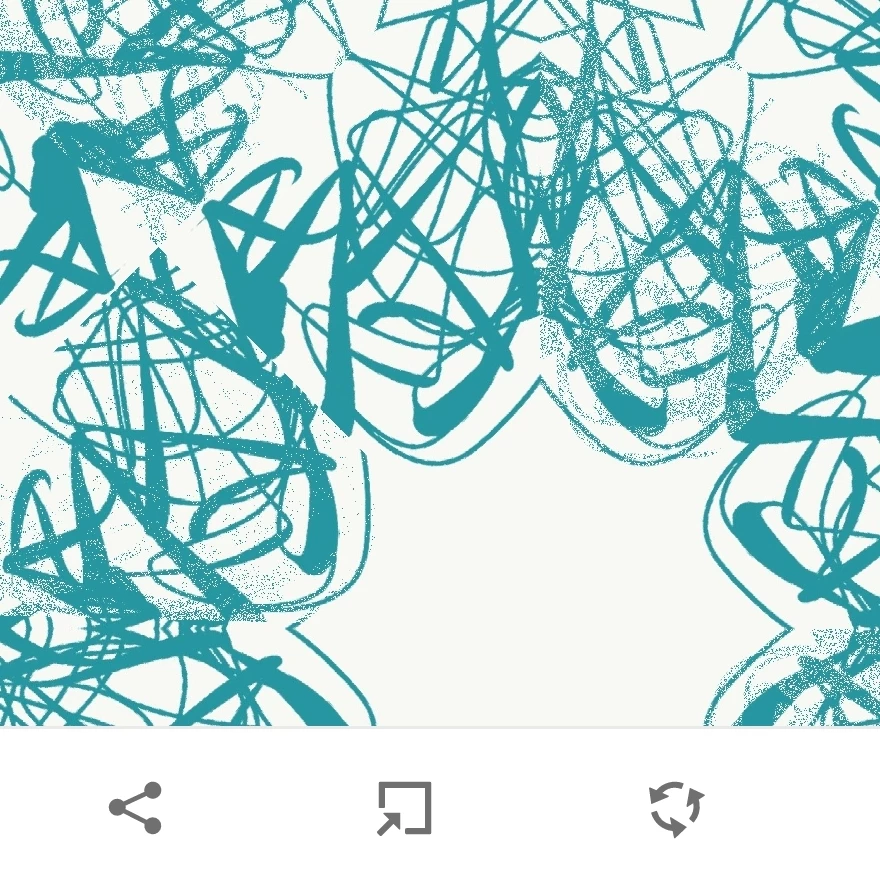
I'm using adobe capture but everytime I upload or use my camera on my Samsung s20 my pattern
Isn't lining up and these fragmented bits of colour don't seem to go. It's almost like the shape isnt aligned. Is this an issue with the app or something I'm doing wrong?
One of Capture's engineers just responded to the email you sent through the in-app feedback. I've posted his response below in the event you check here first.
Sue.
This should not be happening.
Since your post on the forum the Capture team has been discussing this internally. Unfortunately, it is not happening on mobile devices we have so we need to discuss further what could possibly be causing it.
In the meantime, if your need is urgent you can create the same pattern using Photoshop, where Capture is also available. A video tutorial is here https://youtu.be/XA3RqFk3ZPw?t=188 and the created pattern will be exactly same as what you would have created in the app.
We will continue to look into this issue and will respond to your email when we determine what's going wrong.



 AdChoices