Participant
November 19, 2016
Answered

Tranfer Capture pattern to Photoshop CC

  • November 19, 2016
  • 1 reply
  • 581 views

I created a pattern on my ipad using adobe capture. I then saved to what I think is a cloud library. I then opened photoshop on my desktop to access the pattern and the library is not showing up.

    This topic has been closed for replies.
    Correct answer Michael J. Hoffman

    Hi Gail,

    There are a few things to check:

    1. Your iPad and also Photoshop must both be signed in to the same Creative Cloud account. Please make sure you're signed in to both.

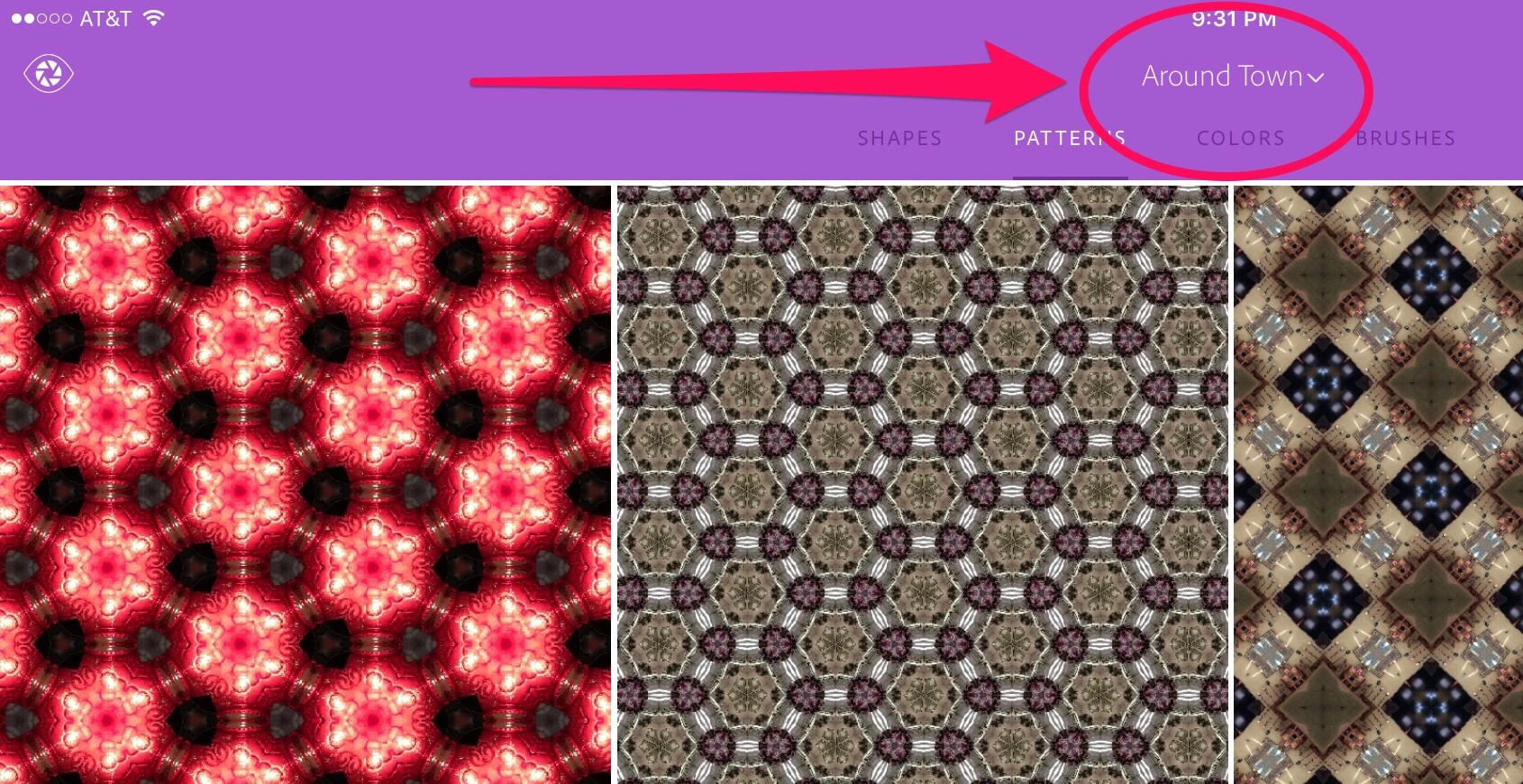
    2. On the iPad, patterns are placed into one of potentially several libraries, specified with the drop-down picker at the top of the screen. In this example, I have my library called "Around Town" selected. Patterns I create will go into that library:

    3. In Photoshop, make sure you have selected the very same library that you used to create the pattern on the iPad. In the Library panel, there's a drop down picker at the top of the panel. In my example above, I'd choose "Around Town" to see the same patterns from my iPad (I have several different libraries and switch between them constantly).

    I hope this helps!

    Mike

    1 reply

    Michael J. Hoffman
    Community Expert
    Michael J. HoffmanCommunity ExpertCorrect answer
    Community Expert
    November 21, 2016

    Hi Gail,

    There are a few things to check:

    1. Your iPad and also Photoshop must both be signed in to the same Creative Cloud account. Please make sure you're signed in to both.

    2. On the iPad, patterns are placed into one of potentially several libraries, specified with the drop-down picker at the top of the screen. In this example, I have my library called "Around Town" selected. Patterns I create will go into that library:

    3. In Photoshop, make sure you have selected the very same library that you used to create the pattern on the iPad. In the Library panel, there's a drop down picker at the top of the panel. In my example above, I'd choose "Around Town" to see the same patterns from my iPad (I have several different libraries and switch between them constantly).

    I hope this helps!

    Mike