


B3n&Zo
Participant
May 19, 2020
Question

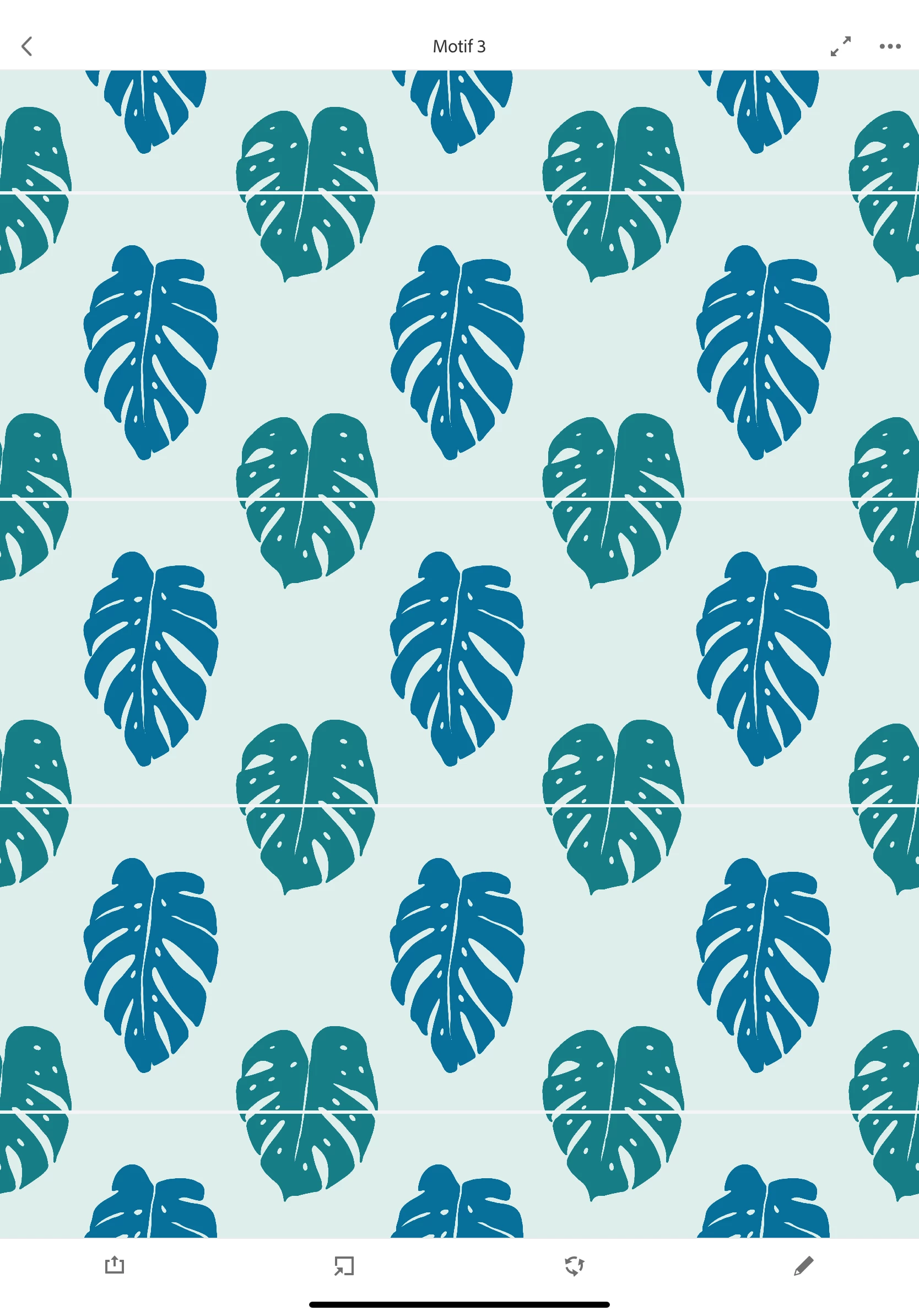
Transparent line appearing on pattern

  • May 19, 2020
  • 4 replies
  • 779 views

Hello, 

I am trying to make a pattern in Adobe Capture. I have done it several times.

I go to pattern builder, select a shape I have created (I tried with several shapes that used to work).

When I create my pattern everything seems ok.

When I save, or upload the pattern on Photoshop, I get this tranparent line, I tried deactivating the grid, it did not work. The weird thing is that I have worked on adobe capture with these shapes before, it was working great. I'm working on an Ipadrpo 2018.

Thank you,
This topic has been closed for replies.

4 replies

Adobe Employee
June 23, 2020

Hello Charlotte, 

This is fixed in the latest release of Capture and you should be able to create seamless patterns. Let us know if you face any issues. Also, will be happy to hear more feedback from you, on how we can enhance your pattern making experience further. 🙂

Thanks,

Nishtha

B3n&Zo
B3n&ZoAuthor
Participant
May 20, 2020

Hello,
So all the shapes I am using are SVG I created them using Adobe capture.
I have tried with almost all the shapes I have in my library and I get this
problem each time.
The patterns I made previously don't have the line though.
It’s really étrange because on the preview the patterns are seamless, the
Line shows when I save the pattern.

Thank you

Charlotte

Adobe Employee
May 20, 2020

Thanks for sharing more inputs on this Charlotte. We are looking into this issue at priority and are sorry for the inconvenience. In the meantime, as a workaround you can export the pattern tile as SVG or use the vector tile in Illustrator.

B3n&Zo
B3n&ZoAuthor
Participant
June 9, 2020
Hello,

I still have this issue on Adobe Capture... Do you know when it will be
fixed? I really liked using this tool, it's a shame it does not work
anymore....
Thank you.

Charlotte
Adobe Employee
May 20, 2020

Hello, we are looking into this issue on priority. Can you please share some more inputs to help? Is this happening with all the shapes? Also, can you try using the SVG tile for this pattern? Is the SVG rendition also coming in with these white lines or is it seamless? 
Thanks,

Nishtha

Hep Svadja
Adobe Employee
Adobe Employee
May 19, 2020

Hello! This certainly shouldn't be happening. Could you send me an email directly to hep at adobe (dot com) and I can connect you with the engineering team so we can look into this and get your patterns seamless again. 

Thanks! -Hep

Hep Svadja, Product Manager of Adobe Capture, Adobe Color, & Creative Cloud Libraries