


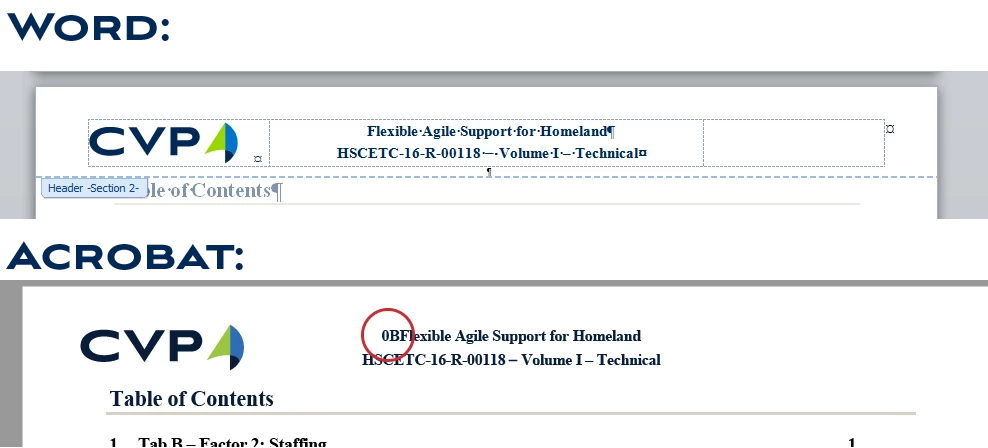
Acrobat adding "0B" before Header auto-text when converting from Word - how to fix it?
Hi Everyone,
We have a document template where we input the document title in the title sheet and then use styles to create auto-text (quick parts) references in the headers and footers. Everything works great in Word, the auto-text updates automatically to match changes to the title sheet, etc. However when we convert the document to PDF using Acrobat a mysterious "0B" is added in front of the first instance of the automatic text reference. We are using Acrobat CC with Word 2010 and using the MS Office Acrobat Add-in to convert (we use other resources I can't get via "save as PDF" or "Print to PDF")? The conversion setting is Press Quality with Bookmarks and Links.
You can see the before and after in the screen shots below. The conversion error is circled in red in the PDF version.
Any help finding a work around that error would be appreciated.
Thanks!
 AdChoices