


alxmntrvl
Known Participant
Sep 28, 2016 1:57 AM UTC
Answered

"Acrobat cannot start the image/object editing application you've specified ... "

I recently uninstalled my Acrobat X Pro accidentally (experiment gone wrong) and after having a lot of trouble re-installing it, I can't get it to talk to the other Creative Suite applications anymore, i.e. Photoshop and Illustrator for PDF editing. This is the dialogue that pops up when I try to Edit Image/Edit Object:
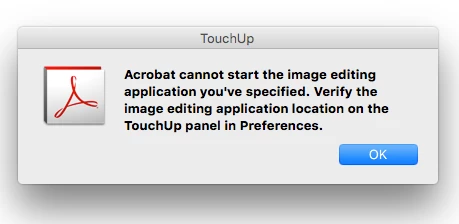
I went to Preferences and checked, and the paths to the applications are correct:
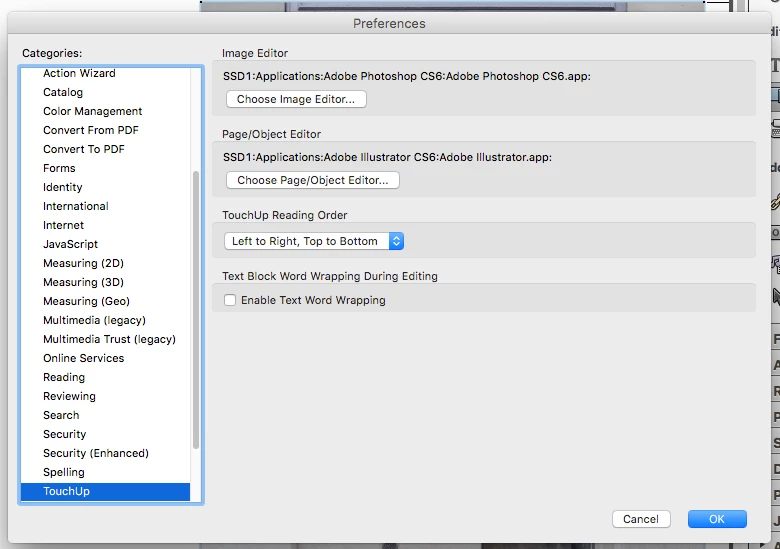
but they still won't launch and the dialogue just reappears. So I'm not sure what to do from there.

Any help would be greatly appreciated!

This topic is closed to new replies. Start a new post to keep the conversation going.
sb116Correct answer
Participating Frequently
Oct 21, 2016 2:58 PM UTC

Hi alxmntrvl

Apologies for the late response.

This is a known issue and there is no fix available as of now unfortunately; however, the issue is fixed in the later versions.

Please refer to the document below:

Error: "...cannot start the image editing application..." | Edit Object tool | Adobe Acrobat X | Mac OS

Thanks,
Supriya

4 replies

sb116Correct answer
Participating Frequently
Oct 21, 2016 2:58 PM UTC

Hi alxmntrvl

Apologies for the late response.

This is a known issue and there is no fix available as of now unfortunately; however, the issue is fixed in the later versions.

Please refer to the document below:

Error: "...cannot start the image editing application..." | Edit Object tool | Adobe Acrobat X | Mac OS

Thanks,
Supriya

Translate
Participating Frequently
Jul 4, 2022 1:20 PM UTC

There is still this error. It is very useful feature that must be there. Hopefully it will be fix in feature update. It is 2022 and this issue is updated in 2016. It takes so long to resolve 😞

Translate
Legend
Jul 4, 2022 1:47 PM UTC

Acrobat X will never be fixed, support ended for Acrobat 10 in 2015.

Translate