Mike_Gondek10189183
Community Expert
Community Expert
April 1, 2016
Answered

Acrobat DC forms have periwinkle colored boxes obstructing the view.

  • April 1, 2016
  • 2 replies
  • 1259 views

In

My check boxes overlap and are periwinkle blue, why????
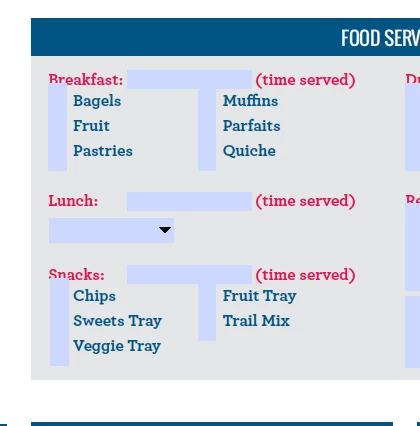
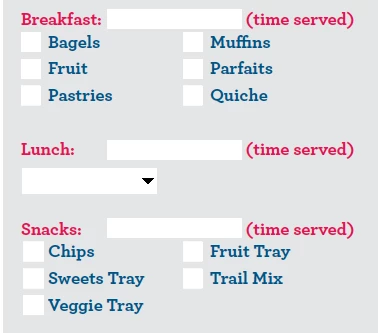
In 10 and versions before looks correct
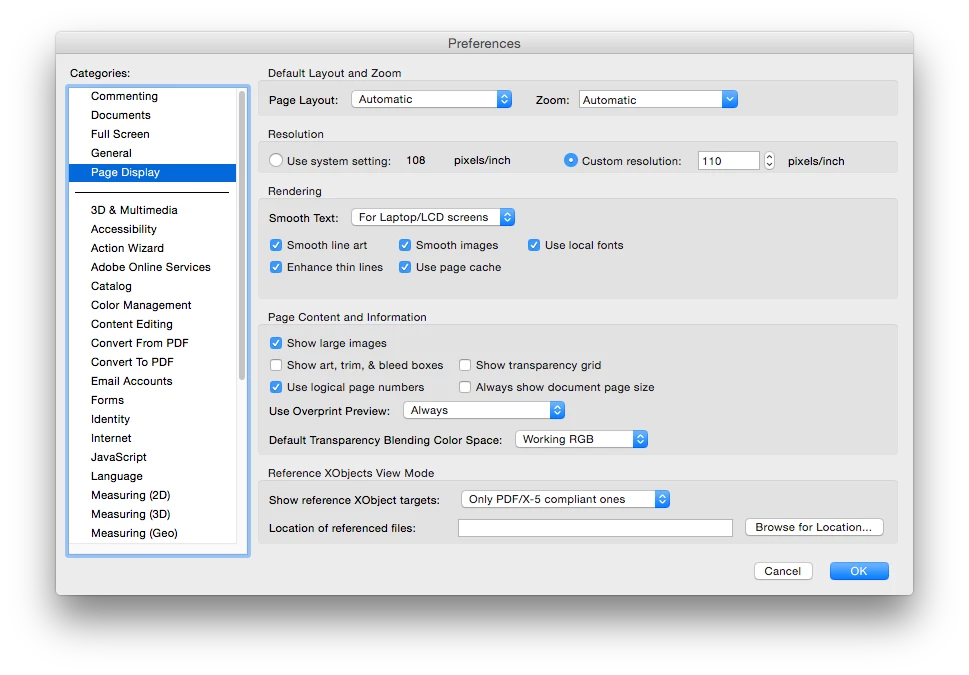
Cannot find a setting problem here
Acrobat DC seems to be cumbersome in editing forms so will use 10, but cannot control what my audience uses.

This topic has been closed for replies.
Correct answer try67

Go to Edit - Preferences - Forms and tick off "Highlight form fields". It's exactly the same as in older versions, I believe.

2 replies

Inspiring
April 1, 2016

The forms preference that controls field highlighting is the unfortunately labeled "Show border hover color for fields", as opposed to "Highlight form fields" which would make a lot more sense.

try67
Community Expert
Community Expert
April 1, 2016

Yeah, it's not very good wording... For starters, it has nothing to do with "hovering". The highlight color appears all the time, not just when you hover with the mouse above a field.

try67
Community Expert
try67Community ExpertCorrect answer
Community Expert
April 1, 2016

Go to Edit - Preferences - Forms and tick off "Highlight form fields". It's exactly the same as in older versions, I believe.

Mike_Gondek10189183
Community Expert
Community Expert
April 1, 2016

Thanks that fixes the DC problem. One more if I can ask so similar but entirely different cause.

You can see the problem in form editing mode (18,19,20 show as white background.)

But I see nothing different in properties. I am making my pdf forms in InDesign first, so not sure why the boxes get taller than i originally made them on check boxes. I believe this may've to do with 18 overlapping 15.

try67
Community Expert
Community Expert
April 1, 2016

I would recommend not creating the fields in InDesign. It creates problematic fields, unfortunately.

Create the layout in ID and then add the fields in Acrobat.