
Participant
March 17, 2016
Answered

Acrobat : PDF text disappears on iPhone's mail app

  • March 17, 2016
  • 2 replies
  • 1251 views

Hi everyone !

I'm dealing with a strange issue today.

I created a quotation document on Adobe Acrobat, with fields to complete. This doc is made to be completed by commercial agents, locked and then sent by mail to clients and prospects.


Our process is simple : we complete the doc, and then sign to lock it. We "Save As" the doc, and then send it by mail to our clients. I've been testing it for weeks now and on laptops everything is ok, this perfectly works.

But today I discovered something really strange : If I want to read one of this document receive by mail on iPhone (mail app) ... the content just disappears...

>> This is a test on laptop : opening the doc, everything is OK.
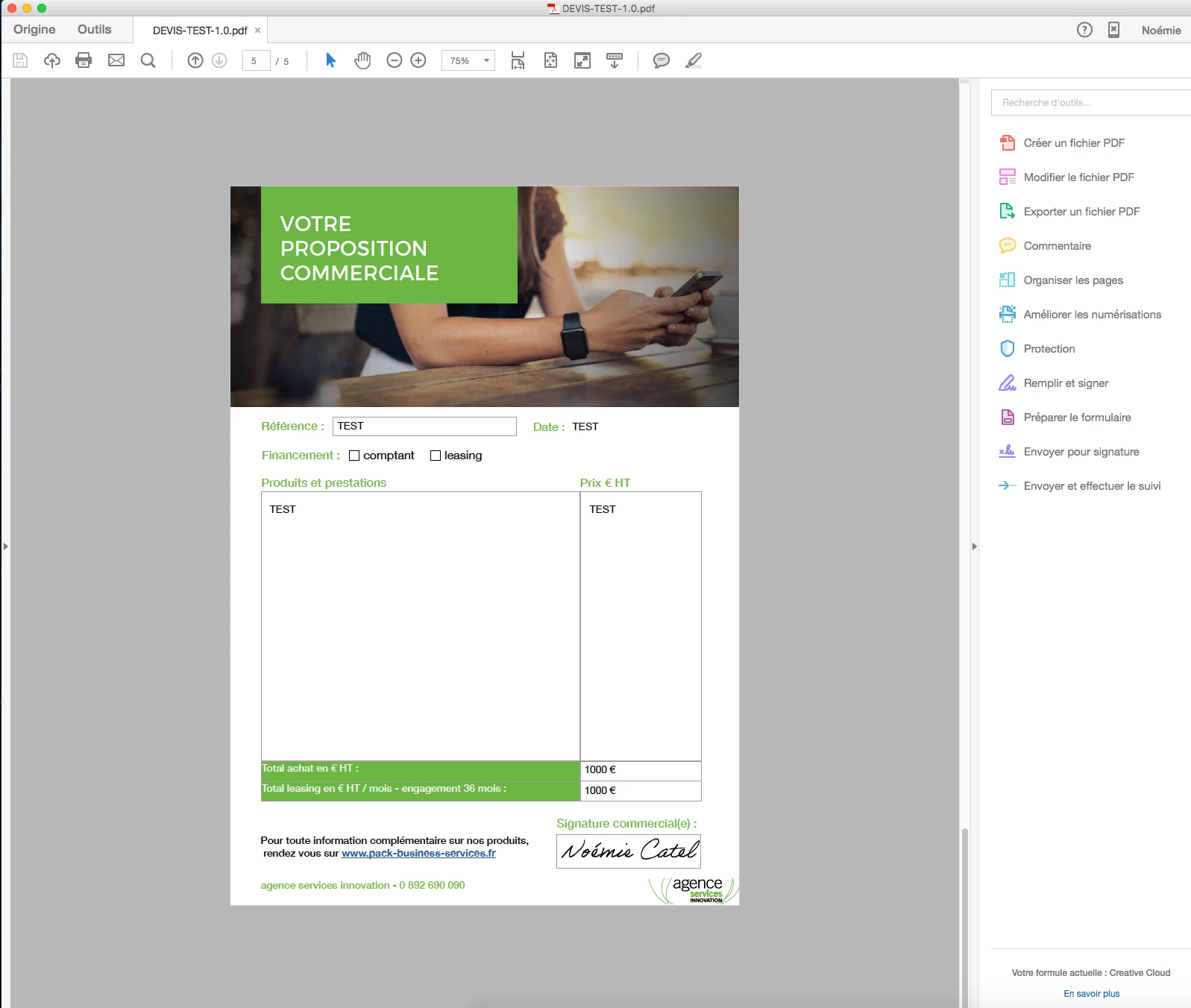
>> Now this is the result when I open the same doc on iPhone mail app... My sign is still here but all the text just disappeared !

Has someone an idea to help me fixing it ? This is a real problem for my company, because if clients receive and open this quotation doc on their iPhone, they'll just see ... nothing ! 😮

Thanks in advance,

Best regards !

This topic has been closed for replies.
Correct answer George_Johnson

The problem is the default PDF viewer does not support forms. What you can do is flatten the form fields before you email it, which converts the fields to regular page contents, which will be visible when viewed in the email app. More information on flattening as well as a free JavaScript-based tool can be found here: UVSAR : Selective Flattener tool for Adobe Acrobat 8, 9 and X

2 replies

George_JohnsonCorrect answer
Inspiring
March 17, 2016

The problem is the default PDF viewer does not support forms. What you can do is flatten the form fields before you email it, which converts the fields to regular page contents, which will be visible when viewed in the email app. More information on flattening as well as a free JavaScript-based tool can be found here: UVSAR : Selective Flattener tool for Adobe Acrobat 8, 9 and X

try67
Community Expert
Community Expert
March 17, 2016

It sounds like an issue with the mail app, which is not related to Adobe. Try posting on an Apple forum.

Participant
March 17, 2016

Hi.

I'll try but mail has always work with PDFs and I can't see why it would just not display text content ... I think its more about the content flattening on Acrobat or something.