Known Participant
April 11, 2017
Question

Acrobat Pro DC crash issue

  • April 11, 2017
  • 1 reply
  • 490 views

Hello,

I am using Acrobat Pro DC 2015 release (Continuous). I have installed it from adobe Creative cloud.

My issue is -  Acrobat is crashing randomly many times a day.

I developed a plugin for it and thought that It was a plugin issue. But crash is does not seem relevant to my plugin.

I did not found the crash log file in the acrobat installation folder.

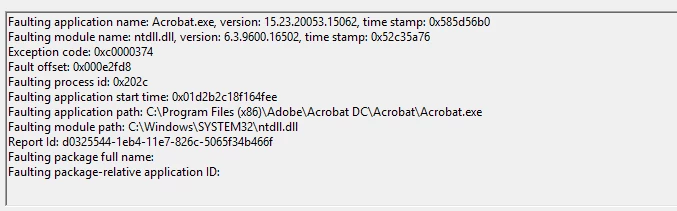
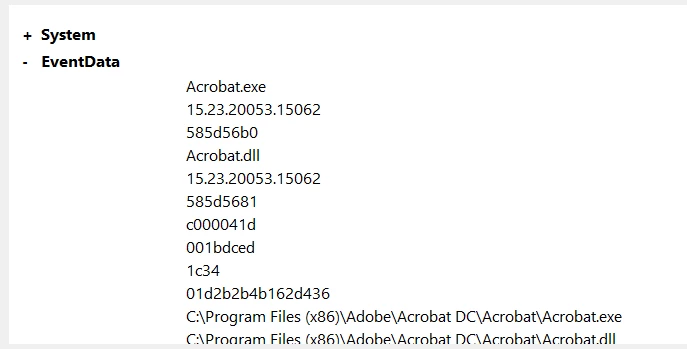
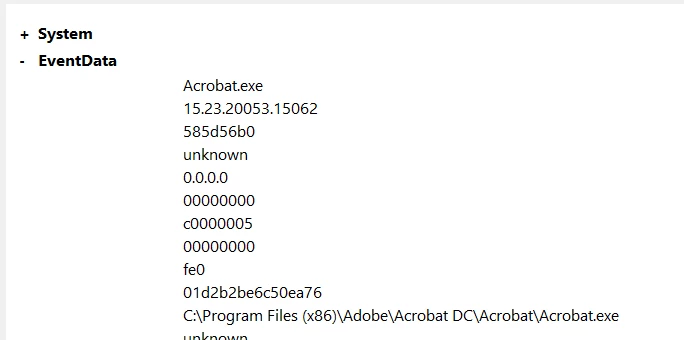
But in the Windows event viewer, I can see some error information regarding acrobat.

Here are the screenshots of the errors:

I am not able to understand the meaning of these.

What can be the problem in acrobat?

What is the solution for this?


Thank you in advance!

This topic has been closed for replies.

1 reply

Karl Heinz  Kremer
Community Expert
Community Expert
April 11, 2017

When you say that your plug-in may not be relevant to the crashes, how exactly are you determining this? To rule out any 3rd party plug-in, I would configure Acrobat so that it only loads "certified" plug-ins, which are those plug-ins that are part of Adobe Acrobat. You can do that by opening up Acrobat's preferences, and then go to the "General" category. The last option on that display will be "Use only certified plug-ins". Turn this on, and then use Acrobat for a while. Does it still crash? If not, then it's one of the 3rd party plug-ins you have installed. If not, follow the  debugging instructions on this page: Resolve Acrobat DC intermittent crashes on Windows

BTW: Adobe release an update to Acrobat DC today, so you may want to upgrade and see if your application still crashes.