You can create a Preflight Profile in Acrobat that will map specific colors for you.
Here are some basic instructions to get you started and a link to the documentation;
Go to Tools> Print Production> Preflight.
Select the blue wrench icon (changes).
Find "Map color with specified color values", select it and go to Options (upper right corner of window) Duplicate.
Give the new profile a new name, select it and choose Edit.
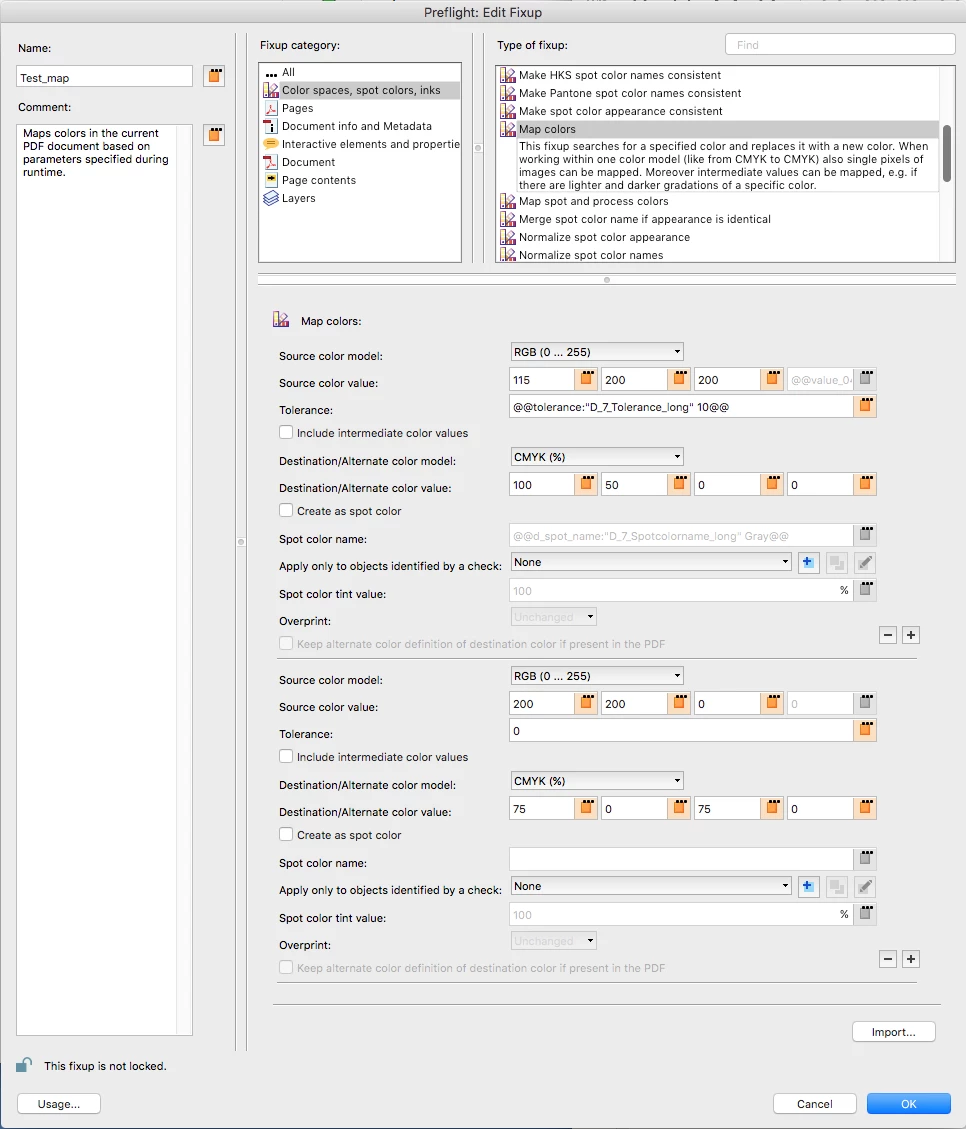
I have attached a screen shot of an example profile that will look for 155 200 200 RGB and change it to 100 50 0 0 CMYK and also look for 200 200 0 RGB and change it to 75,0,75,0 CMYK.
You will need to add each color individually, select the + button to add additional colors.
If you want to map swatches with specific names, you will want to start with a different preflight profile, but it will work the same way.
Preflight profiles (Acrobat Pro DC)




 AdChoices