
Known Participant
January 12, 2016
Answered

Acrobat triggers user input popup before selecting a stamp

  • January 12, 2016
  • 1 reply
  • 4029 views

Hi,

I'm trying to create a custom stamp for my invoices. I would like to trigger user for inserting date and note.

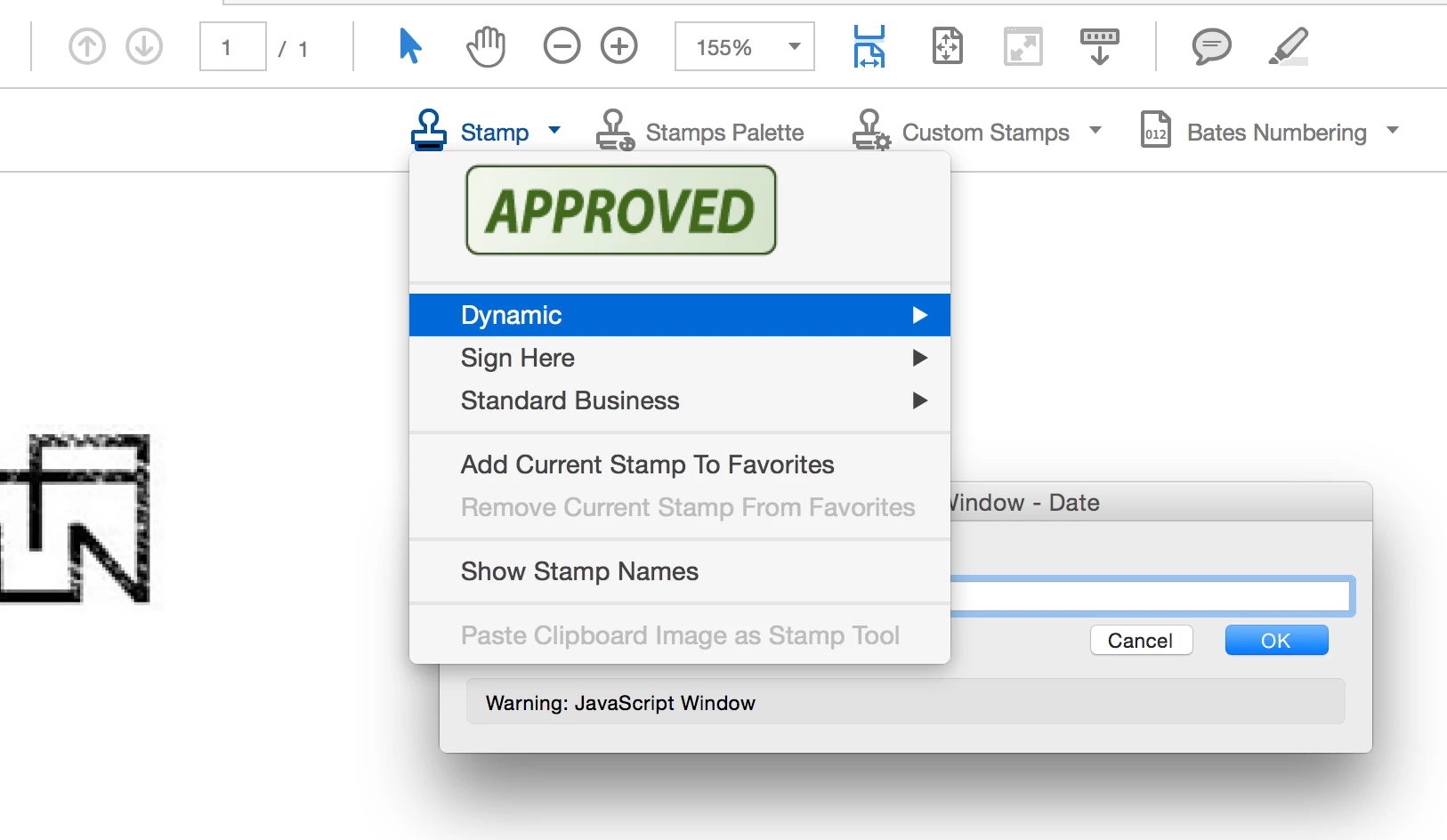
The problem is that when I want to add the stamp to the document, Acrobat prompts me with the input popup when I rollover "Dynamic" in the Stamps dropdown menu, before I even reach dynamic stamps list. In order to get to the stamp list, I have to click twice OK, and only then I get to the dynamic stamp list. When I select my stamp finally it prompts me again.

What triggers this? Why? I want to be prompted only after I select the stamp from the stamp list.

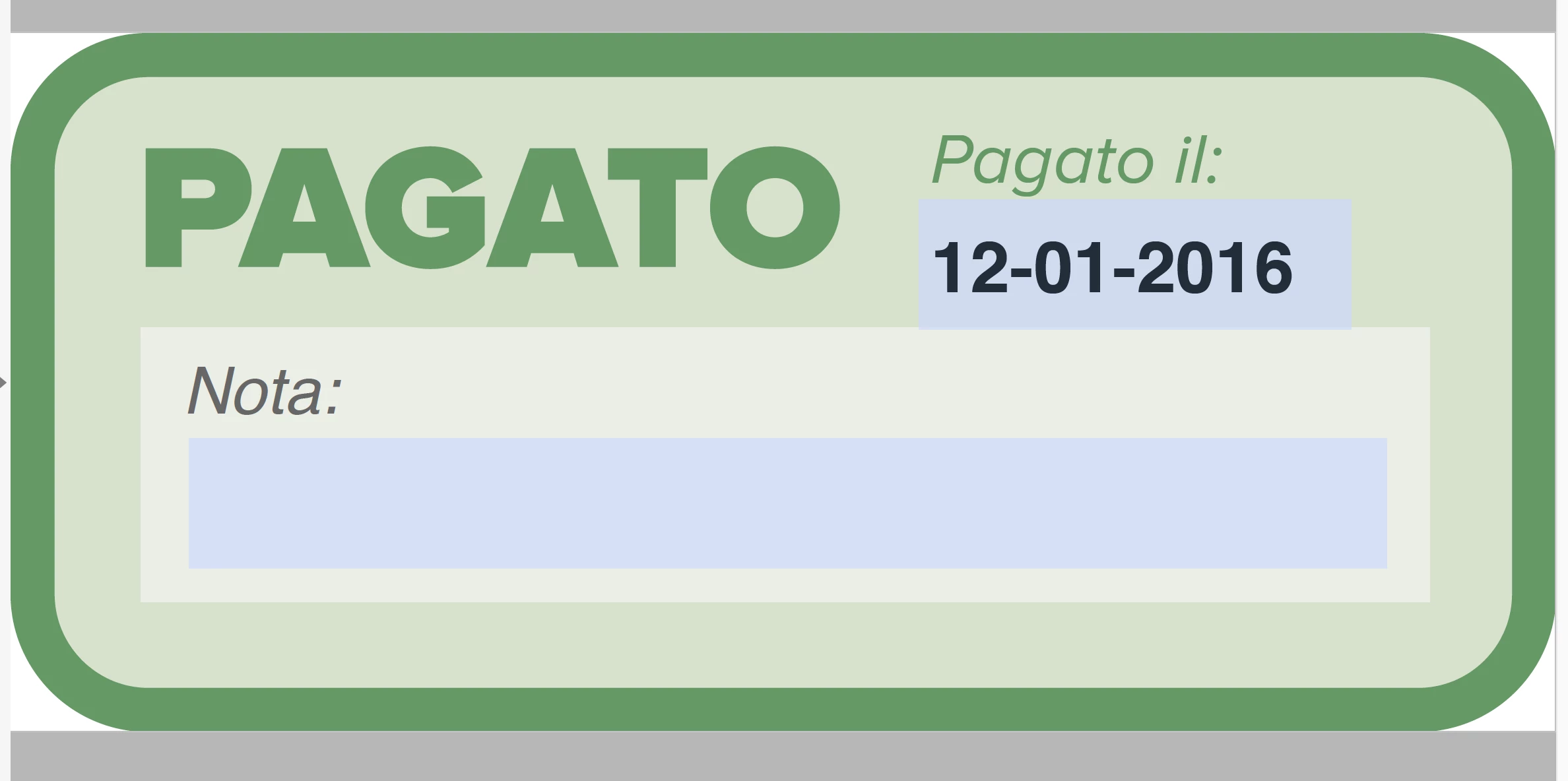
I have two fields, Date and Note. These are the two scripts I use:

DATE

var cResponse = app.response({

cQuestion: "Insert payment date:",

cTitle: "Date",

cLabel: "Date:"

});

if (cResponse == null) {

event.value = util.printd("dd-mm-yyyy",new Date);

}

else

event.value = cResponse;

NOTE

var cResponse = app.response({

cQuestion: "Insert comment note:",

cTitle: "Note",

cLabel: "Note:"

});

if (cResponse == null) {

event.value = "";

}

else

event.value = cResponse;

This is when the popup is triggered:
This is how the custom stamp looks like, with two fields:
Thank you.

This topic has been closed for replies.
Correct answer Karl Heinz Kremer

Dynamic stamps in Acrobat are not trivial - as you found out. Take a look at this tutorial: https://acrobatusers.com/tutorials/dynamic_stamp_secrets

The element that is missing from your stamp script is the check for event.source.forReal and for the stamp name. Because of that, your stamp dialog gets triggered even when the user is not placing this particular stamp.

1 reply

Karl Heinz  Kremer
Community Expert
Karl Heinz KremerCommunity ExpertCorrect answer
Community Expert
January 12, 2016

Dynamic stamps in Acrobat are not trivial - as you found out. Take a look at this tutorial: https://acrobatusers.com/tutorials/dynamic_stamp_secrets

The element that is missing from your stamp script is the check for event.source.forReal and for the stamp name. Because of that, your stamp dialog gets triggered even when the user is not placing this particular stamp.

Known Participant
January 12, 2016

OK, but where do I get the stamp name? Is it a file name?

The link that you posted suggests to use JS console with this code in order to retrieve the stamp name:

this.selectedAnnots[0].AP

I have opened the stamp PDF file (JLxAP6tn8CjmyXUQlGCSYB.pdf) and executed the code from the js console.

What I get, is an error:

TypeError: this.selectedAnnots is undefined

1:Console:Exec

undefined

What am I doing wrong?

Thank you.

try67
Community Expert
Community Expert
January 12, 2016

It's not the file name, and you're using the code incorrectly.

Open any PDF file and apply the stamp to it (disable all the scripts if

necessary so they don't interfere).

Then select that stamp with the mouse, open the JS Console (Ctrl+J) and

then run that code from there.

It will print out the AP value for your stamp which you need to include in

your code.

On Tue, Jan 12, 2016 at 8:57 PM, haligaliharun <forums_noreply@adobe.com>