
Question
Acrobat XI for Mac: open dialog box lacks horizontal scroll
In Adobe Acrobat XI (11.0.13) for Mac, running under MacOS 10.10.5, the Open dialog box has a bug: in standard column mode, it is not possible to scroll horizontally and therefore, if too many columns (=folders) are involved, the desired file to open is "lost" past the right margin of the box:
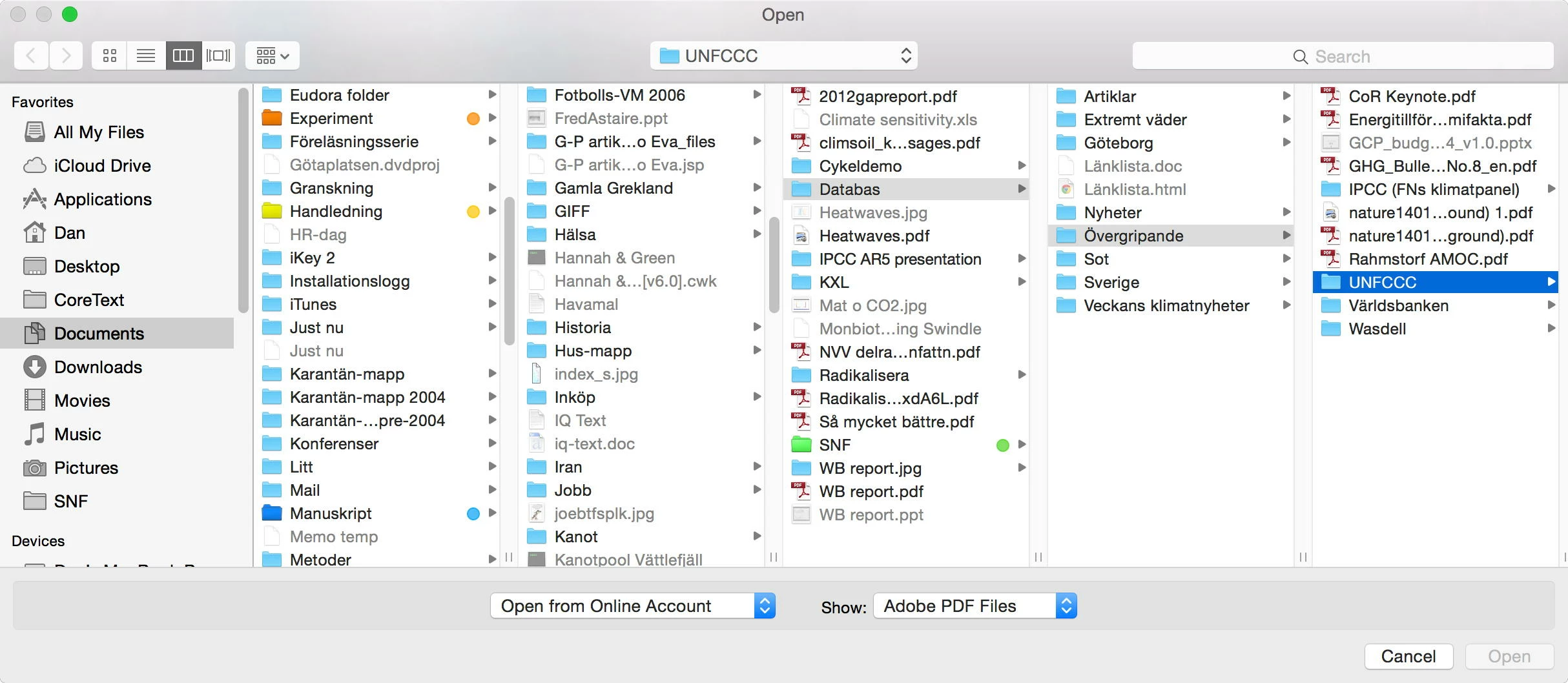
In this example, the file I want to open is inside the folder "UNFCCC", but I can't access it since there is no way I can scroll horizontally to the right (note the absence of horizontal scroll "thumb").
The workaround is to use another view option (such as list view), but I think this is a really ugly bug for a product from such a prestigeous company as Adobe. Or am I the only one affected?


 AdChoices