Inspiring
April 30, 2016
Answered

Acrobat XI Pro: how to batch create multiple PDFs of images from context menu

  • April 30, 2016
  • 1 reply
  • 2122 views

After selecting jpg and/or png files in a folder I would like to have an option to rightclick batch-convert

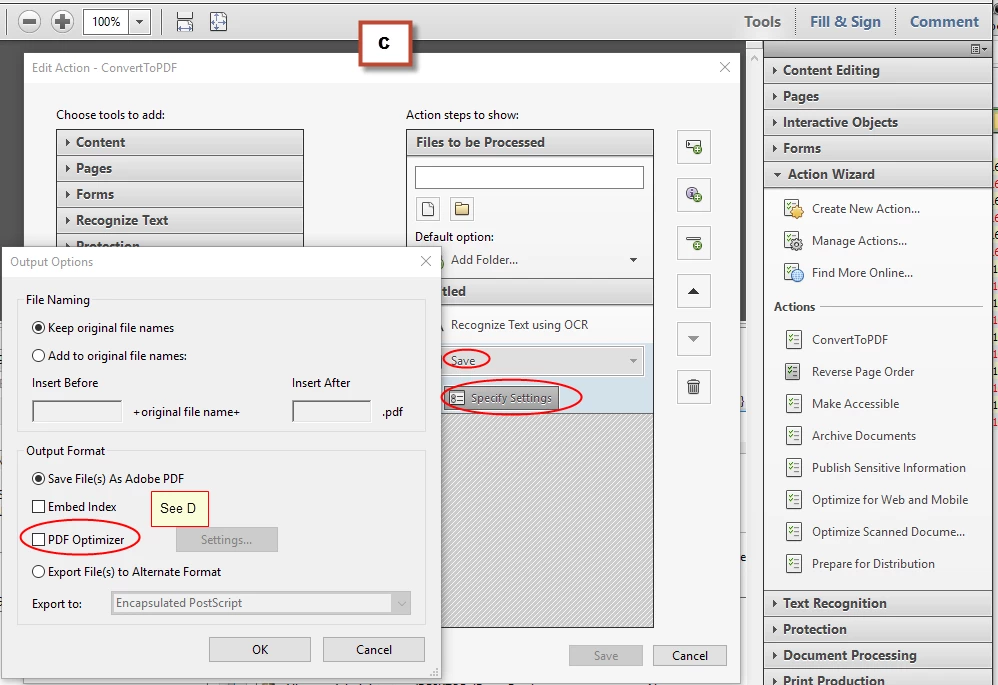
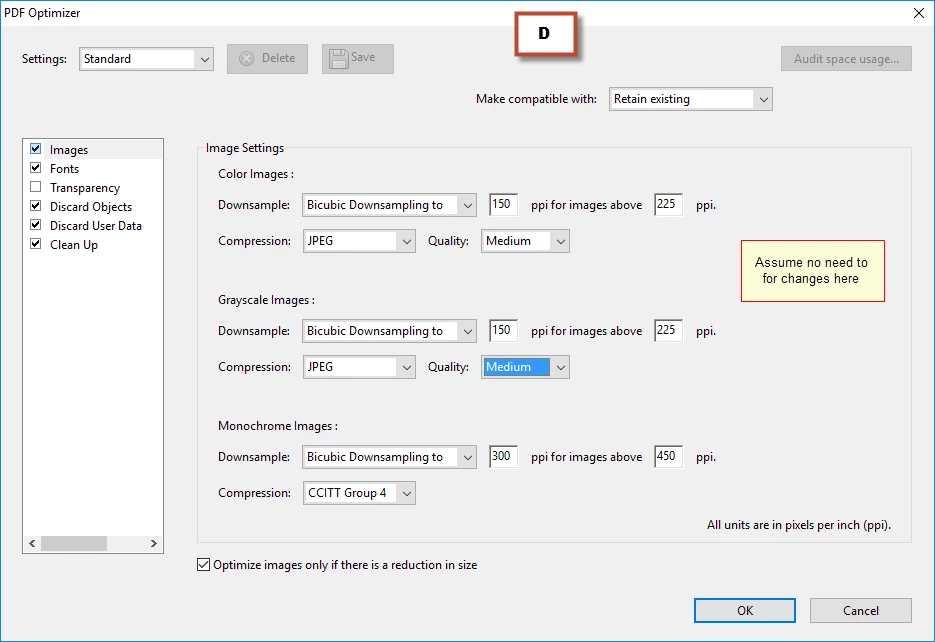
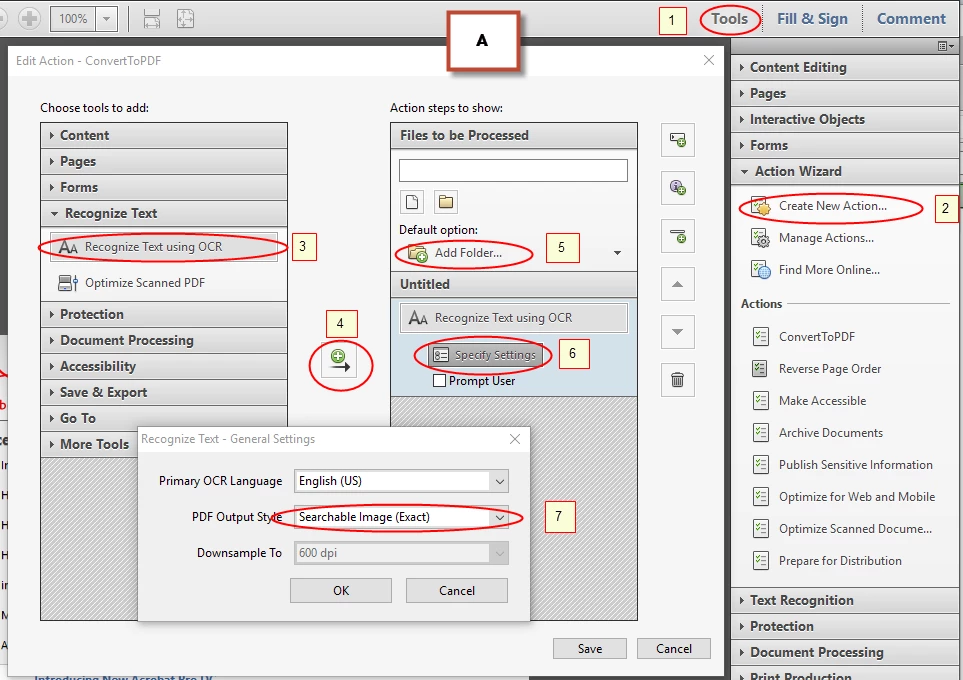
them to PDF files using the below settings.
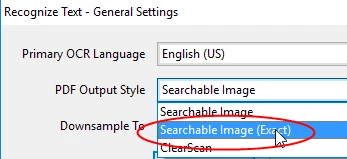
converted files to be saved automatically using the same filename in the same folder.

Right now, in case I select e.g. 12 files, Acrobat will open 12 windows, I have to start text recognition and save the files.

I tried(!) to create an action myself and believe it is working, but I can't add it to the context menu have Acrobat run in the background.
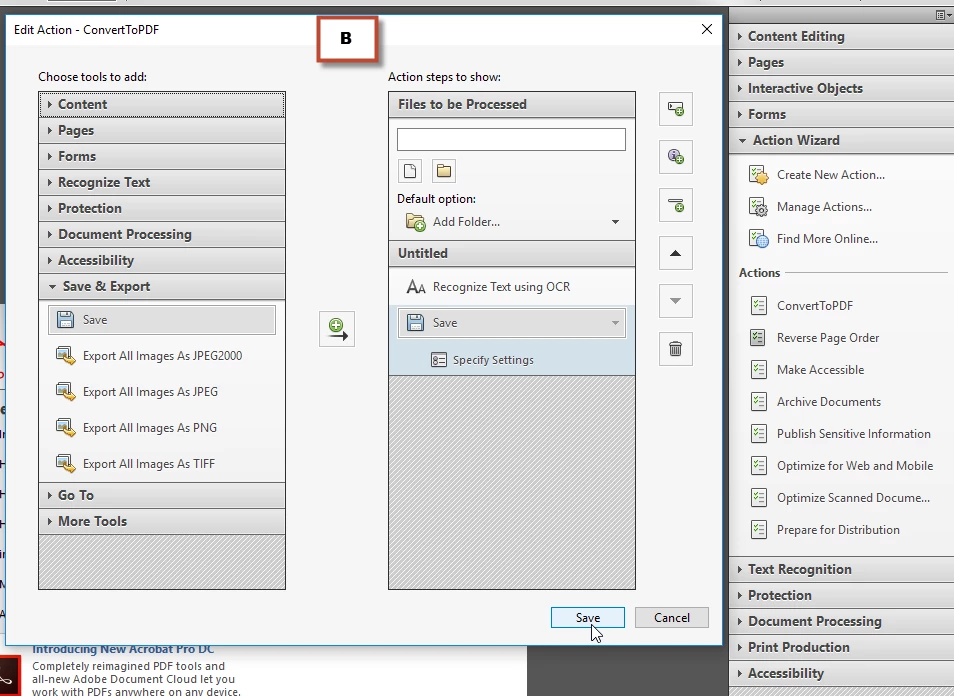
Thanks

=

This topic has been closed for replies.
Correct answer Bernd Alheit

You can't an action to the context menu.

1 reply

Bernd Alheit
Community Expert
Bernd AlheitCommunity ExpertCorrect answer
Community Expert
April 30, 2016

You can't an action to the context menu.

adwul62Author
Inspiring
April 30, 2016

Sad new, but nonethelss: thanks.

This was/is my very first 'Action' - I just gave it a try.

Not familiar with this stuff though.

Could you tell me the difference between a   ... sequ and this 'self baked thing'.

(Not so long ago I had to remove the 1st page from a lot of PDF's and found

Batch_Remove_First_Page.sequ which did the job perfectly and fast)

=

Bernd Alheit
Community Expert
Community Expert
April 30, 2016

Actions are saved in .sequ files. The old name for Action Wizard was Batch Processing.