
TKqq
Participant
August 16, 2019
Answered

action wizard filenames to array

  • August 16, 2019
  • 1 reply
  • 776 views

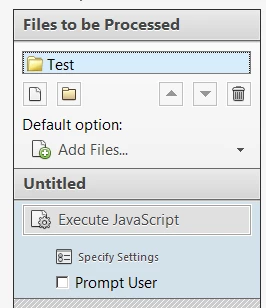
I'm trying to store the filepath and filename of several PDFS in an array.  I'm using the action wizard and executing the code below.
if ( typeof global.zArray == "undefined" ) {

global.indexCnt = 0;

global.zArray = new Array();

}

var path2file = this.path;

var re = /.*\/|\.pdf$/ig;

var filename = path2file.replace(re,"");

var filepath = path2file;

global.zArray[global.indexCnt] = [filepath,filename];

global.indexCnt++;

I tried viewing all the elements in the array after all the files processed using the code below, but it only prints the last filepath and filename in the folder.

for (i=0;i<global.zArray.length;i++)
{
console.println(global.zArray);
}

What am I doing wrong??

This topic has been closed for replies.
Correct answer try67

I tried your exact code and it worked just fine...

1 reply

try67
Community Expert
try67Community ExpertCorrect answer
Community Expert
August 16, 2019

I tried your exact code and it worked just fine...

try67
Community Expert
Community Expert
August 16, 2019

PS. The indexCnt variable is not needed. You can simply add new items to your array using the push method.

I also don't understand the need to save the file path and file name as separate items, since the former includes the latter in it.

Instead of an array of arrays of two strings you can simply have an array of the full file-paths, and process it later on to get just the file name, if you need it in your code.