


Participant
August 18, 2016
Question

Add Text on a PDF of 2.7MB is very slow and Acrobat window blinks at each typed Key

  • August 18, 2016
  • 5 replies
  • 2142 views

Hi,

I'm using Adobe Acrobat Standard Version 11.0.17 on a Laptop 8GB Ram Windows 7 64bit with  4 CPU threads (Interl Core i5).

I'm working on a PDF of ~2.7MB.
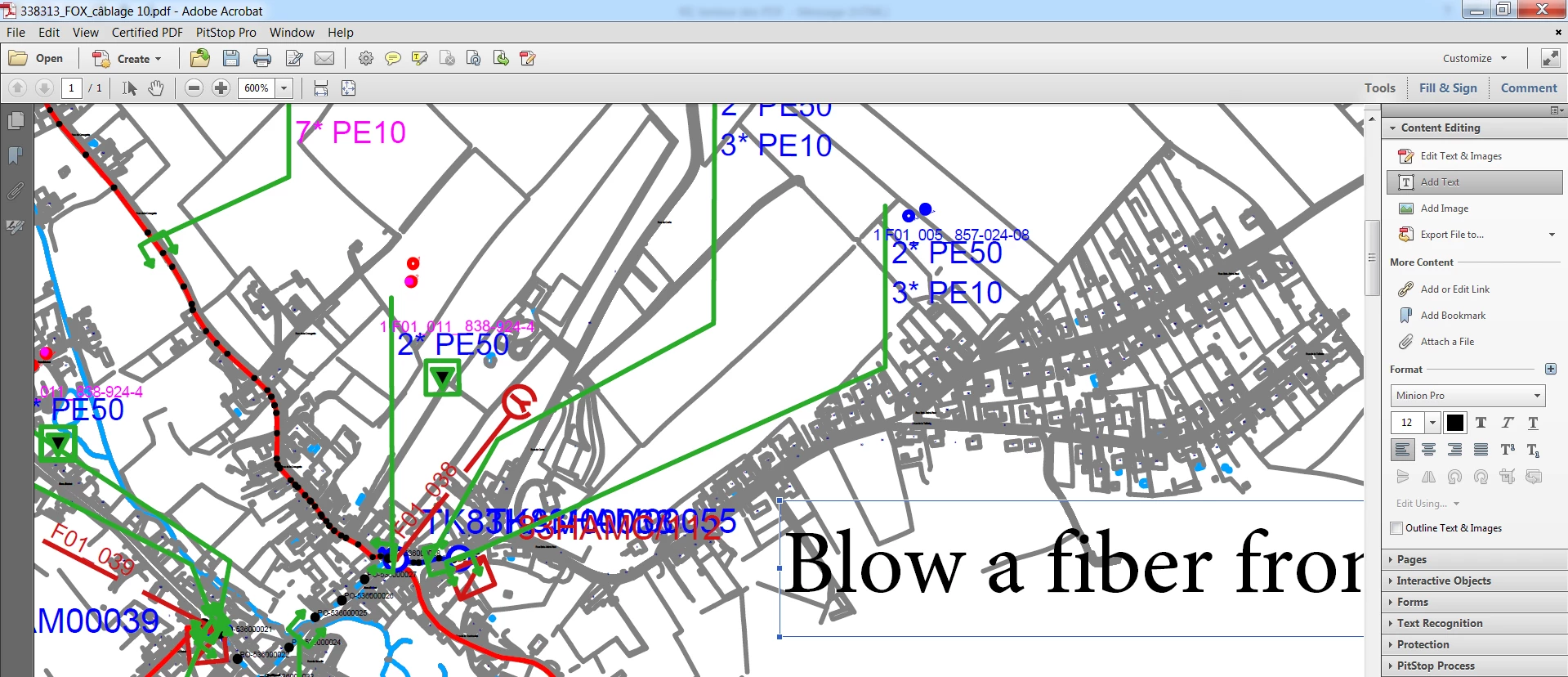
When using the function Content Editing => Add Text.

The adobe screen is very slow and Acrobat window blinks at each typed Key.

I opened Windows Task Manager and noticed that the process Acrobat.exe *32 was consuming a whole CPU Thread (27%)
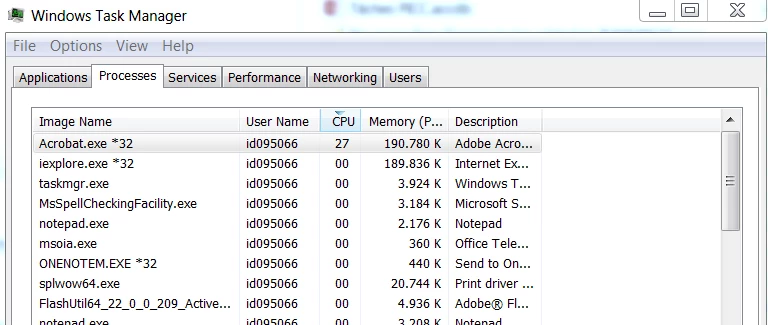
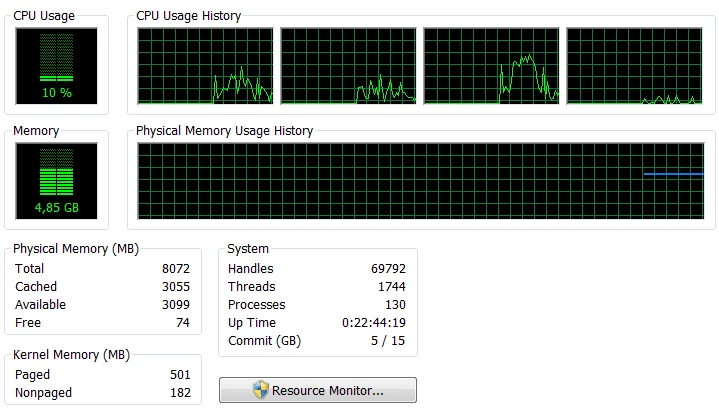
It's very difficult to add text on such PDF. And The CPU and RAM seems not to be overloaded... So it sounds the problem is in the Acrobat.exe*32 which is consuming too much CPU or refreshing the screen each time I type on a key...

I tried to deactivate many parameters in the Preferences but the problem is not disappearing....

Do you have any suggestion ?

Thanks a lot,

Frédéric Boisdron.

This topic has been closed for replies.

5 replies

Adorobat
Participating Frequently
August 24, 2016

Hi frederic.boisdron ,

Could you please let us know if this is happening with specific file or with other files as well?

Also, try to perform following steps :

1 -Reset Acrobat Preferences ,close Acrobat XI,go to C:\Users\your username\AppData\Roaming\Adobe\Acrobat\11.0. ,move the entire 11.0 folder to some other location like temp folder .

To view temp folder , press Windows+ R key on your keyboard,type temp in the run dialogue box then press enter.

If App data folder is not visible under your user name , launch Windows Explorer then click Organize in the top left corner of the screen>then click Folder and search option>under View>Hidden files and folders,click Show hidden files, folders and drives>then click Apply and OK

Launch Acrobat again and check if its working fine.

2-If step 1 doesn't fix the issue , try to disable protected mode , launch Acrobat>click on Edit menu then click Security (Enhanced)>click Protected View>and then click Off>OK.

3 -If step 2 doesn't fix the issue,try to repair Acrobat>launch Acrobat>click on Help menu>then click Repair installation. After repairing , restart the computer and then launch Acrobat and check if its working fine.

Let us know if above given steps worked.

Thank You,

Shivam

Participant
August 25, 2016

Many thanks Shivam,

Unfortunatelly, I already tested all this and it doesn’t work.

When adding text, the screen is still blinking each time I type on a key and the CPU consumed by Acrobat.exe *32 is still reaching 100% of one CPU Thread.

I have attached the PDF example for which problem is occurring.

Maybe you can try yourself with this PDF file ?

Thanks a lot for your support,

Frédéric Boisdron

Adorobat
Participating Frequently
August 26, 2016

Hi frederic.boisdron  ,

I was not able to see any attachment in your reply. I have sent you a private message,please respond on the message.

Thank You,

Shivam