Answered
Adobe Acrobat 9 Pro Extended claims my License has STOPPED working
I've been using Acobat since V5 and kept upgrading to the Pro 9 Extended version. Today it gives me this this ERROR message
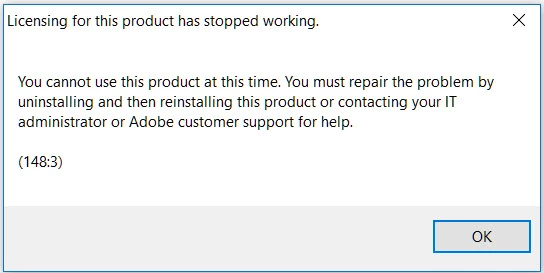
Can you please tell me why?

I've been using Acobat since V5 and kept upgrading to the Pro 9 Extended version. Today it gives me this this ERROR message
Can you please tell me why?
Actually I found the culprit. Earlier in the day My Outlook 2016 stopped working and during my torture with MS tech support, they took remote control my system to see why. Well this morning I woke up with the thought that they must have done something to troubleshoot the problem. So this morning I ran "msconfig" and low and behold they had turned off many of my StartUp programs. So after resetting the StartUp to "normal", everything now seems to work.
The more technology gets better the worse it gets... if you know what I mean!
Thanks for respond and suggestion.
Already have an account? Login
Enter your E-mail address. We'll send you an e-mail with instructions to reset your password.


 AdChoices