Participant
August 12, 2016
Answered

Adobe Acrobat X Installation Error 1402

  • August 12, 2016
  • 4 replies
  • 1978 views

Hello,

I am trying to install Adobe Acrobat X Pro on a machine running Windows 7 Ultimate 64 bit.

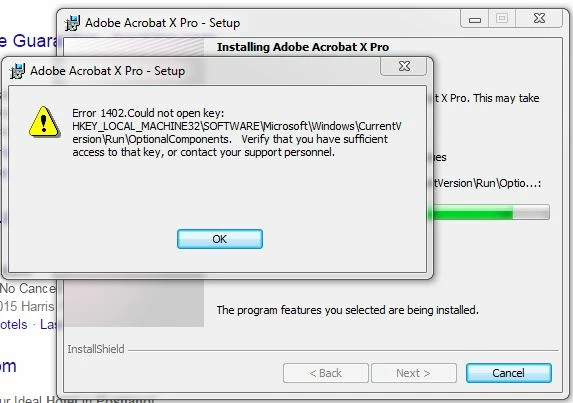
I keep getting the following Error every time the installation is nearly complete.

Error 1402. Could not Open Key:

HKEY_LOCAL_MACHINE32\SOFTWARE\Microsoft\Windows\Current\V

ersion\Run\OptionalComponents. Verify that you have sufficient

Access to that key, or contact your support personnel.

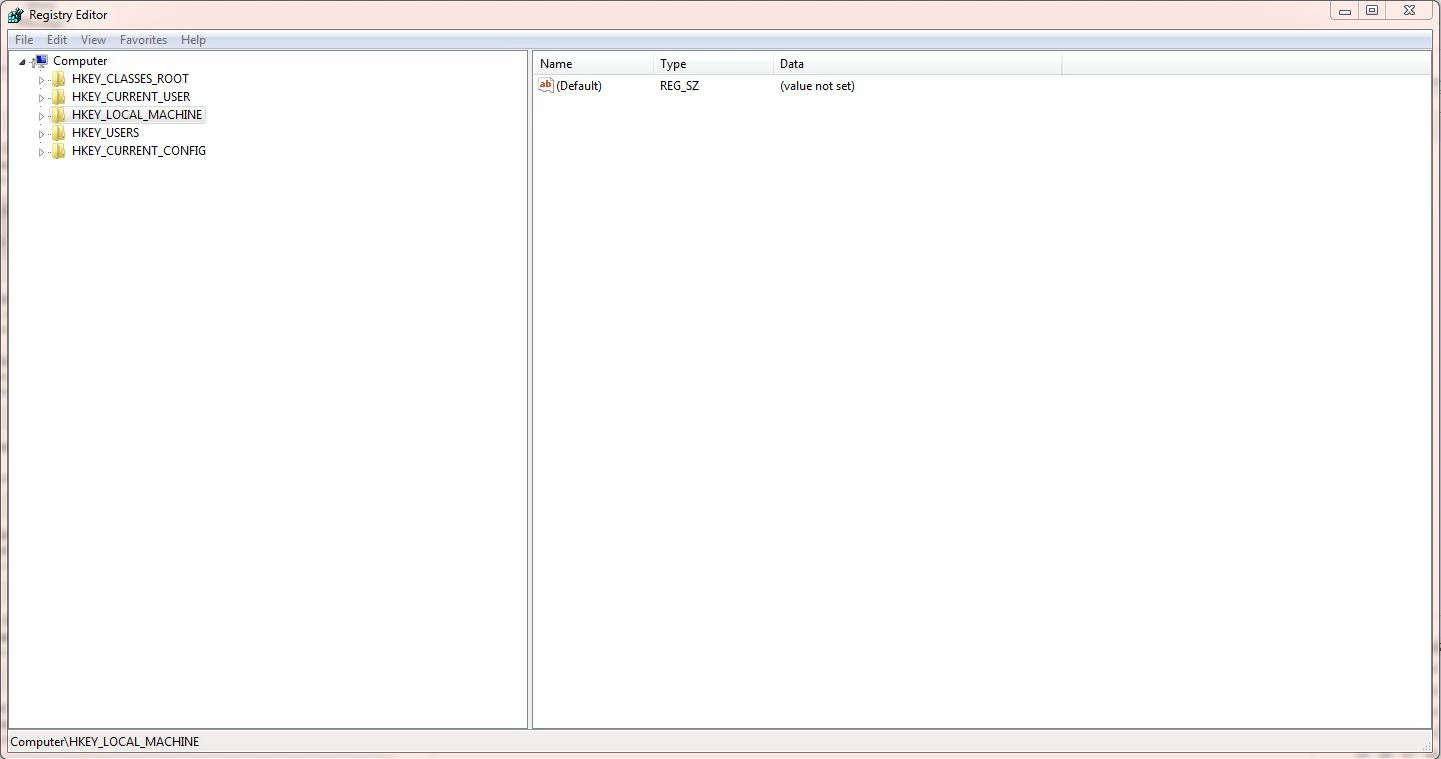
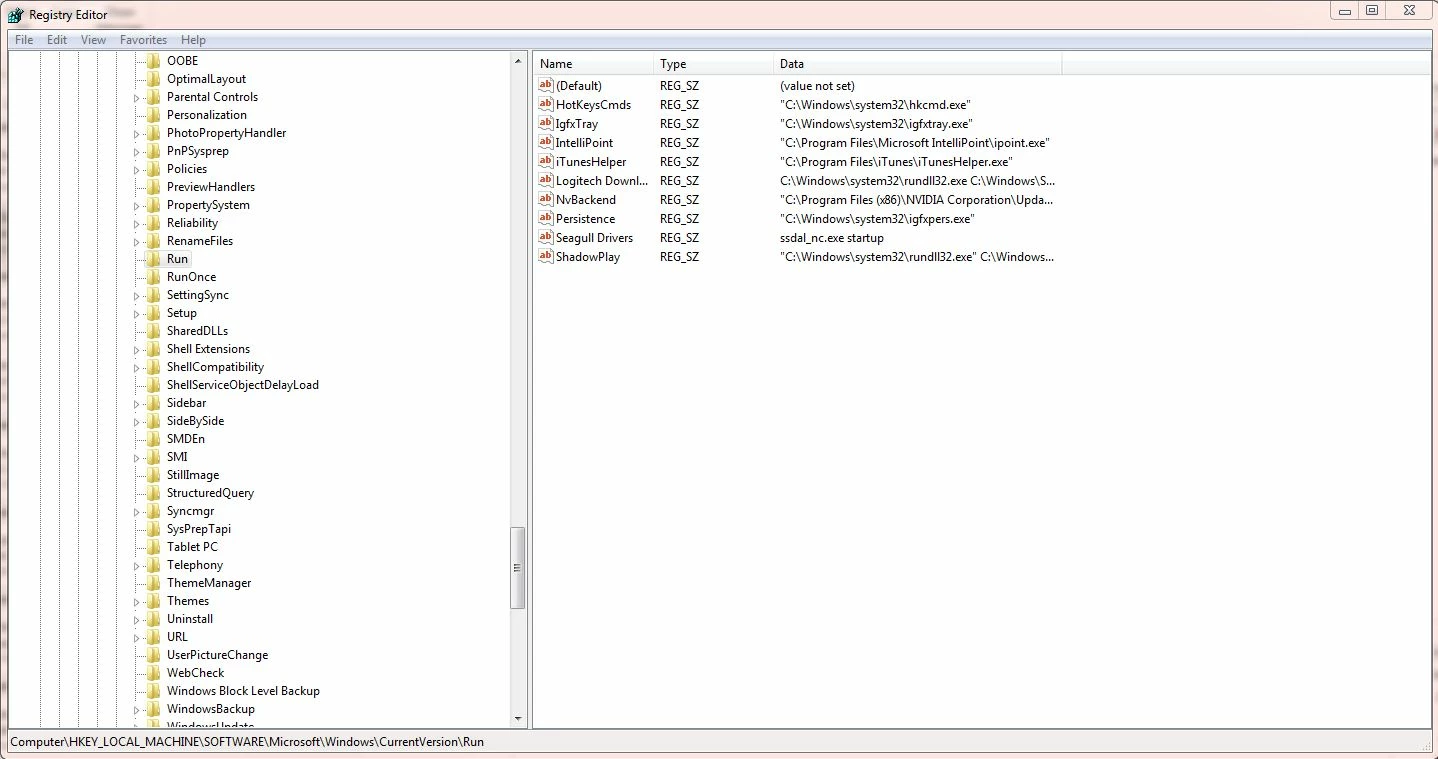
Please also see screenshots of the registry attached where HKEY_LOCAL_MACHINE32 does not exist and also of the same file path but HKEY_LOCAL_MACHINE where OptionalComponents does not exist.

I have searched the forums for similar cases such as the following example but the registries don't actually exist so I can't change the relevant permissions.

https://forums.adobe.com/thread/706614
This topic has been closed for replies.
Correct answer kglad

if you followed the first 5 fixes at that link i can't help any more here.

you could try using google to search for that error and see if there are any fixes listed there.

4 replies

Participant
August 23, 2016

I have already tried this to no avail.

You will see from the error message it is looking for HKEY_LOCAL_MACHINE32 which doesn't exist.

Optional Components doesn't exist in the HKEY_LOCAL_MACHINE namesake either.

See screenshots below.

I have also checked a different machine which has Adobe Acrobat X Pro installed and the key doesn't exist on there either?

kglad
Community Expert
kgladCommunity ExpertCorrect answer
Community Expert
August 23, 2016

if you followed the first 5 fixes at that link i can't help any more here.

you could try using google to search for that error and see if there are any fixes listed there.

Participant
August 22, 2016

Yes for both acrobat and readers and then after several restarts ran the installer program as Administrator. Seems to get the whole way through the installation before the permissions error appears

kglad
Community Expert
Community Expert
August 22, 2016
Participant
August 21, 2016

I tried this several times to remove both Adobe Acrobat and Adobe Reader and still no luck. The same error is still appearing each time

kglad
Community Expert
Community Expert
August 21, 2016

did you properly uninstall (using the uninstallers) all acrobat and reader versions?

kglad
Community Expert
Community Expert
August 12, 2016

right click the installation file>click 'run as administrator'.

[moved from Downloading, Installing, Setting Up to Installing, Updating, & Subscribing to Acrobat]

Participant
August 18, 2016

Hello,

I thought this would work too but annoyingly it didn't.

Any other ideas?

kglad
Community Expert
Community Expert
August 18, 2016

uninstall all acrobat and reader versions

clean per Download Adobe Reader and Acrobat Cleaner Tool - Adobe Labs

restart your computer

reinstall acrobat