


Participant
October 23, 2018
Question

Assign Value to Signer's Email from Data File

  • October 23, 2018
  • 1 reply
  • 593 views

Hello. I am using javascript to read a data file to populate and save a large number of PDF forms (about 2000). The script works perfectly and populates the form fields with the data in the file. I then need to send each form out to be signed (using Adobe sign). This works perfectly as well. However, I would like to pre-populate the Signer's Email in the Signature field using the signers_email from the data file as each form is created from the data file.

I cannot figure out how to do this in the Javascript. Right now I have to enter the email address from Adobe Sign. This is tedious AND may lead to typos! Any ideas?

Thank you!

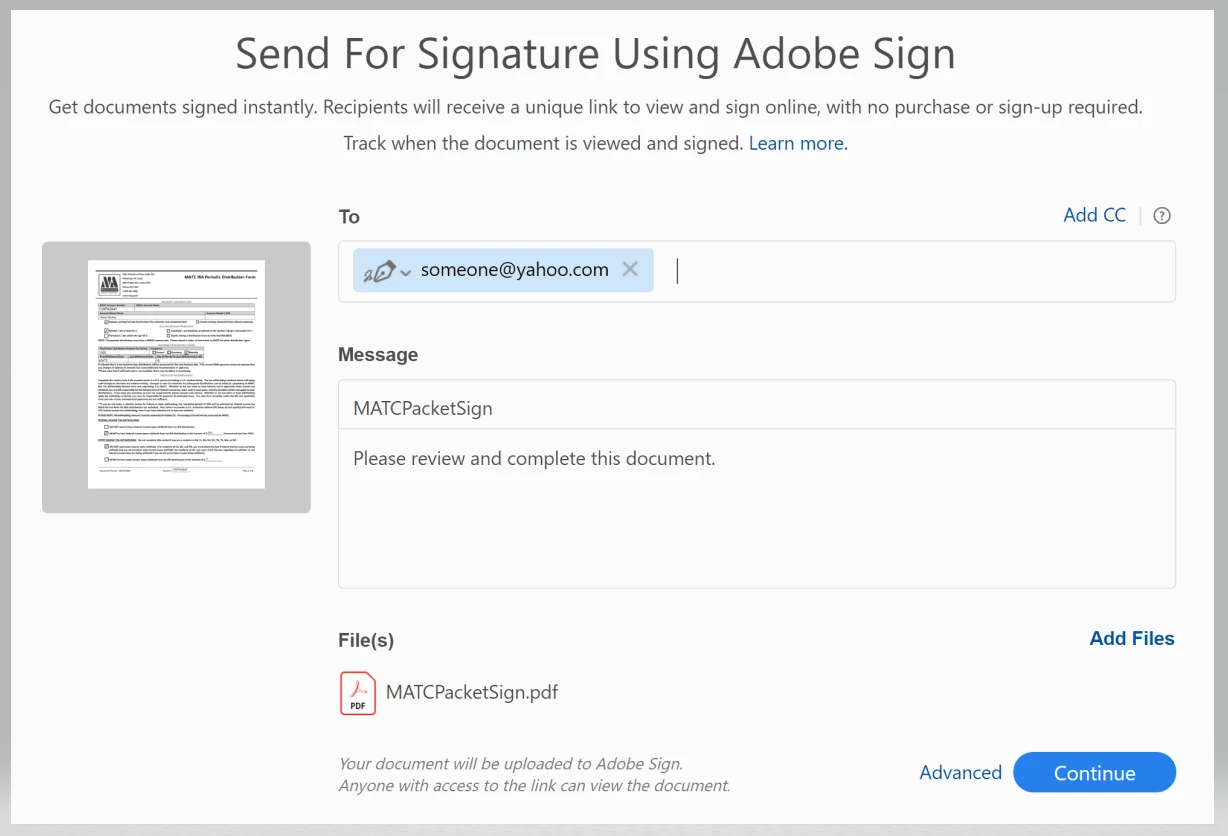
PS If I manually enter the Sender's Email in the field properties (directly) and then access Adobe Sign, the email address is auto-populated in the To: line. So...how do I programmatically assign a value to the Sender's Email field (via Javascript) using signers_email from data file?

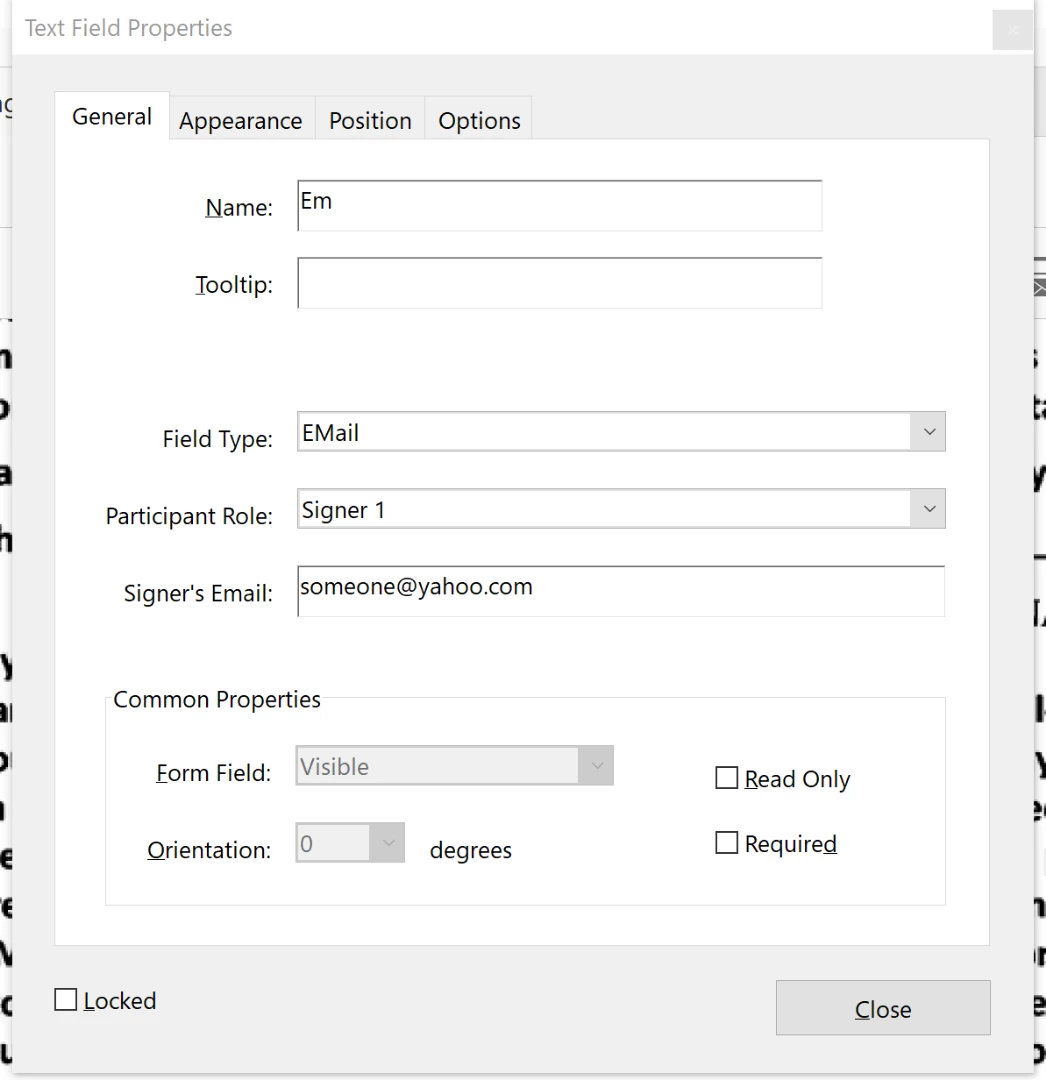
Manually entered Signer's Email in Field Properties
Adobe Send automatically populates To: field.

This topic has been closed for replies.

1 reply

Inspiring
October 23, 2018

The problem is probably that you're using the wrong field name when setting the field value via JavaScript. To see what the actual field name is, go into form editing mode and the complete field name will show in the list of fields in the right-hand panel. It will be something like: Em_es_:signer1 or Em_es_:signer1:email

atlmaddogAuthor
Participant
October 23, 2018

Hello George - thank you for your response. I have tried that and other variations of the field name. I believe Signer's Email is a 'property' of the electronic signature field (in this example named Em). I cannot determine how to a) extract the value that is in the Signer's Email 'property' (in this example it would be someone@yahoo.com), nor can I figure out how to assign a value to it. I have found documentation stating that Em_es_:signer1:email is in fact "a field containing the signer’s email address".

I have tried more ways than I can count to extract the 'someone@yahoo.com' value:

sender_email = this.getField("Em").value

I have searched for hours on Google for an example - surely someone has done this.

Another item of interest - if I extract the data (using Extract Data tool) from the form to a file there is nothing in the Em_es_:signer1:email field - even though someone@yahoo.com is in the Signer's Email (as shown in the screenshot above).

I guess I will have to enter the email address in the To: field for each form I send via Adobe Sign.

Thanks again for your response. It is appreciated!

Inspiring
October 23, 2018

Did you look at the field name as it's shown in the list of fields in the right-hand panel like I suggested?