
Answered
Auto-populated dates not functioning correctly
- September 3, 2020
- 4 replies
- 1126 views
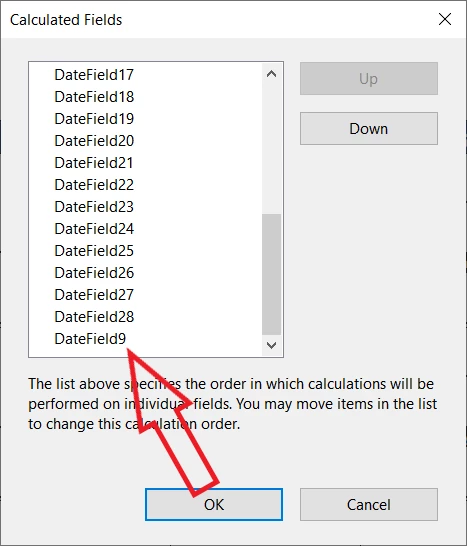
Hello! I have created a calendar that requires filling in an intial date and then other dates autopopulate. I am running into a strange thing where I enter the date and up to date field 9 is populated. But then I have to re-enter the date in the first field again in a slightly different format for date fields 10 and on to populate. For example, I can enter "9/3" and date field up to field 9 auto-populate. But then I have to enter it again as either "09/3" or "9/3/20" for the other fields to also fill in. I'm thinking it might have to do with the custom script I'm using in the auto-populated fields but don't see any issues.
Anyway, I am perplexed so thought I would throw it out to see if anyone had ideas. thanks!
Josie


 AdChoices