


Known Participant
October 31, 2016
Question

Black Lines / Streaks Returned Today

  • October 31, 2016
  • 2 replies
  • 769 views

A client had this problem two weeks ago and using the registry fix (the link below) the problem went away, but as of today it has returned.

Acrobat Reader DC prints streaks after upgrading to Windows 10 Anniversary update

I can confirm that the registry edit is still there. It was fine on Thursday 27th October 2016 but today, 1st November 2016, it has returned. Today the machine received three updates, two were for Windows 10, one of these was a cumulative update, and one was for Adobe Flash player. I am guessing one of these Microsoft patches has caused Adobe Acrobat Reader DC to stop working correctly again?

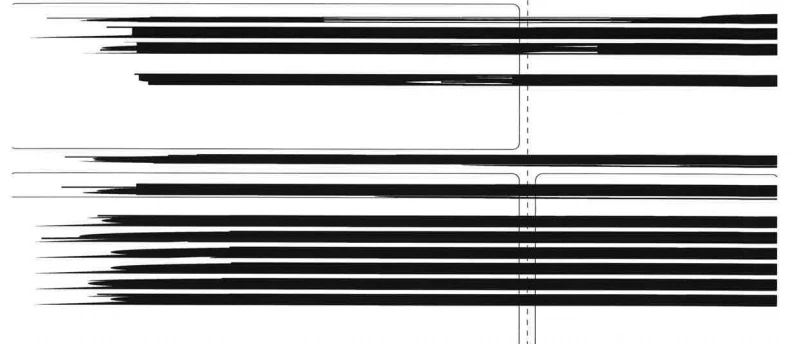
This is what the invoices are printing out as:
This topic has been closed for replies.

2 replies

Known Participant
November 27, 2016

1 month later the issue has returned again today after a Windows Update over the weekend. I have logged a ticket with Canon to see if they can find a permanent solution to this issue. Computer is unavailable to reboot until later today, will try it again after that.

Meenakshi_Negi
Legend
November 30, 2016

Hi AlexLeadingEdge,

Sorry for the inconvenience.

We are aware of this issue and out team is investigating on this.

Regards,

Meenakshi

AshuMittal9644438
Adobe Employee
Adobe Employee
January 10, 2017

Hi all,

Good news! Adobe Reader official update containing the complete fix for "black streaks while printing" issue is now available. Please update to the latest release by opening the application and going to Help > Check for Updates.

Release notes for today's release are here: http://www.adobe.com/devnet-docs/acrobatetk/tools/ReleaseNotes/DC/dccontinuousjanuary2017.html

Please try it out an let us know your feedback.

Thanks!

-ashu

Known Participant
October 31, 2016

It turned out that the client hadn't rebooted their machine after the cumulative update was installed this morning and it has left the OS in a dirty state. A simple reboot has fixed it. Doh!