Participant
February 15, 2016
Question

Blank page insertion causing page duplication in Acrobat

  • February 15, 2016
  • 2 replies
  • 907 views

Hi,

Can anyone tell me if something has happened in acrobat in the last few weeks as I have suddenly developed all sorts of trouble on several computers at work that I never had before.

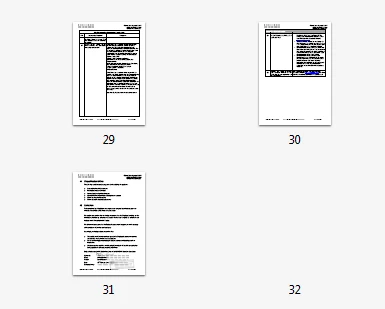
On inserting blank pages I often get either a square page even if I'm in an A4 portrait document or I get a strange blank that doesn't even have a thumbnail and won't preview:
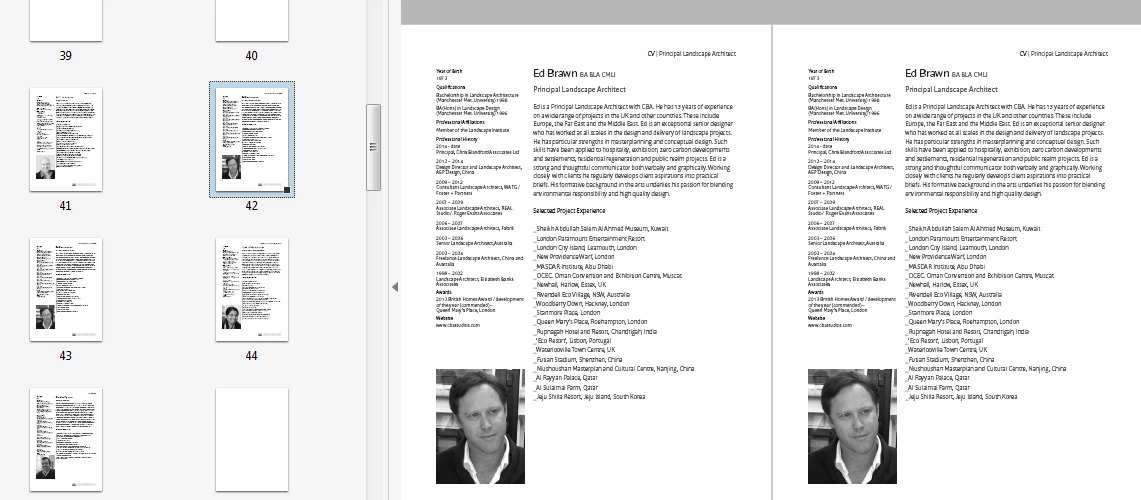
Or it duplicates the next page and then I can't work out which is the page with the real content and which is the error. E.g here I've said insert blank after a CV and I get a duplicate of the CV instead:
Often my pdfs won't save or print and I have to extract bits and pieces and reconstruct them in new folders on the system until eventually I get a pdf that works and looks correct. This also happens with inserting any external pdfs whether I drag and drop or do right click insert.

  Please tell me I'm not the only one as this is costing me so much time when I'm under pressure! Is there a patch? My copy of Acrobat CC is up to date. I'm on Windows 7.

      Thanks

           Justine

This topic has been closed for replies.

2 replies

Bernd Alheit
Community Expert
Community Expert
February 16, 2016

‌Try the actual update of Acrobat.

Participant
February 16, 2016

Hi Bernd,

It is fully up to date according to my CC app. I've run the repair installation and I'll see what happens as I work over the next week,

     Thanks

         J

Legend
February 16, 2016

Yes, the problem is in 2015.010, the current version, which introduced it.

February 15, 2016

Hi ,

Are you experiencing this with all the PDF'?

Try to replicate with a sample PDF and see if you encounter the same.

You could repair Acrobat once and see if that helps.

Regards

Sukrit Dhingra

Participant
February 15, 2016

Hi Sukrit,

I'm experiencing it with all my pdfs for the past few weeks-generally created from InDesign,sometimes with some pdfs from Word thrown in. When you say repair Acrobat what do you mean? I could get our IT guys to uninstall and reinstall it on all the machines I've seen it happen on.

Thanks

Justine

February 15, 2016

Hi ,

Launch Acrobat>Navigate to Help>repair installation.

Regards

Sukrit Dhingra