
Participant
May 12, 2023
Question

Change button actions

  • May 12, 2023
  • 3 replies
  • 611 views

Hey,

I created multiple PDF's using Adobe InDesign. Since it is not possible with InDesign to create an action that allows me to open a file in a new tab, I would like to do this with Acrobat. Furthermore I would also like to add a button with the open search function and a button with a page jump incluse zoom function to certain coordinates.
How can I realize this? The manual change is unfortunately not an option, because the PDF's contain between 100 and 1000 pages and the changes would have to be made on almost every subpage.

Here is a picture of my Master-Page where you can see the buttons.
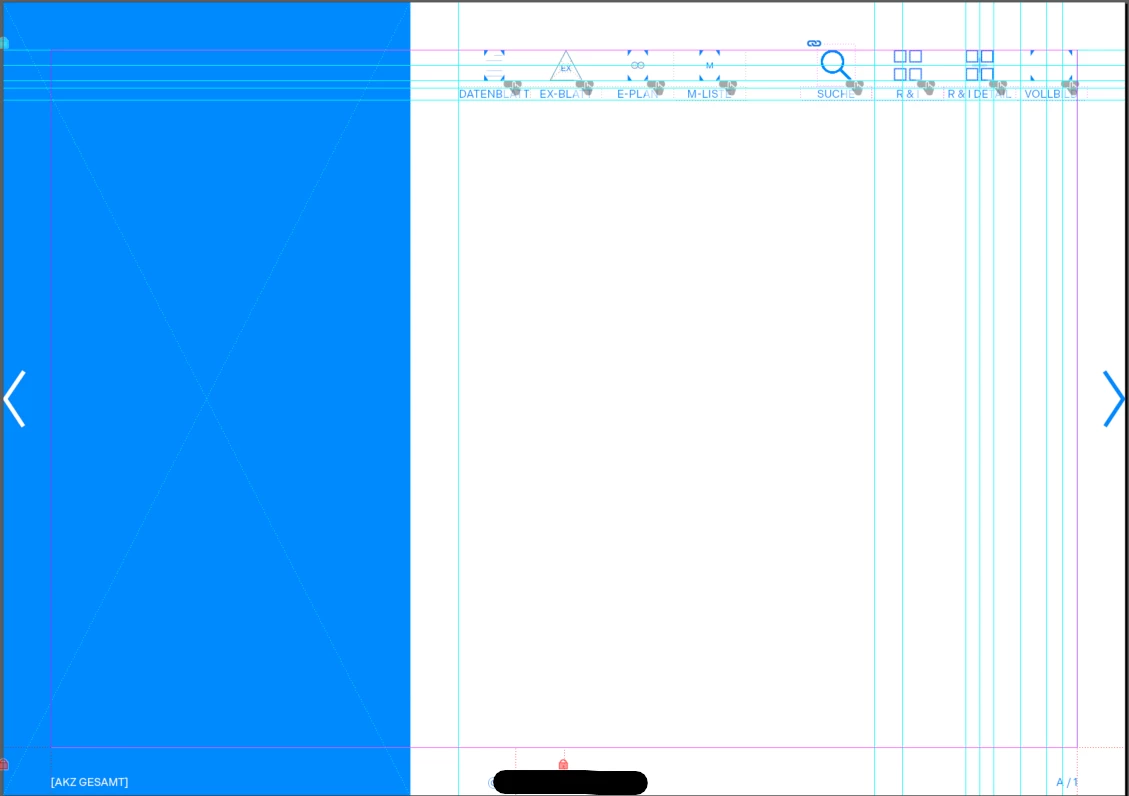


Thanks in advance and have a nice day

This topic has been closed for replies.

3 replies

try67
Community Expert
Community Expert
May 12, 2023

You can do it in batch using this (paid-for) tool I've developed:

https://www.try67.com/tool/convert-all-links-in-a-pdf-to-open-in-new-window

As mentioned, you can't do it in Acrobat automatically, at least not with a script (might be possible with a plugin).

JR Boulay
Community Expert
Community Expert
May 12, 2023

How can I realize this? The manual change is unfortunately not an option,

Place these buttons on the first (or any other one) page only, export as PDF, open the PDF with Acrobat Pro, set actions to all buttons, and use "Duplicate Across Pages".


Acrobate du PDF, InDesigner et Photoshopographe
Participant
May 12, 2023

Thanks, it's working for the search Option but unfortunately not opening file as the pathes are dynamic. Is there another option?

JR Boulay
Community Expert
Community Expert
May 12, 2023

Since it is not possible with InDesign to create an action that allows me to open a file in a new tab, I would like to do this with Acrobat

Opening a document in a new tab (vs new window) is a user's preference that cannot be edited by JavaScript or an action.


Acrobate du PDF, InDesigner et Photoshopographe
Participant
May 12, 2023

Danke für deine Antwort. Meine Beschreibung des Problems war wohl nicht genau genug. Wenn ich einem button in Acrobat eine Action zuweise kann ich "neues Fenster" auswählen. In InDesign nicht. Leider wird Datei dann auch in Acrobat im selben Fenster geöffnet (Die andere Datei verschwindet sozusagen einfach). Ich weiß, dass man es in den Einstellungen ändern kann, jedoch ist es eine Datei für einen Kunden und soll idiotensicher sein. Der Pfad zu jeder Datei ist einzigartig und wird in InDesign mittels eines UXP-Script zugewiesen.
Ist es möglich die actions der buttons programmatisch zu ändern?