





Change Icon of sticky note based on Content
I'm looking for an easy solution to better manage the appearance of my sticky notes. In a previous post, I was able to get help changing sticky note color based on content. It works great!
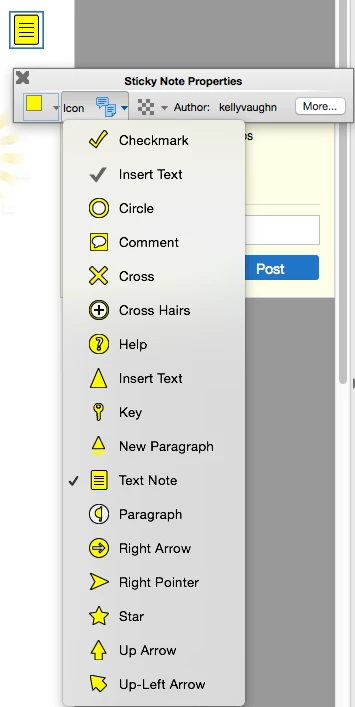
I am now looking for a way to change sticky note icon based on content. Currently, all my sticky notes are the "Text Note" icon (because that's how they are exported from InDesign). But I'd like to be able to easily and globally change the Text Note icon to any of the other icons.
It would be even more amazing if the script could also delete the text associated with the color.
For example. If the sticky note content starts with "Help:" the Text Note icon would change to the Help icon, and then also delete "Help:" from the beginning of the sticky note contents.

 AdChoices