



Changing multiple radio buttons to a different group
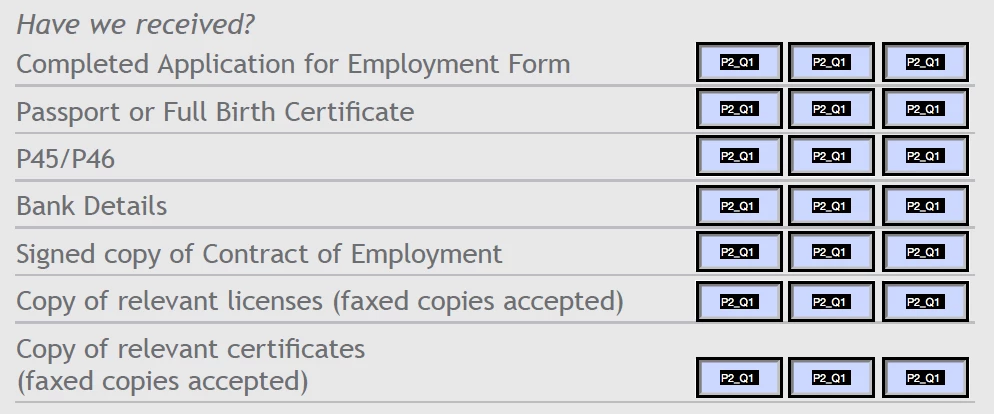
I have a fairly large print-based form that I need to turn into an online form. I already have a PDF of the document and just want to add radio buttons over the top of the existing tick boxes. Each question has three possible answers (Yes, No, n/a) and obviously I need to put each group of 3 checkboxes into the same group to make sure they behave as expected and only allow one choice per question.
For speed, I drew out three checkboxes, gave them the correct responses and the same group name, then duplicated them across the form by alt-dragging them.
I now need to go through the form and change the group names so that they are grouped by question, rather than all being part of the same group.
i.e.
The first group is P2_Q1. I want to select the next group of three radio buttons and in one operation change their group to, say, P2_Q2. Then change the next group of three to P2_Q3, P2_Q4 and so on…
I don't want to have to change the group name of each and every radio button, partly because I have a lot of questions, but also partly because being forced to do that would suggest Acrobat violates every tenet of sane software design and, well, Acrobat already makes my head hurt as it is.
Can anyone help? Thanks in advance.
 AdChoices