
realabq
Participant
June 20, 2016
Question

Characters Altered when Combining PDFs

  • June 20, 2016
  • 1 reply
  • 716 views

Adobe Acrobat Standard DC Ver. 2015.006.30174, Windows 7 Pro.

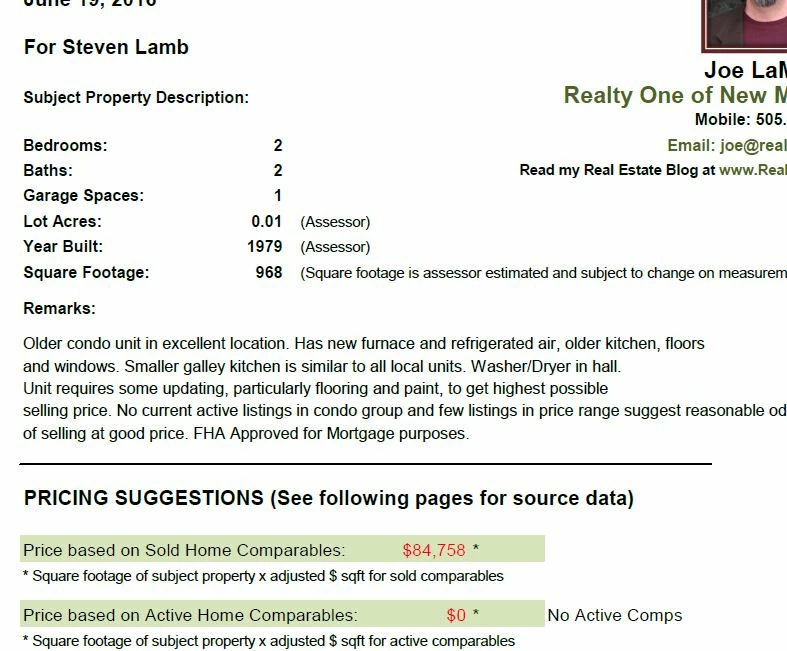
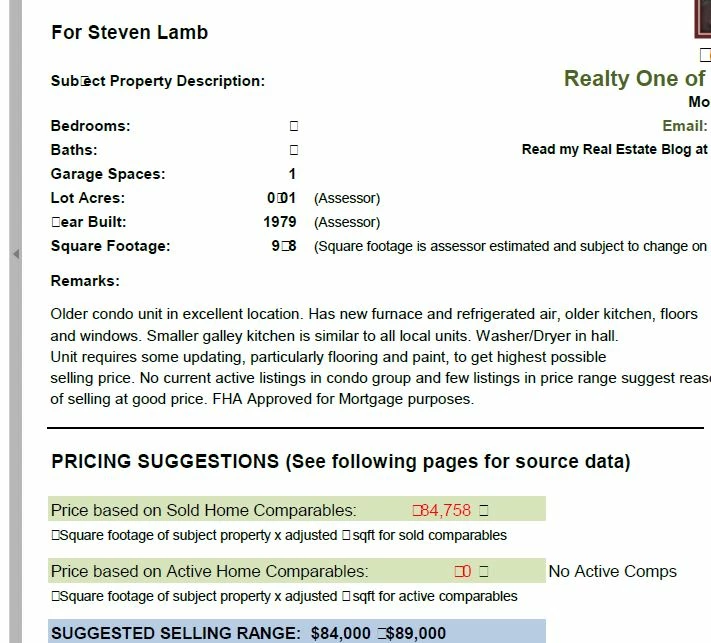
When I create pdfs using Adobe, I have no problems until I try to combine them with other pdfs. For example, I create a pdf from a spreadsheet, page 1. Then I download another pdf from online. Put the two together and some of the characters come out as gibberish (see screenshots). The first shot is the original pdf, the second is the result when combining. Any thoughts on what I'm doing wrong?
This topic has been closed for replies.

1 reply

Inspiring
June 21, 2016

It would help if you could post the original and the download so we can access them through a share. Then list the exact steps you use in the combining. If we can repeat the process, then it is easier to recommend a solution.

realabq
realabqAuthor
Participant
June 28, 2016

Thanks Bill,

Guess I'm being dense, but I don't see how to insert the original PDF. I can see an image insert, but that won't let me insert the PDFs. Am I misunderstanding you?