
UltraMax
Inspiring
July 18, 2016
Answered

Converted Document Heading Problem!

  • July 18, 2016
  • 2 replies
  • 764 views

Hello Dear friends,

I have very strange problem:

When converting from Microsoft Word 2013 To PDF (Having About 300 Pages) Some Headings aren't converted, not displaying as must be.. I attached Screenshot of converted document Heading...

Please Help How To fix this Issue?
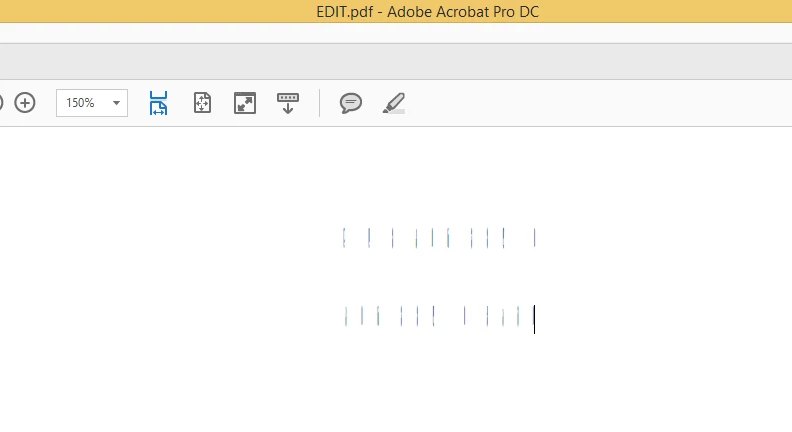
This topic has been closed for replies.
Correct answer UltraMax

So It is Microsoft Word Bug and Closing the thread "With Correct Answer"

2 replies

balam
Adobe Employee
Adobe Employee
July 19, 2016

Hi,

Could you please share a sample document with us? You can mail the document to me at balam@adobe.com.

Regards,

Basma

UltraMax
UltraMaxAuthor
Inspiring
July 19, 2016

Hello Balam, I sent the document file to the specified mail...

Greatest Thanks !

UltraMax
UltraMaxAuthorCorrect answer
Inspiring
July 22, 2016

So It is Microsoft Word Bug and Closing the thread "With Correct Answer"

UltraMax
UltraMaxAuthor
Inspiring
July 18, 2016

I did some tests and experiments:

If I Convert word document via Print + Adobe PDF Everything is OK (All headings are displayed normally), But in that case No bookmarks and footnote links are converted...

How can I overcome that Problem?

Thank you In Advanced

try67
Community Expert
Community Expert
July 18, 2016

You have to use the PDFMaker plugin (via the Acrobat ribbon) to get all of that stuff.

UltraMax
UltraMaxAuthor
Inspiring
July 18, 2016

If I Use that variant all headers (Titles) aren't displayed correctly...  as shown on the screenshot above..